
Anatomy Of A Bounty Quest

Entry posted by DocClox
1567 views
Every time I want to make a radiant quest, I have to go and reverse engineer how they work. So I'm going to record my findings here, both so others can benefit, (and more to the point), so I don't have to keep working it out from first principles.
So: the first thing to understand is that it's all about the aliases. Look at this lot!
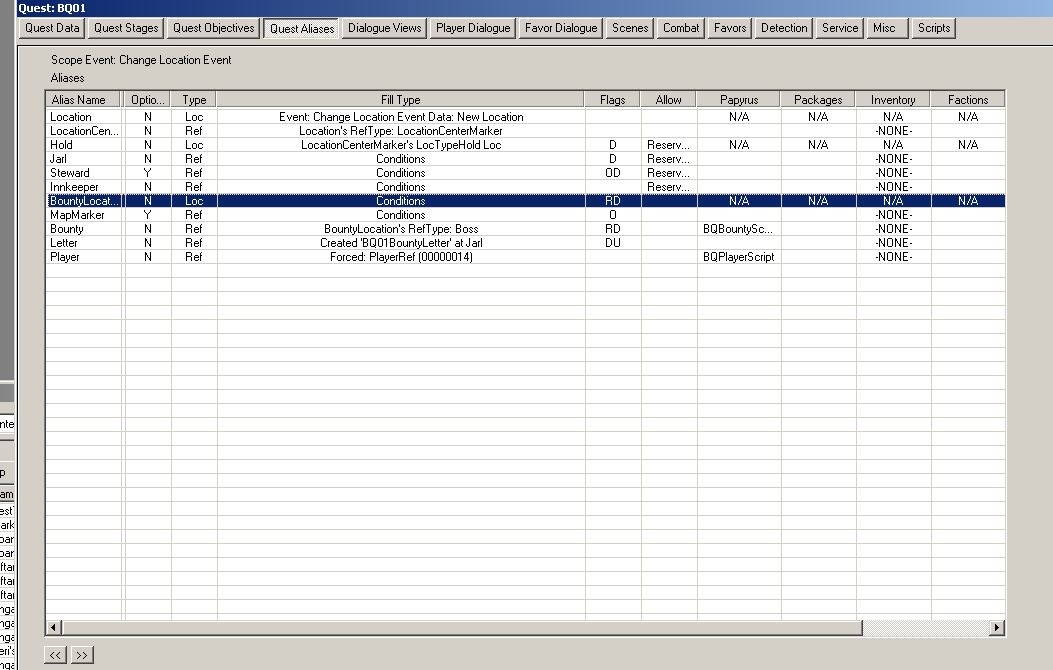
Now, the order is important here. Aliases get evaluated in the order the appear in this dialogue. So the most important one is likely the first in the list, and so it is here. The fill type here is "event". That means the quest expects to be launched by a Story Manager event, in this case a change location event.
We can confirm this by looking at the story manager nodes for "Change Location". And there's our Bounty Quests right there.
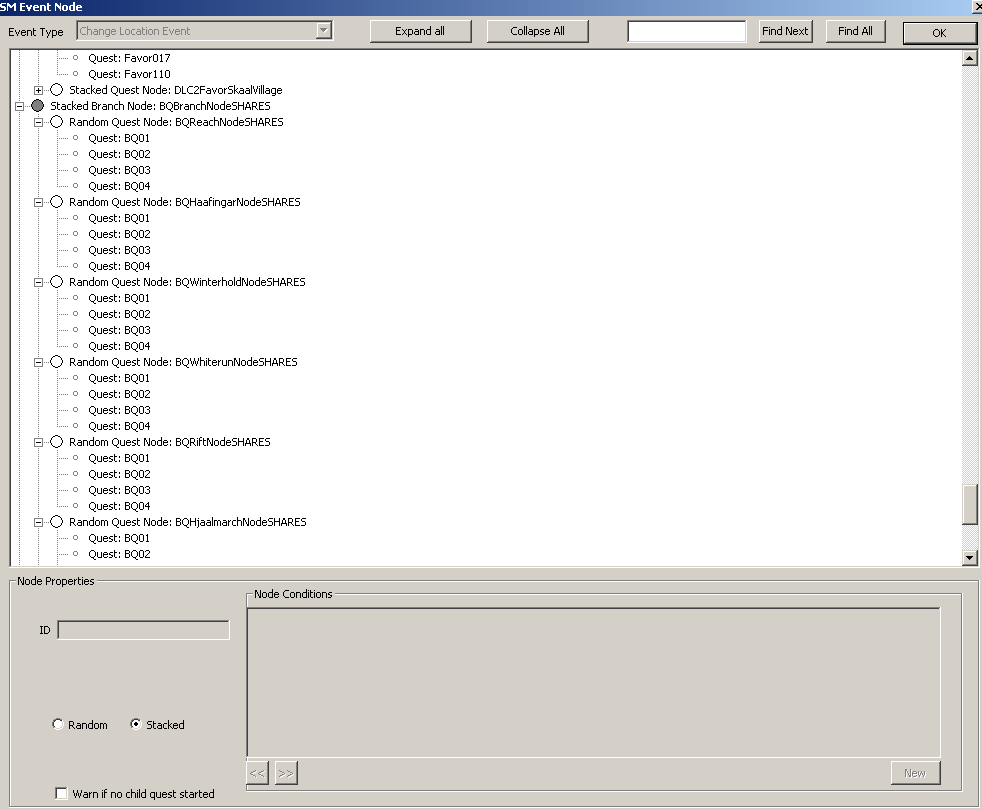
(The Story Manager is too much to get into in detail, but basically, events get raised when certain things happen. The story manager catches those events, and then runs down a list of quests that might be interested the event. The first one that matches the conditions (and which can actually start) gets started and the triggering event is passed to the quest and can be used to fill an alias. That's what "Change Location Event Data" means in the first screenshot there.
So the change of location raises the event, and the conditions on the Story Manager node determine which sort of location it is. Let's have a look at a location record.
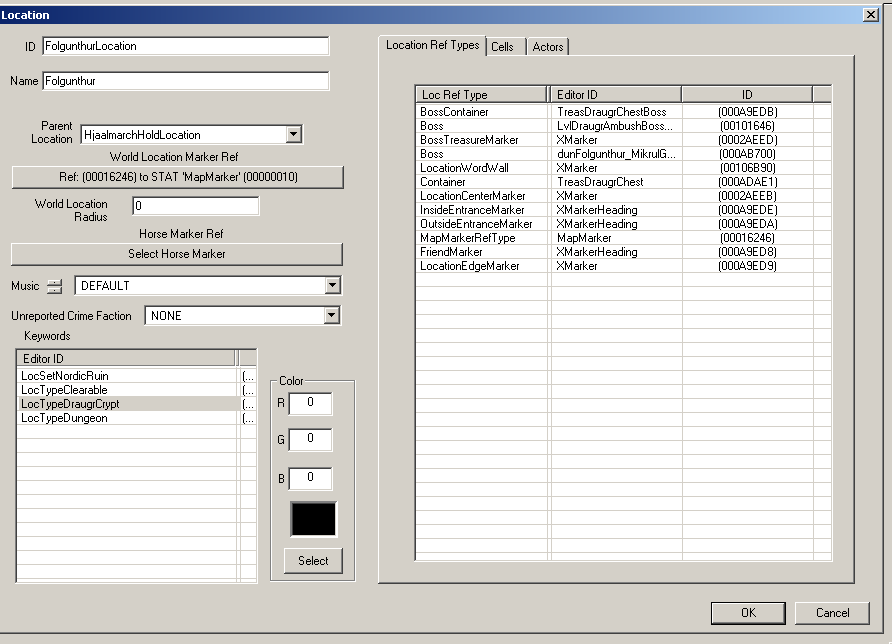
Two things of particular interest here. One is the keyword list, which lets you set conditions when setting up a quest alias with "find matching location". We'll come back to that in a minute. The other is the Loc Ref Type list.
A Location Ref Type is basically a jumped up keyword. They have their own section in the CK object window. If you open on up, the look like this:
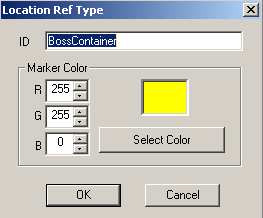
You can set a location ref on any reference in a cell. The color determines the color dot you'll see floating over the reference when editing the cell. So this is a chest from Hobbs Fall Cave:
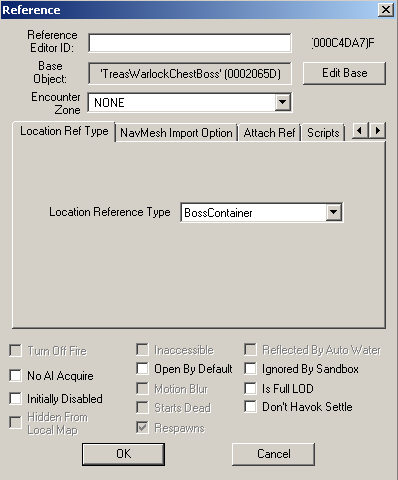
And this is the chest in the render window:
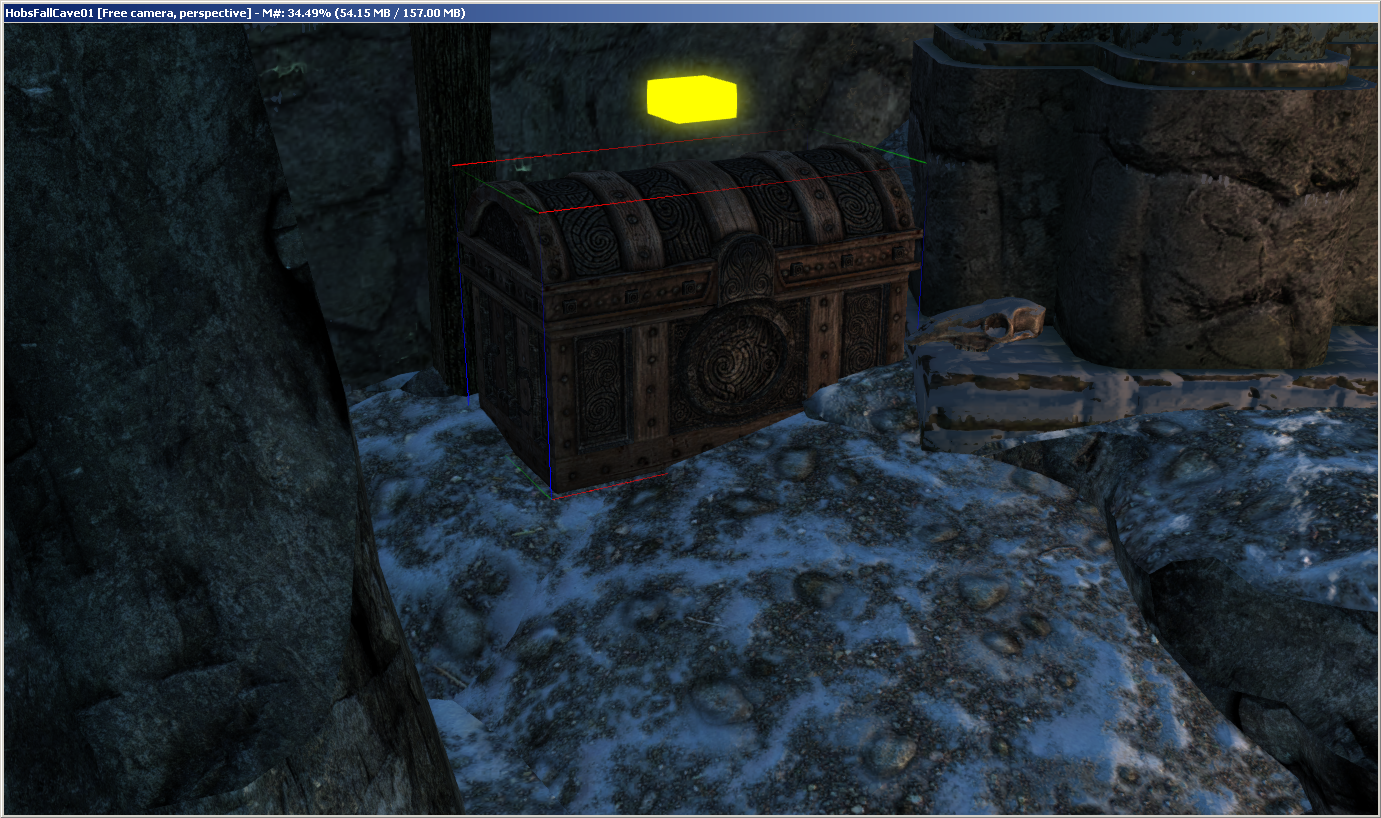
So: Location Ref Types are used to flag up references that have a particular role to play in a location. Map Marker. Boss, Captive Marker, whatever. They link a location to important object references within that location.
And that means that once you have a location alias, you can use that to get aliases for all the location's Loc Refs. Going back to our Bounty Quest, this gets the Location Center Marker.
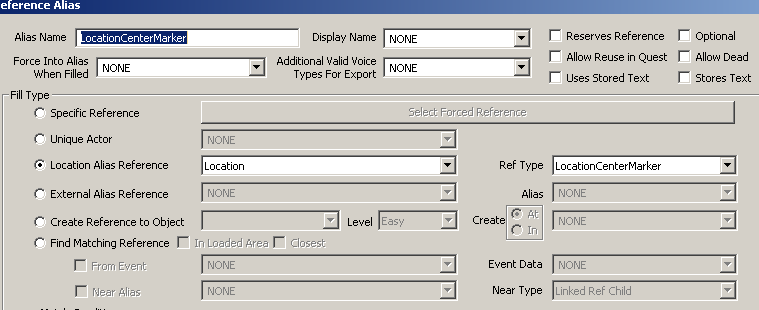
The marker can be anything at all, but usually it's just an xmarker. If you've seen xmarkers with little colored blobs floating above them, you might have wondered what they were for. Well now you know. The colored blob means it's a location ref, and if you edit the marker you can look at the Location Ref Type tab and see what the marker means.
We got the first location from the Change Location Event that started the quest. For a Bounty Quest we need two more locations. One is the hold, the other is the location of the camp/giant/dragon/whatever that you're going to have to kill. We do that by saying, in effect, "give me a location that contains the reference that this alias points at, and which has keyword ''LocTypeHold' set on it"
Like this:
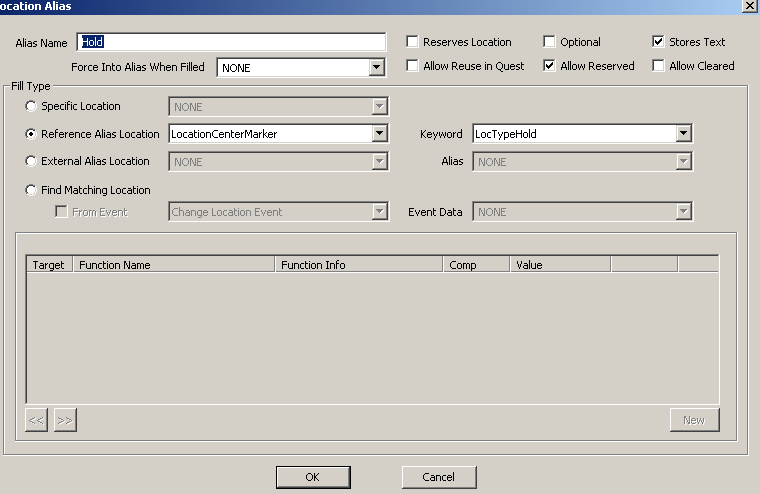
From that, you can get just about anything by saying "give me a ref with this keyword or faction in this location". For instance:
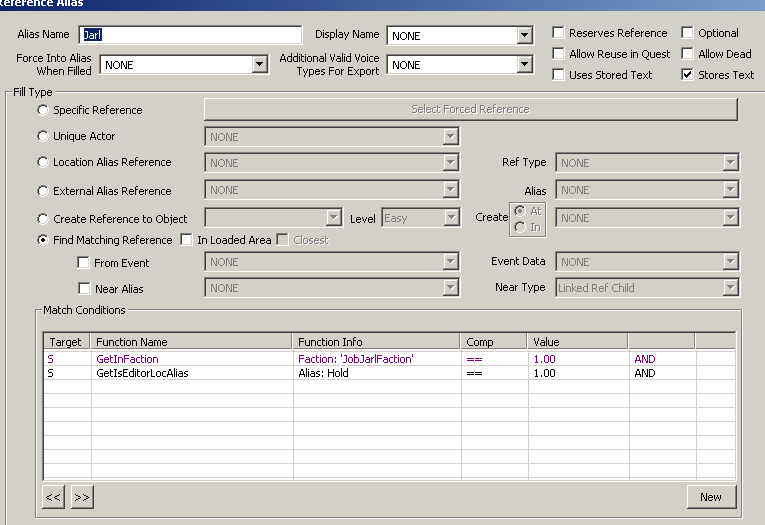
"Let's have the Jarl for this hold". Note that they could just hardcode Balgruuf (or whoever) but that would break when the Civil war changed the Jarl. This way, we get the Jarl, whoever that might be. And we also get the right Steward, and if Isolda (say) is running the Bannered Mare, it'll select her for the innkeeper rather than Hulda
So that gives us all the people we need to talk to: Steward, Jarl, Inkeeper. Now we just need someone to kill. For that we need another location.
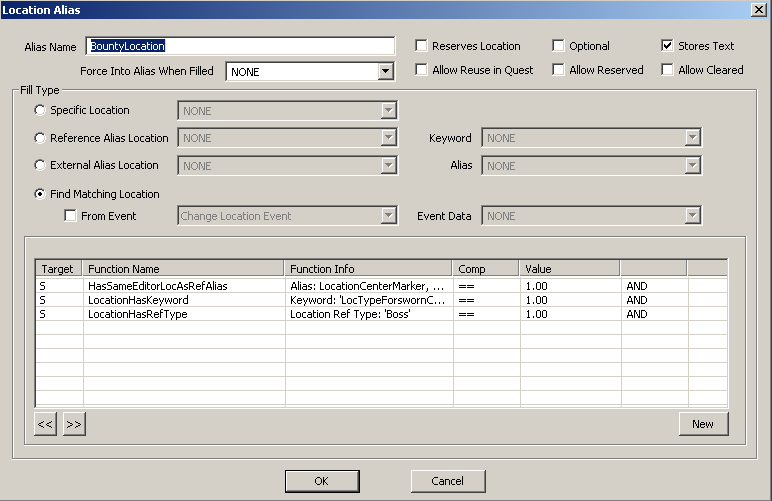
The important bit here is HasSameEditorLocAsRefAlias. That says "give me a location that has the same parent location as this location center marker ref". The parent location is likely the Hold, so that gets a random place in the same hold. Then we match on keyword to make sure we find (in this case) a Forsworn camp, and we match on Ref Types (remember those?) to find one that has a "Boss" reference. And aliases, by default, don't fill if their target is dead or disabled. So this is also a good way to filter out locations that have been cleared already.
Once we have our bounty location, we use that locations's Ref Types to find the map marker (so we can mark it on your map) and the Boss himself, so we can set him as an objective and attach a script to his alias.
The other alias worth mentioning is the "Letter" alias.
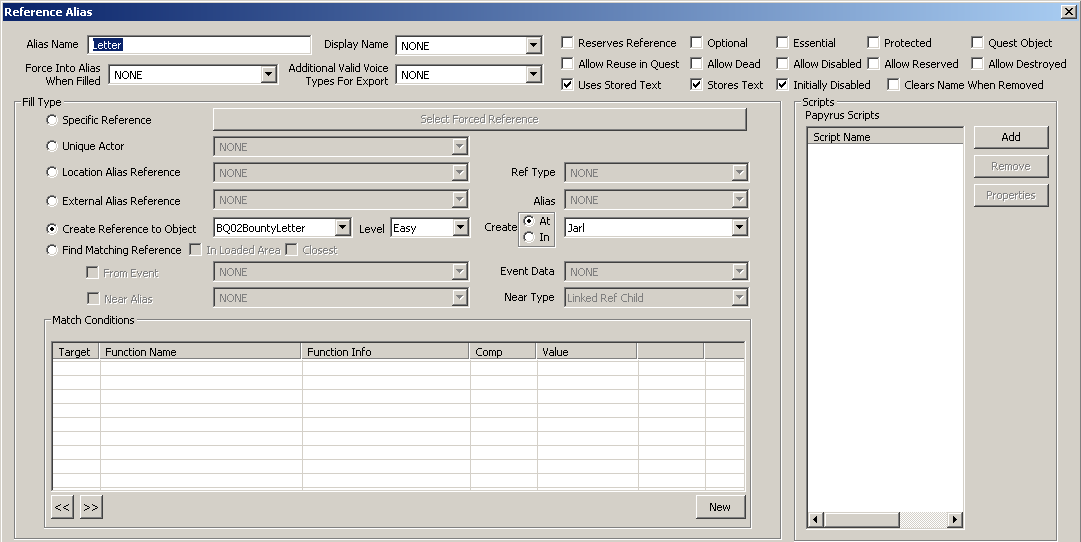
That says "create a reference to this note in the same place as the Jarl". The "initially disabled" flag is ticked, so you don't see random bits of paper lying around when you visit Dragonsreach. When the quest stage advances, the letter gets enabled and dropped in the player's inventory
And that's pretty much it. Get the initial location from the story manager event; find the location center; from that get the hold; then use Loc Ref Types to get the Jarl, Steward and Innkeeper. Then you get the bounty location based on keyword (to get the right type) and Loc Ref (to make sure it's got a Boss to kill).
Thanks for reading, I'm out of here!
0 Comments
Recommended Comments
There are no comments to display.