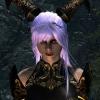
Overlordnim Posted February 9, 2014 Posted February 9, 2014 So. As i said in the title i didn't really know where to put this, but since i need help, i figured the support section would be okay to ask a few questions. and share what im working on. [Warning minor nudity below] [PLEASE KEEP IN MIND, NONE OF THESE ARE MY ORIGINAL MESHES OR TEXTURES CREDITS GO TO THEIR RESPECTED OWNERS/MAKERS] So as you can see, i have put much of it together. And while i was doing this in the CK, i was mostly learning! im quite new to all of this, but i managed to put the body together in basic, and learn how to add headparts, and custom textures, etc, you know. But im still confused on alot that i have to add, such as a tail, i have a faun tail model, and i tried duplicating the Khajiit tail slot, and adding it to the custom race's body acceptance slot, but it came up as Unnamed, and i couldn't add the skin for it to the body. This is noted as a breton body to start with, but from what i see, i can't add the things i wish to, to the body parts and so forth to a khajiit body. Im asking how would i add a tail to a body type like this? Also i have a mod that allows for Khajiit feet to be like their feet were in Morrowind. And was wondering if i could change the armor type for the feet to accept this style of shoes, so that the feet can wear armor or shoes and not return to the default foot for humans? As you can see, i have alot of texture stuff to mess with as well, especially on the feet! i don't know alot about textures, but i am trying to learn how to modify it so it will work rightly and not have shadow/texture tears. I think all the hands need is a small color change, because the textures are fine on them besides the discoloration compared to the rest of the body. Can anyone help with this too? or give me a link to a guide? As for the antler texture, this one is tricky, because the texture on the antlers is fine! but the shine is driving me nuts [much like on the custom ears which i need to also fix] Any suggestions to fix this problem? As for face morphs, it is the breton face with many of my face mods for it, i have no idea how to create custom face sliders/parts/morphs so it can look more unique, i want to learn, or at least be able to add many different parts to make it look more cute or unique.. However this is somewhat a minor thing i was wondering about, i am fine with her having the breton face style i have, because it doesn't look to bad, infact she looks quite cute and lovely :3 But i was just curious about face morphs. Thats all my questions for now, currently i am only working on the female side for this race, but i have many of the male meshes. If i do ever release this race to public, it will most likely be only female at first. Thanks and Credits. architeuthisinfitialis On Tumblr for the UNP body, hand, and face textures. Dreamburrow for inspiration. Nuska for their Character Resource Pack on the Nexus, the creator of the Avatar of Hircine race. Nuska for the antlers, male textures and meshes, tail mesh, hoof mesh and textures, and their fantastic work even if it was unfinished. Nouserhere on the Nexus for their Animated Animal Ears for Humanoids! ty so much they work great. Minor Credits. To everyone that made the face morphs i use for my humanoids in Skyrim, to the people who made UNP, and UNPB bodies.And to HDT [is it hdt?] High Heel System.
Vioxsis Posted February 9, 2014 Posted February 9, 2014 The antlers/ears don't look as though they are using normal maps, making some and setting them up properly in the nif will remove the shine.
Guest Ragna_Rok Posted February 9, 2014 Posted February 9, 2014 hallelujah, now heres a real pro at work... okay, fuck what i said, vioxsis is far more skilled in that than me ... im gonna remove my former comment to not confuse you... cheers dudes
Overlordnim Posted February 9, 2014 Author Posted February 9, 2014 Vioxsis could you explain this process to me a tad further?
Vioxsis Posted February 9, 2014 Posted February 9, 2014 To setup a normal map in the nif you must first set the BS Num UV Sets in the NiTriShapeData to 4097 And set the path to the normal map in the BSShaderTextureSet And for making a normal map from a diffuse texture. Download and install this for PS https://developer.nvidia.com/nvidia-texture-tools-adobe-photoshop Step 1 Open the diffuse in PS and make it black&white "alt +ctrl + shift + b" is the short cut for this Step 2 Copy the RGB channel and right click the blue channel and duplicate it and name it "Alpha 1" and paste the the RGB you copied in to it. If it already has an alpha 1 then just paste the RGB in to it. Step 3 Go to 'filter > NVIDIA Tools > NormalMapFilter'. You can change the settings to your liking and hit OK The RGB channel should now look like this. The lighter parts of the B&W image the higher the bump and the darker it was the lower the ditches will be. So edit the RGB in B&W and run the filter after you have finished (don't edit it after the filter has been applied) The alpha channel on a normal map controls how light is reflected. black = very little, white = a lot. Edit that to your liking as well. When saving a normal map pick DDS and use "DXT5 ARGB 8 bpp | interpolated alpha" and save it.
Overlordnim Posted February 10, 2014 Author Posted February 10, 2014 Well, though much trial and error, i managed to lower the shine on the Antlers, to be something more bearable, even if it isn't gone, it's quite irritating. The ears are still shinney, and i've found more issues with their textures that no matter what i do i can't find a fix. [see below] I think i know what is wrong with the texture, even though i've changed it many times, it may still be defaulting to the original texture i set it to, which from my own ignorance was the body texture. So i need to figure out how to fix this. As for what you suggested Vioxsis, i tried my best, learned to use Nifskope, and the NVIDIA tool, but i have PS Elements, and sadly it lacks a visible Channel Palette, this didn;t stop me from trying, as i did successfully turn the texture to grayscale [black and white] adjusted the colors to a darker tent, renewed it as a RGB and saved it with NVIDIA tool with the setting you said. However, this didn't seem to affect the shine on the antlers or ears. This makes me wonder if i missed a step, or maybe that a setting in PSE i got wrong. I think i also set the texture map right in Nifskope too, at least i hope i did. All i can say is i will try this again now that i know what im doing a little better, this is why it took me so long to reply, i spent a large amount of the day learning new things and programs, and learning that Elements had no alpha channels editable, which did indeed frustrate me. The under hair issue, i came across this issue early today, and i thought i had fixed it. But when i went in game i saw this was still here. I thought i took off the first hair from the head and made it bald, but it seems to have not worked. I believe i know what is wrong with this. While i came back to my mod this morning, from the night before, and i tried to save it so i could close the program and do something, it said i could not save it to the older .esp, stating it was either in use [which im sure it wasn't] or it was a Master file, being it is a racefile, wouldn't this make it a master file already? So this confused me, and i saved it instead as a plugin to the original race. This i believe was my mistake, i think i need to save EVERYTHING in one try of a .esp instead of it being separated, but im afraid this can be irritating, is there a way i can combine the two files i have, or some setting i can set to save master files? Something or anything that would help me here would be great.
Vioxsis Posted February 10, 2014 Posted February 10, 2014 Gimp > http://www.gimp.org/ DDs plugin > http://registry.gimp.org/node/70 Normal map plugin > http://registry.gimp.org/node/69 ^ You need a proper way of making normal maps and if your photoshop won't let you edit/add alphas then change it for something that will. So get gimp or change PS for a none gimped version. You can change if a plugin is a master or not in wrye bash, and there are 1 or 2 ways of combining an esp but i would not recommend doing that. Instead make a new esp and make sure everything is setup properly, that way you can be sure no problems stem from the esp its self.
Overlordnim Posted February 10, 2014 Author Posted February 10, 2014 Thank you Vioxsis, and sorry for the trouble, im so new to this, and almost know nothing about -making- or -editing- textures D: Thank you so much for the help.

Recommended Posts
Archived
This topic is now archived and is closed to further replies.