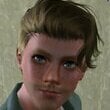
sim333 Posted March 22, 2021 Posted March 22, 2021 Dear peoples! Let me introduce you to a Student, a Komsomol member, an athlete, finally, she is just a beauty! For the first time at LL Miss VladivostokRasha Hanni Phoenix! (why Vladivostok?-she does not pull on a Japanese girl, but the steering wheel is still somewhere on the right.)) Installing: 1. Scatter files into folders Library, Packages, SavedSims as indicated in their names. 2. Run the game. 3. Enter city change mode. 4. Take a SIMku from the library and housed in the city. 5. enjoy. -------------------------- p.s. everywhere they write that sliders are needed. I tried it in a clean game with no mods at all. I did not notice any changes in appearance. If this is not the case for you, write, I will add the sliders. HP.rar 4

Recommended Posts
Create an account or sign in to comment
You need to be a member in order to leave a comment
Create an account
Sign up for a new account in our community. It's easy!
Register a new accountSign in
Already have an account? Sign in here.
Sign In Now