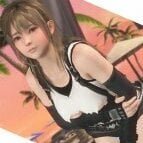
aspidiske500 Posted January 12, 2021 Posted January 12, 2021 View File SR Sailor Suit (Yellow Scarf) - Honoka Body SR Sailor Suit (Yellow Scarf) - Honoka Body 青春のセーラー服 Press CTRL+1 or CTRL+2 to activate controls: Z+1 Change Tops Z+2 Change Bottoms X+1 Change Panties X+2 Change Nipples X+3 Remove Shoes C+1 Change the position of the stick C+2 Change the position of the poo 2021/05/31 V1.3 - Fine-tune the vertex weight of the poo. 2021/05/30 V1.2 - Added a variation to "X + 1". 2021/01/23 V1.1 - Fixed a bug where labia were not drawn beautifully in the shade. 2021/01/23 V1.1 - Added a variation to "X + 1". 2020/12/26 V1.0 Gallery Spoiler V1.2 → V1.3 Spoiler Fine-tune the vertex weight of the poo. V1.1 → V1.2 Spoiler Add variations "X+1" : Change position with "C + 2" V1.0 → V1.1 Spoiler FIX Add variations "X+1" : Change position with "C + 1" Submitter aspidiske500 Submitted 01/13/2021 Category Dead or Alive Xtreme: Venus Vacation Requires 3DMigoto, Hi-Res Body Skin 9
Shoukoo Posted January 17, 2021 Posted January 17, 2021 When I use x+2, the girl's body appears black or yellow chaotic color block
aspidiske500 Posted January 18, 2021 Author Posted January 18, 2021 22 hours ago, Shoukoo said: When I use x+2, the girl's body appears black or yellow chaotic color block Thank you for reporting. I downloaded the mod again from this page and verified it. However, I didn't see any problems with the uploaded mods and the symptom you reported did not occur. The image below is the verification image. A possible cause of this phenomenon is if there is a conflict between this mod and a mod created by someone else in your environment. The image below is an image of my mod and the mod created by Mr.sarsha043033 intentionally enabled at the same time. If you press "F10" in the game and you get an error message like the one in the upper left of the image, that's the cause. Give up using either mod and disable it by adding "DISABLED" to the beginning of the folder name or the beginning of the INI file. If the INI file is separated like "Honoka.ini", "Common.ini", "Marie.ini", just rename the "Honoka.ini" file to "DISABLED Honoka.ini" and the conflict will It should be resolved. However, it will be difficult to manage, so it is recommended to add "DISABLED" to the beginning of the name of the folder where the INI file is stored. 2
Shoukoo Posted January 19, 2021 Posted January 19, 2021 Thanks bro. another problem ,when i use X+1,The girl's lower body always have blue stripes of original pants
aspidiske500 Posted January 19, 2021 Author Posted January 19, 2021 3 hours ago, Shoukoo said: Thanks bro. another problem ,when i use X+1,The girl's lower body always have blue stripes of original pants That phenomenon doesn't occur either. I checked the code and it doesn't seem to be a problem. Maybe there are mods that are still conflicting. In some cases, the error message does not appear even if there is a conflict. It's difficult without a text editor that can search with grep, but can you search the "* .ini" files of all mods in your environment with the strings "841954d8" and "be8c32e9"? If you see something like "hash = 841954d8", that mod should have influenced this outfit. If you still can't find it, try pressing Ctrl + Alt + F10 as a last resort. However, do this only if you can tolerate it, as all mod settings will return to their initial state. The mod will not break, but the mod you set to your liking will return to its initial state. Still, it is quite possible that it will not be resolved.
Shoukoo Posted January 19, 2021 Posted January 19, 2021 1 hour ago, aspidiske500 said: 该现象也不会发生。 我检查了代码,这似乎不是问题。 也许有些模组仍然存在冲突。 在某些情况下,即使发生冲突也不会出现错误消息。 没有可以使用grep搜索的文本编辑器很难,但是您可以使用字符串“ 841954d8”和“ be8c32e9”搜索环境中所有mod的“ * .ini”文件吗? 如果您看到类似“ hash = 841954d8”的内容,则该mod应该会影响此服装。 如果仍然找不到它,请尽量按Ctrl + Alt + F10。 但是,仅在您可以忍受的情况下执行此操作,因为所有mod设置都将返回其初始状态。 该mod不会损坏,但是您设置为喜欢的mod将返回其初始状态。 仍然有可能无法解决。 I still cannot solve it .this is my mod.Can you check it ?plz Mods.7z
aspidiske500 Posted January 19, 2021 Author Posted January 19, 2021 12 hours ago, Shoukoo said: I still cannot solve it .this is my mod.Can you check it ?plz Mods.7z 153.41 MB · 1 download I replaced the "Mods" folder in my environment with the one you uploaded and verified it. Still, it doesn't occur. Tsukushi's skin is just not displayed because there is no skin mod. Apparently there is no possibility that the mod is conflicting. At this point, it's only possible that the "first_index" value of the costume is different between the game I'm playing and the game you're playing. However, I don't know if that can happen. Is the platform of the game you are playing DMM or Steam? By the way, I'm playing with DMM. Also, it's not the costume for the red scarf, right?
Shoukoo Posted January 20, 2021 Posted January 20, 2021 I have solved the problem.The most problem is d3dx.ini ,I DID NOT UPDATE IT. THANK YOU!!!
aspidiske500 Posted January 20, 2021 Author Posted January 20, 2021 21 minutes ago, Shoukoo said: I have solved the problem.The most problem is d3dx.ini ,I DID NOT UPDATE IT. THANK YOU!!! I'm relieved that your problem has been resolved. Have a good game life.

Recommended Posts
Create an account or sign in to comment
You need to be a member in order to leave a comment
Create an account
Sign up for a new account in our community. It's easy!
Register a new accountSign in
Already have an account? Sign in here.
Sign In Now