Geist Posted April 6, 2013 Posted April 6, 2013 So I bet there are several people wondering how to do this and I bet a few people thought I might now. The thing is I don't, thus I am asking the kind and knowledgeable folks here to give us a good answer to this question: How to add new tattoos/warpaints that are specifik to certain races onto other characters? See I am currently creating a vampire breton character, but I want to give him a sickly appearance. To do this I have been looking at the Black Blood Marauder tattoos, the once used by the bandit group of the same name. If given the proper color, these tattoos can give a distinct appearance of sickness on the characters they are applied on. However, these tattoos are only available to a specifik race, namely the Nord race and to no other and I cannot find them in the creation kit. So please, can someone tell me where and how I can find and add these tattoos to any other race that is not Nord?
Geist Posted April 6, 2013 Author Posted April 6, 2013 I forgot to mention that the character I am creating is an NPC, thus I am using the Creation Kit. So the question is how to add these Tattoos to NPC through the Creation Kit.
Trykz Posted April 6, 2013 Posted April 6, 2013 So I bet there are several people wondering how to do this and I bet a few people thought I might now. The thing is I don't, thus I am asking the kind and knowledgeable folks here to give us a good answer to this question: How to add new tattoos/warpaints that are specifik to certain races onto other characters? See I am currently creating a vampire breton character, but I want to give him a sickly appearance. To do this I have been looking at the Black Blood Marauder tattoos, the once used by the bandit group of the same name. If given the proper color, these tattoos can give a distinct appearance of sickness on the characters they are applied on. However, these tattoos are only available to a specifik race, namely the Nord race and to no other and I cannot find them in the creation kit. So please, can someone tell me where and how I can find and add these tattoos to any other race that is not Nord? If the warpaints are already made (in .dds format), then it's a simple process. 1) add the .dds files you want to use to the textures\actors\character\tintmasks folder 2) load the CK and import them into the NPC.esp you're creating by adding them to the character's main race sheet on the "tinting" page (you'll see the stock Skyrim warpaints already listed there..... be sure to select the "paint" category) 3) add the colors you want to use for the new warpaints 4) go to your npc's character sheet (the tinting page will look basically the same as the race sheet) and you should see the new warpaints listed. Select the one (or more) you want to use, and change the color from "color average" to one of the colors you gave them. 5) Done. Save and close the CK edit: Here are all the stock warpaints already extracted: WarPaints.rar Trykz
Geist Posted April 7, 2013 Author Posted April 7, 2013 So I bet there are several people wondering how to do this and I bet a few people thought I might now. The thing is I don't, thus I am asking the kind and knowledgeable folks here to give us a good answer to this question: How to add new tattoos/warpaints that are specifik to certain races onto other characters? See I am currently creating a vampire breton character, but I want to give him a sickly appearance. To do this I have been looking at the Black Blood Marauder tattoos, the once used by the bandit group of the same name. If given the proper color, these tattoos can give a distinct appearance of sickness on the characters they are applied on. However, these tattoos are only available to a specifik race, namely the Nord race and to no other and I cannot find them in the creation kit. So please, can someone tell me where and how I can find and add these tattoos to any other race that is not Nord? If the warpaints are already made (in .dds format), then it's a simple process. 1) add the .dds files you want to use to the textures\actors\character\tintmasks folder 2) load the CK and import them into the NPC.esp you're creating by adding them to the character's main race sheet on the "tinting" page (you'll see the stock Skyrim warpaints already listed there..... be sure to select the "paint" category) 3) add the colors you want to use for the new warpaints 4) go to your npc's character sheet (the tinting page will look basically the same as the race sheet) and you should see the new warpaints listed. Select the one (or more) you want to use, and change the color from "color average" to one of the colors you gave them. 5) Done. Save and close the CK edit: Here are all the stock warpaints already extracted: WarPaints.rar Trykz Oh thank you, this seems to make sense. However my goes textures\actors\character\character assets\tintmasks does that make things different? Do I have to create a new folder for the new .dds files? I can't seem to be able to add the new facepaints when I try, I attempt to write in the name of the paint, but it reverts back to none when I try. :/
Trykz Posted April 7, 2013 Posted April 7, 2013 Oh thank you, this seems to make sense. However my goes textures\actors\character\character assets\tintmasks does that make things different? Do I have to create a new folder for the new .dds files? I can't seem to be able to add the new facepaints when I try, I attempt to write in the name of the paint, but it reverts back to none when I try. :/ That's the right folder path you have. I missed the character assets directory in my post. In the race sheet tinting window, right click at the bottom of the list with all of the warpaints, skintone, etc.... then add the new warpaints from the directory you put them in. Set the type as Paint and you should be done. Try that and let me know. It's a bit hard trying to explain when my modding right is down But if you still have trouble, I'll fire up the CK this evening on my laptop. Trykz
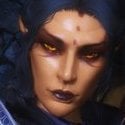
Geist Posted April 7, 2013 Author Posted April 7, 2013 That's the right folder path you have. I missed the character assets directory in my post. In the race sheet tinting window, right click at the bottom of the list with all of the warpaints, skintone, etc.... then add the new warpaints from the directory you put them in. Set the type as Paint and you should be done. Try that and let me know. It's a bit hard trying to explain when my modding right is down But if you still have trouble, I'll fire up the CK this evening on my laptop. Trykz Got it working! My Breton vampire villain now have blueish veins across his face! Looks pretty good Thank you so much for the help, I will certainly use this knowledge in my Comic, thank you again!
Trykz Posted April 8, 2013 Posted April 8, 2013 That's the right folder path you have. I missed the character assets directory in my post. In the race sheet tinting window, right click at the bottom of the list with all of the warpaints, skintone, etc.... then add the new warpaints from the directory you put them in. Set the type as Paint and you should be done. Try that and let me know. It's a bit hard trying to explain when my modding right is down But if you still have trouble, I'll fire up the CK this evening on my laptop. Trykz Got it working! My Breton vampire villain now have blueish veins across his face! Looks pretty good Thank you so much for the help, I will certainly use this knowledge in my Comic, thank you again! You're quite welcome. Glad I could help Trykz
Geist Posted April 21, 2013 Author Posted April 21, 2013 That's the right folder path you have. I missed the character assets directory in my post. In the race sheet tinting window, right click at the bottom of the list with all of the warpaints, skintone, etc.... then add the new warpaints from the directory you put them in. Set the type as Paint and you should be done. Try that and let me know. It's a bit hard trying to explain when my modding right is down But if you still have trouble, I'll fire up the CK this evening on my laptop. Trykz Got it working! My Breton vampire villain now have blueish veins across his face! Looks pretty good Thank you so much for the help, I will certainly use this knowledge in my Comic, thank you again! You're quite welcome. Glad I could help Trykz Any suggestions how to do something similar to other items, like beards or freckles? I have these really cool dwemer beard mod that adds Morrowind styled beards to the list, but once I put them on an NPC they vanish after the NPC has been summoned once and upon saving, exit and re-entering the CK the face is reset so I have to apply the beards again, save and exit, similar for a freckles mod, it's very irritating.
Trykz Posted April 21, 2013 Posted April 21, 2013 Any suggestions how to do something similar to other items, like beards or freckles? I have these really cool dwemer beard mod that adds Morrowind styled beards to the list, but once I put them on an NPC they vanish after the NPC has been summoned once and upon saving, exit and re-entering the CK the face is reset so I have to apply the beards again, save and exit, similar for a freckles mod, it's very irritating. Beards are considered *extra* head parts, and must be added as such. They must also be added to the proper headparts formlists for them to be available for use. Right click on the HeadPartsHumansandVampires formlist, and select "use info". A small window should open listing all of the available parts usable through that formlist. When adding the beard mesh, select the right formlist (I believe it's the above mentioned form) in the Valid Races box. This will make the new beard mesh available to any race that uses that fomlist. Or: simply open any vanilla beard and duplicate every setting in the drop-down boxes on the form for your new beard's mesh. Trykz
Geist Posted April 21, 2013 Author Posted April 21, 2013 Thank you for the help, but for some reason it doesn't work on those modded beards... BUT! I have now learned how to mess around with the CK even more and gave my characters some unique beards composed of what already exists in Skyrim, so not a complete waste of time, thank you again
Geist Posted April 24, 2013 Author Posted April 24, 2013 Beards are considered *extra* head parts, and must be added as such. They must also be added to the proper headparts formlists for them to be available for use. Right click on the HeadPartsHumansandVampires formlist, and select "use info". A small window should open listing all of the available parts usable through that formlist. When adding the beard mesh, select the right formlist (I believe it's the above mentioned form) in the Valid Races box. This will make the new beard mesh available to any race that uses that fomlist. Or: simply open any vanilla beard and duplicate every setting in the drop-down boxes on the form for your new beard's mesh. Trykz Alright so I gave this another try and it turns out the beards are a part of the HeadPartsAllRacesMinusBeast, as I am trying to create a dwemer using these beards I don't want to mess around with something that might give ALL say Dark Elves the exact same beard. For some reason I cannot get it right, which blows my mind, the mod is either using parts that are not recognized as they turn invisible both in-game and in the creation kit upon loading the plug-in which uses them on a character. Which is really strange cosidering that I have seen a mod adding Dwemer ghosts (Immersive Creatures http://skyrim.nexusmods.com/mods/24913) to the ruins, and they use that beard. Really annoying when things don't work.
Geist Posted May 1, 2013 Author Posted May 1, 2013 Okay, back with another issue (The problems just keep coming to me) but this one is a little closer to home. So I reecently got Dawnguard and I really want to add the Vampires new looks (SkinHeadDarkElfMaleVampire) to the character I have been working on. However, once I go into the game afterwards, his face has turned dark grey (the default skin of a new actor vampire) but the export facegen worked since he has the scars, but not the right skin tone, nor the warpaints. The tattoos only appear again once I remove SkinHeadDarkElfMaleVampire, but it's considered a complexion and appears just fine in the Creation Kit with tattoos and all. Any thoughts on this? EDIT: Scratch that I fixed it. Sorry for my endless questions, I am new at this and quite dumb

Recommended Posts
Archived
This topic is now archived and is closed to further replies.