

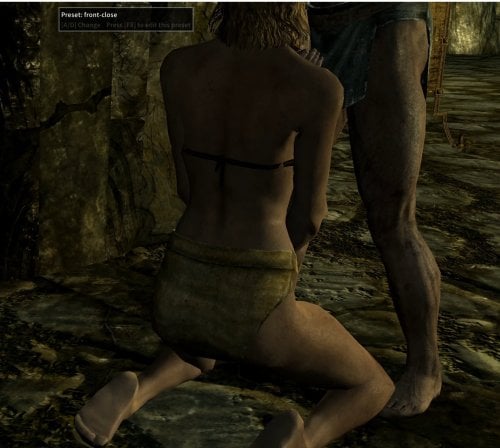
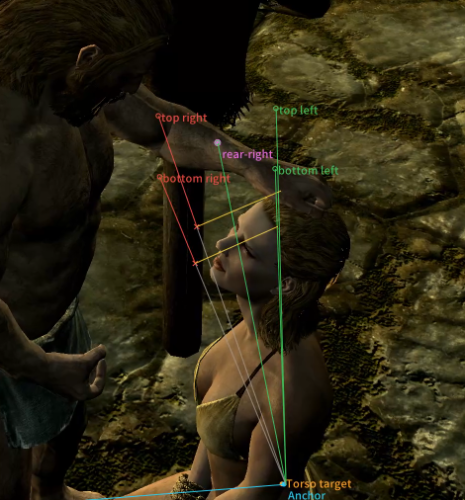
A customizable camera for **SexLab P+ scenes involving the player**. Save your favorite angles, switch between them during scenes, and let the camera smoothly follow your character. Control returns to SmoothCam when the scene ends.
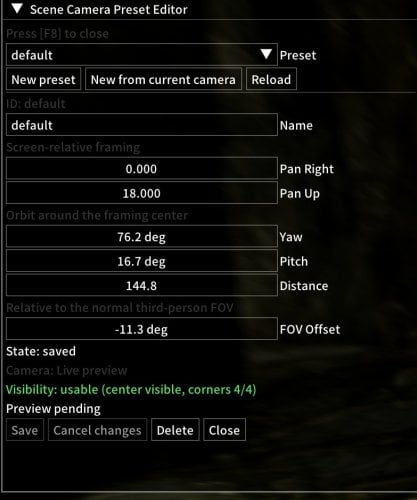
- In-game preset editor with live preview and paused scene playback.
- Adjustable framing, rotation, distance, and FOV.
- Visibility checks skip obstructed presets when switching.
- Supports SexLab P+'s Move Scene feature.
- No ESP or additional Papyrus scripts.
- tested on AE 1.6.1170 SKSE 2.2.6
Requirements
- Skyrim SE/AE, SKSE64, and Address Library matching your runtime
- SexLab P+
- SmoothCam 1.7.1
- SKSE Menu Framework 3.4+ for preset editing and the scene toolbar
Getting started
Install with your mod manager and disable SexLab's automatic free-camera / TFC option.
- A / D Switch between usable presets.
- F8: Edit the active preset (rebindable).
- Skyrim VR and Improved Camera are not supported.NPC-only scenes are not supported.
Recommended configuration
To prevent NPCs from fading when the camera gets too close, enable the following option in `SSEDisplayTweaks.ini`:
```ini
[Miscellaneous]
DisableActorFade=true
```
Animation filters
Camera presets can be filtered by animation name and tags.
- Name filter (regex): matches the animation name.
- Tag filter (regex): matches the entire space-separated tag list.
- Leave a field blank for no restriction. If both fields are filled, both must match.
- Matching is case-insensitive.
Filters control initial preset selection and A/D switching. Changing animations keeps the current camera until you switch presets. Presets must also pass the visibility check.
| Condition | Name filter | Tag filter |
|---|---|---|
| Name contains “Billy” |
Billy
|
Leave blank |
| Has “sitting” | Leave blank |
\bsitting\b
|
| Has “sitting” or “standing” | Leave blank | \b(sitting|standing)\b |
| Billy + sitting, excluding standing |
Billy
|
^(?=.*\bsitting\b)(?!.*\bstanding\b).*$
|
Enter these expressions directly into the fields. \b matches a word boundary to avoid matching part of a longer tag.
For custom conditions, write your own regex, or ask your AI to write it.
example: Write a regex for [your conditions] to match an animation name or a space-separated tag list. Matching is case-insensitive.
source: https://github.com/mon1586/slpp-scene-camera
Edited by mon1586
What's New in Version 1.1
Released
- Fixed scene camera resuming after Free Camera / Move Scene.
- Removed fixed scene delays.
- Added animation name and tag filters to camera presets, with regex support for combined conditions and exclusions.
- Filters apply to initial selection and A/D switching. Animation changes preserve the current camera until you switch presets.
- Fixed incorrect visibility status when opening the preset editor with F8.
Install with your mod manager and disable SexLab's automatic free-camera / TFC option.
- **A / D:** Switch between usable presets.
- **F8:** Edit the active preset (rebindable).