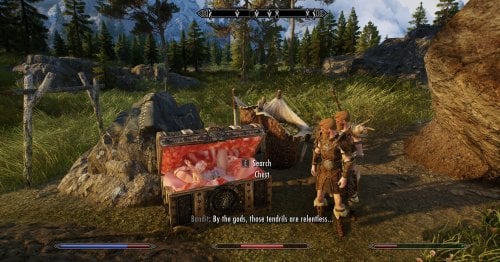
Non-official extension for Bakas outstanding "TNTR" mod. This is intended to integrate those mods better into regular gameplay.
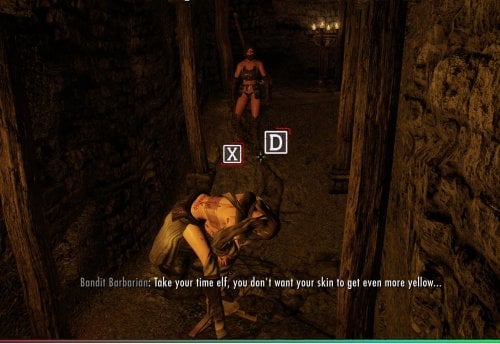
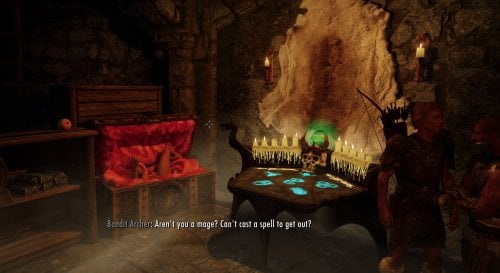
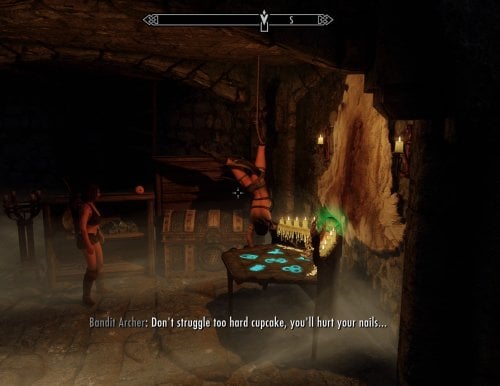
This will prevent enemies from attacking you when you are trapped. Instead, they will surround you and observe your peril. Once you escape, they will turn hostile and try to prey on you in your vulnerable position. Also, triggering traps has a chance to alert enemies in the surrounding area.
This will works really well in tandem with a defeat mod.
IMPORTANT: Unfortunately v1.0.0 and v1.0.1 had issue with FormIDs
- If you run those versions, you should upgrade to v1.1.0 to prevent issues in the long run.
- Best solution: Revert the save to a point before you installed those versions, then install 1.1.0 (recommended)
- Option: To re-use your progress, you can do the following (it works, but use your own risk)
1. Uninstall the plugin
2. Load your game
3. Walk around for a bit
4. Save your game
5. Stop the game and install the new version.
6. It should now work
Features
-
Being trapped in Mimics, Bear Traps and Snare Traps can alert nearby enemies in your area.
- Instead of attacking you, enemies will be appeased and observe/comment your escape attempts
- If you have a follower, he will attempt to guard you. The scene will start once he "loses"
- Once you are escaped, they will attack you again (potential transition point to a defeat mod)
- 30-40 custom dialogue lines depending on player race, sex and trap type
- Escape attempts will drain your stamina and health
Trap Types:
- Mimics: Alert Enemies (Install OMNOMS for more outcomes)
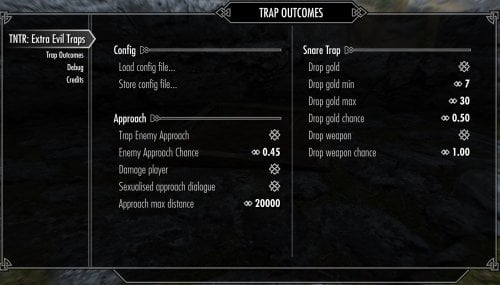
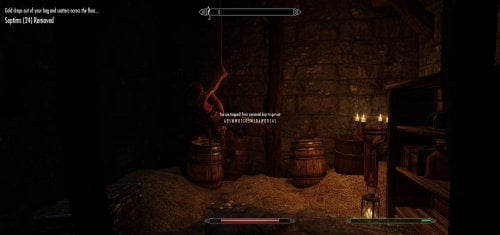
- Snare Traps: Cause you to drop gold and weapons to the floor + Alert Enemies
- Bear Traps: Alert Enemies + requires mini-game to escape (requires Struggling QTE)
Requirements
Hard Requirements:
- Traps NTR v0.73 and v0.74 only - I did not test any other version.
Optional:
- Struggling QTE - For patched bear traps with escape game. Use the NEWEST version on Nexus, some older versions released as "Acheron Extension Library" will not work.
Very Recommended:
These are not real requirements, but without at least one of those mods, there will be no traps in the world. I'd suggest running at least one of them, otherwise there are no traps to use this with!
- OMNOMS - Not So Obvious Mimics for Skyrim: This dynamically replaces boss chests more mimics and adds additional outcomes
- Deadly Bear Traps - Base Object Swapper script that will replace all Bear Traps with Baka Bear Traps
- O.S.H.I.T and Watch Your Step - Places Snare Traps, Mimics, Death Worms and various other TNTR traps on hand-selected places
Also Recommended:
-
A defeat mod - This mod will create situations that might defeat you, so a defeat mod is a great hand-over.
- I personally use Acheron and Practical Defeat, but any should work.
Reporting Bugs
Please...
- Do not report TNTR bugs, check the TNTR bug tracker before reporting something
If you report a bug...
- Attach your modlist
- Attach a full papyrus log of the thing happening (take the whole papyrus.0.log and attach it)
- Add the version of the mod you run
- Add if you use the patched or non-patched version or bear-trap or sling-trap (if its about those traps)
Always:
- Describe the specific things you did to cause the bug
- Describe how often this bug occurs (i.e. always or randomly)
If you chose to update your version from 1.1.x and did not start a clean save, you did that on your own risk. You can still try to report bugs but start a clean save and see if the issue is gone. If it is, its due to your broken migration.
If you don't do these things I may simply choose to ignore your report.
Permissions
MIT License. This means all of my scripts, ideas, etc can be considered public domain and you can do whatever you want with it.
This excludes third party code that I changed (for example Baka Scripts).
Source
You can find source code for both Trap Mods (OMNOMS and TNTR) here https://github.com/garryrot/mimic_placer
Changelog
Version 1.2.2
Bugfix:
Fix interference with "Unforgiving Devices" that causes the player to get stuck in certain scenarios
This has been introduced with 1.2.1
Version 1.2.1 (Released April 21)
Maintenance/bugfix upgrade - Major incremented because its required for some of OMNOMs 1.3.0 new features
Bugfix:
- Add "zadAnimationFaction" to player to avoid animations from devious devices interrupting/bugging out devices
- 1.2.1 Hotfix - Fix "Trap Observer" occasionally being stuck in "post defeat" state
OMNOM Integration:
- Properly detect trap entry when the struggle is initiated by OMNOM v1.3.0 Mimic fight.
Edited by gerroth
Update changelog for 1.2.2
What's New in Version 1.2.3
Released
More bugfixes...
- Fix "max approach distance" MCM Setting and Global Variable was being ignored by enemies
- ZadAnimationFaction during entrapment is now optional and default-off (enable in Debug MCM)
Installation
- Install archive with Mod Manager like any other mod
Options
The options offer you to install optional patched trap scripts for TNTR v0.74 and 0.73 scripts. If you run any other version its not recommended to install these (and mod will likely not work anyways)
- It is highly recommended to install the patched versions for the snare trap script to improve trigger conditisions.
-
The patched bear trap is required if you want the bear trap to:
- Alert nearby enemies
- Have a complex escape game, instead of just playing a short stagger animation.
- Configure Struggling QTE to use a high difficulty, for more fun!
Installing TNTR
This mod does not require specific TNTR setup, its just a suggestion to avoid common issues.
Follow the regular NTR instructions:
- Install v0.73 or v0.74 specifically
- If you run Pandora, make sure to leave the "TNTR" option unticked (yes *not* ticked). I do not know why, but that seems to break animations.
-
Make some challenging presets for the QTE-Game (unless you hate fun).
- Do NOT use the "Test QTE" function, it is buggy
- Please read the FAQ about known issues