

ephiny-asunder
-
Posts
221 -
Joined
-
Days Won
1





.thumb.png.3fc5e20f10f79f0f1002c0f2143c25ad.png)


Recent Profile Visitors


-
Bonjour ! J'aime beaucoup les superpositions de seins que tu as fait ! Mais le sélecteur de corps de WW ne les affiche pas correctement de mon côté, on dirait qu'ils sont "sous détaillés", la forme n'est pas la même que pour les seins trouvables dans le CAS, ni les tétons... du coup les piercings se retrouvent décalés, c'est comme si je mettais un autre modèle que le tiens. La version du CAS est parfaite, cependant elle est placée dans les hauts, donc ça veut dire qu'il faut faire le choix de garder sa sims à moitié nue ^^ serait-il possible pour la prochaine mise à jour de placer ce modèle (avec texture) dans les sous-vêtements ? Dans la catégorie Accessoires, il y a une section exprès pour mettre des vêtements ou autre sous les vêtements de base, ainsi ils restent sur les sims au moment du sexe, et peuvent être couverts d'un autre vêtements (sans disparaître visuellement). Ce serait parfait pour que le modèle reste sur le sims tout le temps, que ce soit en CAS ou en jeu, et sans avoir à craindre qu'un autre mod ne l'écrase 🙂 Merci et bonne continuation !
-

Hello, I'm not 100% sure I understand, sorry.
You can already assign Eve V10+ in the underwear/sleep category by removing the sleep filter tag.
Hiding/showing accessories with certain clothes doesn't really work with WW, as it chooses to omit L & R wrist automatically (which is what all of my piercings are).I actually have this mod here to try and circumnavigate that problem (though the main part of it does rely on the accessories being added to the everyday outfit in CAS). But in-game during animations, you can quickly add or remove compatible accessories as you need to. It might be a good idea for me to add the ability to chose between showing/hiding the accessories in the everyday outfit as well, so if the nipples are not exposed, the piercings would be hidden 🤔
-
-
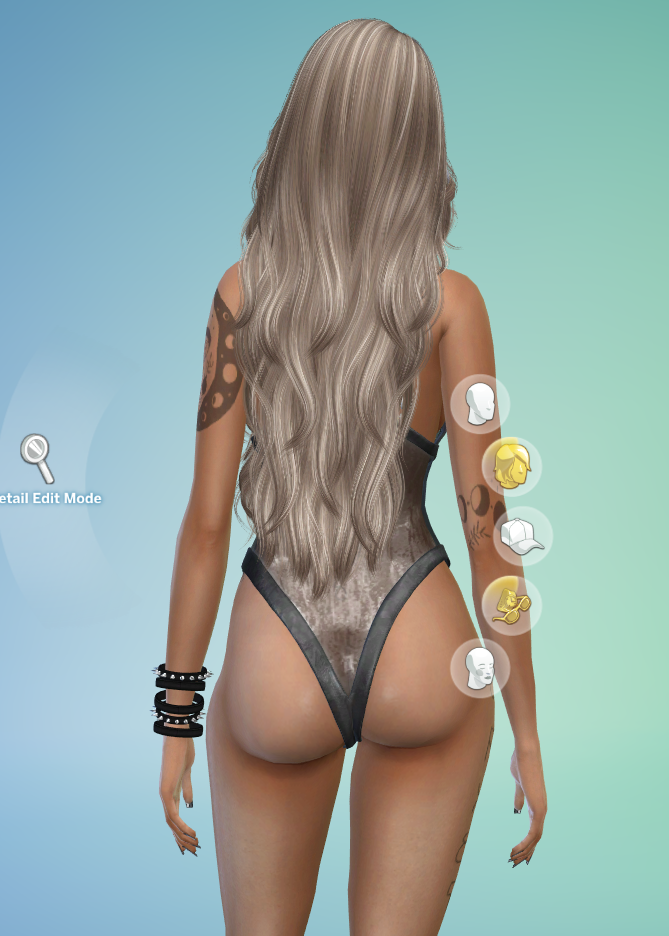
I was going to say that the hair clipping into the clothes was an issue with two alpha channels interacting, which is usually is in some alpha clothes (and is generally unavoidable due to how the game reads the simglass shader), but after testing in game this particular outfit doesn't seem to have any alpha interaction issues. In fact, this whole screenshot confuses me, because the arms also look like they're glitching out as well, which they shouldn't be, since the base was a simple full-body lingerie clone from EA. In both of my games, the outfit responds to all alpha hairs very well: So I'm wondering if it's a settings issue or something else going on instead. I noticed the hair in the screenshot has a shine on it, which can happen when the graphic settings are set to low. If you tinker with them, does it change the appearance at all?
-
It wouldn't have been one of my mods, sorry. The only hairs I've ever uploaded were my own MM ones. The hair texture reminds me of one of Truth or Stealthic hairs for SL that were unofficially converted by them, but honestly I'm not sure. I don't have it anymore, and I've gone through all my previews to see if I could see it again, a better shot of it to help identify what one it was, but it doesn't look like I've ever used it for any other preview before. Hmm, I know a while back there were problems with the WW bodyselector sometimes getting stuck. If your sim redresses and then undresses again, sometimes that can unstick it. Are you able to share a screenshot of the body your sim is using?
-
Hello! I don't have the hair anymore, but I'm almost certain it's an unofficial Truth conversion. I'd love to make some alien stuff, so the answer is YES ❤️
-
That dark spot you see is the texture of the belly button of the skin you are using beneath the overlay. The EVE overlay sits on top of it, but is not entirely opaque because it needs to be able to blend with the skin beneath. It's a tricky area to amend, because skin creators keep putting their belly buttons in different places. If you don't mind which body skin you use, I suggest switching to one of the EVE skins (you can use a faceless-swatch if you prefer default faces).
-
The piercings included in the downloads in this thread are only for Eve V10 (and up), so they will only show correctly with tops that are made with this shape. Default Maxis clothes unfortunately don't have any belly button geometry, so the piercings just sink inside the mesh when you try to use them with these. I would love love love to make a big override to add belly button geometry to default clothes, but unfortunately I'm a bit too time poor for that at the moment... Maybe one day. The same goes for the nipple piercings. They are only for Eve V10 (and up) are only intended to be used with tops that show the nipples. They need to be manually removed when not using the right top, since they are just a static add-on, and they will look wrong otherwise. Unfortunately, it doesn't really matter what category they are assigned to - this will always happen since there is no way to let the game know when you do and don't want to see nipple piercings. Or rather... There is a way to hide ALL bracelets from showing with certain tops, but it means anything assigned to wrist accessories would be removed (and you may not want that). It's easier just to plan outfits accordingly. As for the WW thing, it's a known issue and I'm hoping that Turbodriver will add an option in to keep bracelets/wrist accessories on during animations similarly to the keep socks on option.
-
Remove all prior versions of EVE before trying 10.2
-
Possibly, if you haven't updated you're likely still using an older WW as well? This could be why. The WW tuning between V10.1 and V10.2 are basically identical.
-
this stuffs up the sims body with blocky skin and triangular deformity
-
Good news! The fix was simple, and the updated v10.2 files are here. If someone could please test these just to double check that they are working (they appear to be working for me, but so did the last ones), then I will go ahead and update the main post. The culprit: CASTools. The fix: literally nothing. I didn't change anything at all. Don't ask me how that's possible because I understand it as much as you do. SMSims_EVE10.2WW_UNMERGED.zip SMSims_EVEV10.2defaultsUNMERGED.zip
-
Looks like somehow all the new mesh files became corrupted. Here are the roll-back files until the problem can be fixed. SMSims_EVEV10.1defaultsUNMERGED.zip SMSims_eve10.1WW_UNMERGED.zip
-
Thanks for letting me know! Somehow this support page has completely detached from the accompanying DOWNLOAD page (usually there's an option at the top somewhere to take you there). I've added the links manually, so if you click on any of them now it should take you to the actual download page with a download option at the top for all the files (except the skin ones, which are too big to host here).
-
Files have been updated. Hopefully this addresses some of the recent issues.
-
Are you able to PM me a screenshot of the issue or post it here?
-
Hello! Which overlays? The ones in the download are up to date. You need to actually select the Eve top in the top options to see it since the Wicked Whims default body will always replace any other body in CAS if you undress with the [x].

