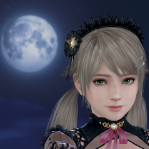
Lunatic dawn Posted November 18, 2024 Posted November 18, 2024 View File SSR Soiree Dorer (Common) Eglish ver. name: Soirée Dorée Normal: X + 1 --- toggle dress X + 2 --- toggle shawl Z + 1 --- toggle panty Z + 2 --- toggle waist C + 1 --- toggle transparency of dress C + 2 --- toggle transparency of panty C + 3 --- toggle transparency of shawl C + 4 --- toggle transparency option of dress C + 0 --- toggle dress color If you installed GUICVM 1.4 or higher, You can check key bindings by GUICVM. Press F4, or move mouse cursor left top of window & click appered icon. then click swimsuit icon. Caution: If you don't want to use GUICVM, Please disable or delete "sub-gui-text.ini". ----------------------------------------------------------------------------------------------------------------------------- If you like my mods, please consider buying me a cup of coffee on ko-fi Submitter Lunatic dawn Submitted 11/18/24 Category Dead or Alive Xtreme: Venus Vacation Requirements 3DMigoto, Hi-Res Body Skin 15
Lunatic dawn Posted November 21, 2024 Author Posted November 21, 2024 v1.0 --- add variation, color option 12
Lunatic dawn Posted November 21, 2024 Author Posted November 21, 2024 About transparency option ( C+4) : Type 1: transparency is normal, but no gloss. Type 2: alpha channel disappeared, but gloss is normal 9
Betjia Posted November 22, 2024 Posted November 22, 2024 The jewel disappeared when i remove the dress
lhk93006 Posted November 22, 2024 Posted November 22, 2024 1 hour ago, Betjia said: The jewel disappeared when i remove the dress No problem here. I think you'd better check your environment first.
lhk93006 Posted November 22, 2024 Posted November 22, 2024 13 hours ago, Lunatic dawn said: v1.0 --- add variation, color option @Lunatic dawn Thank you for your hard work as always. Can you please make this mod compatible with Awakened mode?
staONkICM Posted November 22, 2024 Posted November 22, 2024 15 hours ago, Betjia said: The jewel disappeared when i remove the dress same situation
Betjia Posted November 23, 2024 Posted November 23, 2024 21 hours ago, lhk93006 said: No problem here. I think you'd better check your environment first. Are you seriously telling me to "fix this on your own, because i didn't have this problem" politely? Check my environment & then do what? Your hyougetsu mod also has problem for some people before & you just leave it at that. Please remember that not everyone here is a modder & have the literacy to fix everything.
lhk93006 Posted November 23, 2024 Posted November 23, 2024 3 hours ago, Betjia said: Are you seriously telling me to "fix this on your own, because i didn't have this problem" politely? Check my environment & then do what? Your hyougetsu mod also has problem for some people before & you just leave it at that. Please remember that not everyone here is a modder & have the literacy to fix everything. It's not at least modder's mistake that there's nothing wrong with someone. So maybe Lunatic dawn doesn't seem to answer, so I did. FYI, I'm not modder. Have you even tried teddy's the general troubleshooting guide? Just in case, try both teddy's and Lunatic dawn's d3dx.ini files. <General Troubleshooting Guide> - First of all, check the mod and your d3dx.ini file are up-to-date. - Make sure mods are not duplicated for the same outfit. Check it with your "eyes", not using Mod Manager. - Shadow option must be set to "ON" (SHIFT + F2) - Lastly, there should be no error message (which is in red) after pressing F10. - If the problem still exists, find the mod causing trouble by disabling mods. (Casual disabling half method) 2

Recommended Posts
Create an account or sign in to comment
You need to be a member in order to leave a comment
Create an account
Sign up for a new account in our community. It's easy!
Register a new accountSign in
Already have an account? Sign in here.
Sign In Now