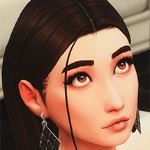
Heavy Cream Posted August 21, 2022 Posted August 21, 2022 Since Turbodriver updated the rig and default tongue for Wicked Whims, I've noticed the new tongue mesh has issues appearing far too dark in low light situations. It seems to appear fine outside or with bright, interior lighting. The problem is, I'm pretty particular about the lights I use for my builds, and most of the time the tongue appears almost black when my sims are indoors, which is also exacerbated by my reshade preset. The picture attached below is without my preset turned on. I was hoping someone could point me in the right direction regarding how to edit the WW tongue. Looking at the tutorial section on the Wicked Whims tumblr page, it says the tongue is actually a game object and not a CAS part, but unfortunately aside from the XML tuning, no other info was provided. I wasn't able to find the tongue object when searching through Sims4Studio, so was curious how I might go about exporting it and making tweaks to it. Specifically I'm looking to make an alternate recolor which is much lighter than the default, so I could try using that one for interior screenshots. Also, I'd be interesting to know if I would need to re-weight paint the new tongue object in order for it to animate correctly.

Recommended Posts
Create an account or sign in to comment
You need to be a member in order to leave a comment
Create an account
Sign up for a new account in our community. It's easy!
Register a new accountSign in
Already have an account? Sign in here.
Sign In Now