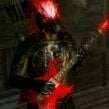
Electroraptor Posted June 16, 2021 Posted June 16, 2021 Hi there. I'm sorry if this topic is already here, but I can't to find it at all. So, I finally ran SexLab, everything looks fine, until the animation starts. At this moment happens that you can see at the picture, however those animations are still normally manageable. I'm out of ideas, if anyone want to give me some advices, I'll be glad. Thanks, and sorry for my terrible english (I hope that photo will be more illustrative).
Guest Posted June 16, 2021 Posted June 16, 2021 This looks like that the body was not adapted to the armor. You probably need to run Calientes Bodyslides to make them fit. https://www.nexusmods.com/skyrim/mods/49015 That is my thought at least.
Electroraptor Posted June 16, 2021 Author Posted June 16, 2021 1 minute ago, wutpickel said: This looks like that the body was not adapted to the armor. You probably need to run Calientes Bodyslides to make them fit. https://www.nexusmods.com/skyrim/mods/49015 Thanks, I'll try it.
Electroraptor Posted June 17, 2021 Author Posted June 17, 2021 18 hours ago, wutpickel said: This looks like that the body was not adapted to the armor. You probably need to run Calientes Bodyslides to make them fit. https://www.nexusmods.com/skyrim/mods/49015 That is my thought at least. Uh. Can you tell me, how to set it, please? It's a quite complicated. Sorry for a delayed answer, I had a party on my program.
Guest Posted June 17, 2021 Posted June 17, 2021 What mod manager do you use? Vortex or MO2? For MO2 you just need it to install through it. With Vortex i had my problems too as there were additional steps to be taken, if i remember correctly. On the page from Bodyslides there is an installation guide. Just follow it. Also, do you have Fores New Idles installed? This is essential.. https://www.nexusmods.com/skyrim/mods/11811 If you start Bodyslides throught the mod manager, it should load after the first run where you select the main folder, show you slides in the menu. If it does not, it is pointing to the wrong folder and can not find the sliders. Just check the instruction and/or the videos that are mentioned. Here's a video tutorial by Gopher on how to install body mods and BodySlide with the Nexus Mod Manager. Made for Fallout 4, but works for Skyrim as well. Manual Simply download the file and extract the options you want into your Data folder using 7-zip. Make sure the structure is correct: Data -> CalienteTools -> BodySlide. Nexus Mod Manager Install the archive to Nexus Mod Manager like you would do with any other mod and enable it. Under the "Supported Tools" drop down at the top of NMM, configure/launch BodySlide and always run it from there. If NMM didn't find the BodySlide folder by itself, you have to select the BodySlide folder within your game's Steam folder yourself (right-click). IMPORTANT: Do NOT select the virtual install BodySlide folder of NMM, select the one in the real game folder of Steam! Install any BodySlide addons to NMM as well. Vortex Download and install the archive to Vortex like you would do with any other mod and enable it. In the dashboard go to "Add Tool". In the "Target" field, choose BodySlide executable from your game's real data folder, aka the "Data/CalienteTools/BodySlide" folder. Install any BodySlide addons to Vortex as well. GIF of the process Mod Organizer Download and install the archive to MO like you would do with any other mod and enable it. Add a shortcut to the BodySlide x64 executable and set it to run from your game's real data folder. Install any BodySlide addons to MO as well. We do not troubleshoot MO installation issues, please ask for help in Mod Organizer communities. Updating You can uninstall old/install new, or just install the new files and overwrite if prompted. Just be sure to back up your personal presets/groups/bodies/outfits in the SliderSets/SliderPresets/ShapeData/SliderGroups folders so they don't get deleted, whether by accident or buggy mod manager.
Electroraptor Posted June 17, 2021 Author Posted June 17, 2021 5 hours ago, wutpickel said: What mod manager do you use? Vortex or MO2? For MO2 you just need it to install through it. With Vortex i had my problems too as there were additional steps to be taken, if i remember correctly. On the page from Bodyslides there is an installation guide. Just follow it. Also, do you have Fores New Idles installed? This is essential.. https://www.nexusmods.com/skyrim/mods/11811 If you start Bodyslides throught the mod manager, it should load after the first run where you select the main folder, show you slides in the menu. If it does not, it is pointing to the wrong folder and can not find the sliders. Just check the instruction and/or the videos that are mentioned. Here's a video tutorial by Gopher on how to install body mods and BodySlide with the Nexus Mod Manager. Made for Fallout 4, but works for Skyrim as well. Manual Simply download the file and extract the options you want into your Data folder using 7-zip. Make sure the structure is correct: Data -> CalienteTools -> BodySlide. Nexus Mod Manager Install the archive to Nexus Mod Manager like you would do with any other mod and enable it. Under the "Supported Tools" drop down at the top of NMM, configure/launch BodySlide and always run it from there. If NMM didn't find the BodySlide folder by itself, you have to select the BodySlide folder within your game's Steam folder yourself (right-click). IMPORTANT: Do NOT select the virtual install BodySlide folder of NMM, select the one in the real game folder of Steam! Install any BodySlide addons to NMM as well. Vortex Download and install the archive to Vortex like you would do with any other mod and enable it. In the dashboard go to "Add Tool". In the "Target" field, choose BodySlide executable from your game's real data folder, aka the "Data/CalienteTools/BodySlide" folder. Install any BodySlide addons to Vortex as well. GIF of the process Mod Organizer Download and install the archive to MO like you would do with any other mod and enable it. Add a shortcut to the BodySlide x64 executable and set it to run from your game's real data folder. Install any BodySlide addons to MO as well. We do not troubleshoot MO installation issues, please ask for help in Mod Organizer communities. Updating You can uninstall old/install new, or just install the new files and overwrite if prompted. Just be sure to back up your personal presets/groups/bodies/outfits in the SliderSets/SliderPresets/ShapeData/SliderGroups folders so they don't get deleted, whether by accident or buggy mod manager. I have a Vortex and yep, i have a FNIS. I have also installed some nude mods, but it's still the same when it's active or not. Maybe it's time to give up, maybe I'll found some solution in future. Don't waste your time with me, if you don't want, and lot of thanks. However, if you get some new idea, tell me.
Electroraptor Posted June 18, 2021 Author Posted June 18, 2021 It's working! I'm not sure where was a mistake, but after reading many topics I reinstalled XP32, downloaded PapyrusUtil and started a new game. Animations now works and it's a pure joy. Anyway, thanks, once again.

Recommended Posts
Archived
This topic is now archived and is closed to further replies.