marfara89 Posted October 3, 2024 Posted October 3, 2024 On 9/16/2024 at 11:58 PM, CHRISIWIS30 said: My feet are quite good 🙂 Hard life - rough feet! 😝
CHRISIWIS30 Posted October 3, 2024 Posted October 3, 2024 7 hours ago, marfara89 said: Hard life - rough feet! 😝 Yeah those feet have seen some shit 😆
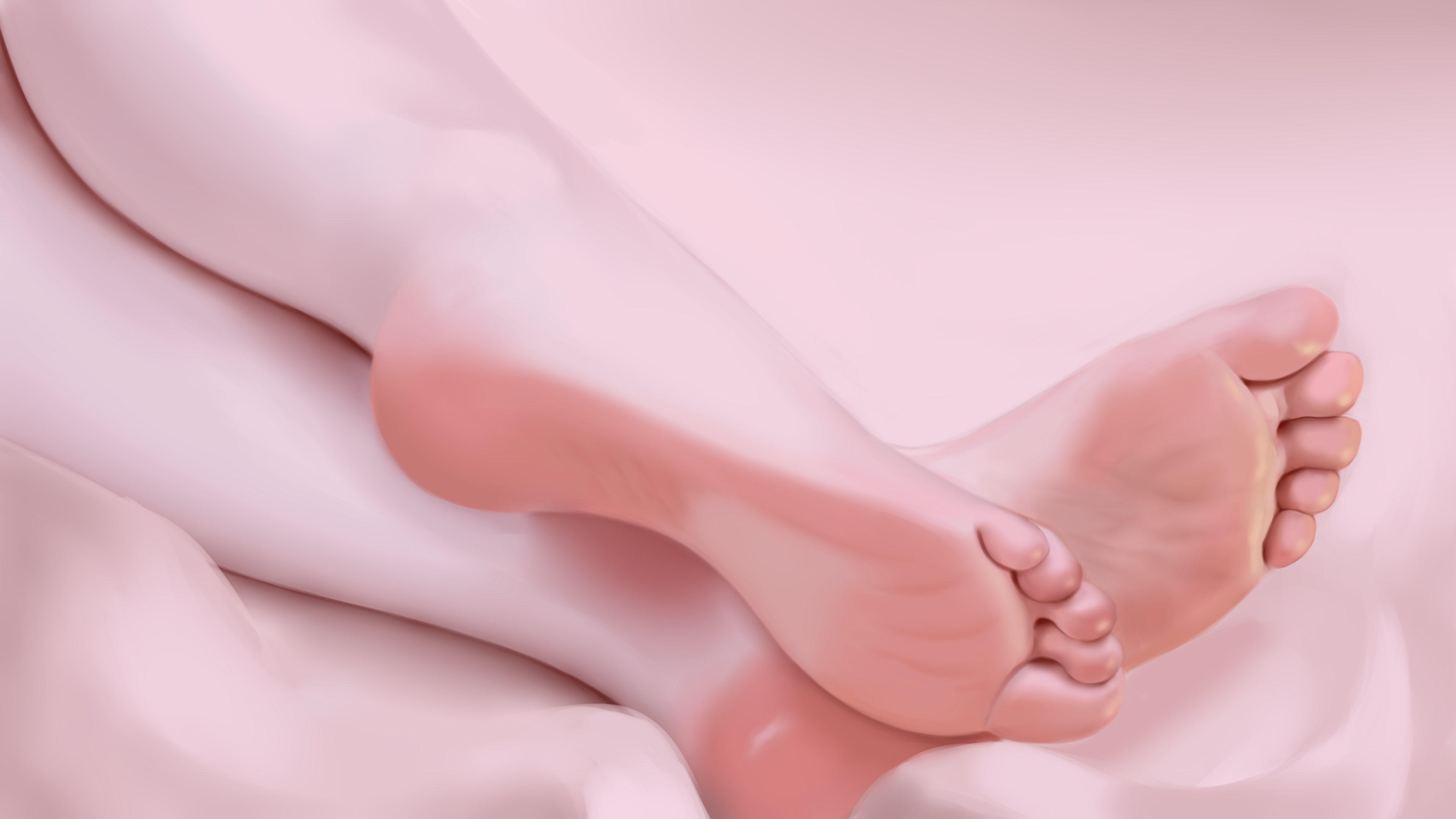
CHRISIWIS30 Posted October 3, 2024 Posted October 3, 2024 Some new feet I did recently they are more chunky than the last ones 😋 1
marfara89 Posted October 4, 2024 Posted October 4, 2024 The sliders are already in Nexus, you can also download them from here. 3
CHRISIWIS30 Posted November 9, 2024 Posted November 9, 2024 (edited) This is the best feet mod I've made. Edited November 9, 2024 by CHRISIWIS30 1
Stanoth Posted November 29, 2024 Posted November 29, 2024 @marfara89 A big thanks for your work, it's perfect! 1
marfara89 Posted November 29, 2024 Posted November 29, 2024 8 hours ago, Stanoth said: @marfara89 A big thanks for your work, it's perfect! I would be happy to see more pictures from you on the FDF page in Nexus 1
Stanoth Posted November 29, 2024 Posted November 29, 2024 1 hour ago, marfara89 said: I would be happy to see more pictures from you on the FDF page in Nexus I'm just back into screen archery in Skyrim so... You can count on me to fill up your Nexus page! Any preferences? (soles, arch, toes...)
Nwahs Gone Wild Posted December 22, 2025 Posted December 22, 2025 (edited) BHUNP/3BA have an abundance of foot mesh mods available however I've yet to see foot-specific mesh/slider mods for UBE's feet. The Genesis 8.1 feet have some amazing morphs out there on the DAZ side of things but port-wise (UBE) - The out-of-the-box slider options for feet are just miserable. Does anyone know of any slider/mesh mods for the UBE feet or are we doomed to wallow in misery until the UBE devs give the feet a revamp? If not - It looks like it'll be a case of tweaking a pre-built UBE foot mesh (and then having to fit that modified mesh to every pair of heels/boots/etc). The UBE devs put so much work into the body/head mesh+sliders yet the feet have so few options. Such a shame (unless I've been living under a rock for too long?). Anyways. Compulsory feet pic! Here's a picture of my quick & terrible UBE mesh edit - The toes are more pronounced and clubbed while some arches have been (very badly) carved into place. I also made the achilles heel stand out more (not pictured below). For those curious - The skin used below is called "MO Skin". Spoiler Edited December 22, 2025 by Nwahs Gone Wild Removed duplicate .png
The Masochist Posted January 7 Posted January 7 On 12/22/2025 at 1:11 AM, Nwahs Gone Wild said: BHUNP/3BA have an abundance of foot mesh mods available however I've yet to see foot-specific mesh/slider mods for UBE's feet. The Genesis 8.1 feet have some amazing morphs out there on the DAZ side of things but port-wise (UBE) - The out-of-the-box slider options for feet are just miserable. Does anyone know of any slider/mesh mods for the UBE feet or are we doomed to wallow in misery until the UBE devs give the feet a revamp? If not - It looks like it'll be a case of tweaking a pre-built UBE foot mesh (and then having to fit that modified mesh to every pair of heels/boots/etc). The UBE devs put so much work into the body/head mesh+sliders yet the feet have so few options. Such a shame (unless I've been living under a rock for too long?). Anyways. Compulsory feet pic! Here's a picture of my quick & terrible UBE mesh edit - The toes are more pronounced and clubbed while some arches have been (very badly) carved into place. I also made the achilles heel stand out more (not pictured below). For those curious - The skin used below is called "MO Skin". Hide contents How do I make my character's feet look exactly like those? I think thats perfect
Nwahs Gone Wild Posted January 7 Posted January 7 3 hours ago, The Masochist said: How do I make my character's feet look exactly like those? I think thats perfect The skin is called MO and its available at NM: https://www.nexusmods.com/skyrimspecialedition/mods/164923 - MO has decent foot normals although the redness of the soles is baked onto the skin diffuse texture itself. The mesh was built via bodyslide and was then modified manually via Outfit Studio. I've put together a reference-guide of sorts below. Spoiler If you have no prior experience using Outfit Studio then certainly considering watching a tutorial or two over on Youtube. A lot of the outfit fitting tutorials within Outfit Studio cover the basics of inflating/subtracting/smoothing meshes. Once you understand the foundations you can apply that knowledge to modifying the feet mesh too. Bodyslide created UBE feet nifs are usually pathed to: "overwrite\Meshes\!UBE\Feet". I run a weight 100 body on my current project so what I do is just edit the nif ending with _1 (full weight). Then I delete the _0 nif (zero weight mesh) and copy n' paste the existing _1 as a _0 nif too. UBE feet can deal with differing low-high weights too as long as you don't import another mesh into the nif file. E.g. a golden ring on a _1 nif (full weight) while _0 has no golden ring will result in a CTD as soon as you mess with your character's weight in-game. Here's a quick screenshot of the above mesh in-game: Good luck. Feel free to post if you run into any difficulties.
The Masochist Posted January 7 Posted January 7 5 hours ago, Nwahs Gone Wild said: The skin is called MO and its available at NM: https://www.nexusmods.com/skyrimspecialedition/mods/164923 - MO has decent foot normals although the redness of the soles is baked onto the skin diffuse texture itself. The mesh was built via bodyslide and was then modified manually via Outfit Studio. I've put together a reference-guide of sorts below. Reveal hidden contents If you have no prior experience using Outfit Studio then certainly considering watching a tutorial or two over on Youtube. A lot of the outfit fitting tutorials within Outfit Studio cover the basics of inflating/subtracting/smoothing meshes. Once you understand the foundations you can apply that knowledge to modifying the feet mesh too. Bodyslide created UBE feet nifs are usually pathed to: "overwrite\Meshes\!UBE\Feet". I run a weight 100 body on my current project so what I do is just edit the nif ending with _1 (full weight). Then I delete the _0 nif (zero weight mesh) and copy n' paste the existing _1 as a _0 nif too. UBE feet can deal with differing low-high weights too as long as you don't import another mesh into the nif file. E.g. a golden ring on a _1 nif (full weight) while _0 has no golden ring will result in a CTD as soon as you mess with your character's weight in-game. Here's a quick screenshot of the above mesh in-game: Good luck. Feel free to post if you run into any difficulties. Thanks! You're amazing!


Recommended Posts