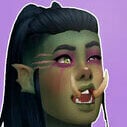
Teratophilia Posted April 13, 2020 Posted April 13, 2020 Draenei: The Elyran Sisters View File Despite not being blood-related, Tridine and Nanovi are close and united like a family. Kind and loyal, they are always ready to help and serve... which way you prefer. Their outfits are a variation of pieces converted from WoW to The Sims 4 (all found on google), alternating between "formal" WoW clothing, to sexy outfits, and a unique modern outfit, that being the party outfit. I thought it'd be weird to put armor for this occasion, but feel free to modify to your liking. TRIDINE ELYRAN Gentle and helpful, Tridine is just like an NPC, there's no limit to her fidelity. Don't underestimate her however, because despite her ingenuity, this Draenei is studious and attentive, her grand objective being to dominate magic and to help her brave allies. Is she enough to illuminate you? [Check the Spoiler for more of Tridine's outfits] Spoiler NANOVI ELYRAN This Draenei has a big heart and a pleasant personality, Nanovi is friendly and just as kind-hearted as Tridine. However, while her half-sister focuses on magic studies, Nanovi prefers getting to know and befriend new people. Need a shoulder to cry on? Someone to vent to? A friend with benefits, perhaps? Nanovi is the best choice! [Check the Spoiler for more of Nanovi's outfits] Spoiler Both draenei have hooves, tails and pointy ears. [REQUIREMENTS] 1. Wicked Whims Because of nudity. 2. Optional Well, I used some clothes from the GTW expansion pack on Tridine, but it's not irreplaceable. Tridine has an aspiration from the Realm of Magic. Therefore, if you don't have those packs, just replace the aspiration and clothing to your liking. [DOWNLOAD OPTIONS] Feel free to choose between downloading the two draenei sisters (1.DraeneiElyran) or only your favorite one (2.TridineElyran, 3.NanoviElyran). [INSTALLATION] After downloading the chosen file, just extract and drag the "Mods" folder into your Electronic Arts> TheSims4> Mods folder and leave it there. The other folder (containing the name of the downloaded file / Sim name) you cut and paste in Electronic Arts> TheSims4> Tray. So just log into The Sims 4 and open your library to find the downloaded Sim. [CC CREDITS] Inside the Mods folder you can find the names of all the content creators and their respective contributions, I used too many things to list here, but I thank them all nonetheless. [CREATION] I don't play WoW and created these Sims due to a request (iidie12), it was really fun!! I'm accepting more requests if you like my creations so far. I also have a trio of female orcs if you're interested, it's on my profile. Horde or Alliance?! Submitter Teratophilia Submitted 04/13/2020 Category The Sims 4 - Sims Requires 7
MrPacha Posted April 14, 2020 Posted April 14, 2020 This could be an incredible replacement for the ugly ass default aliens of the game ? 2
Teratophilia Posted April 14, 2020 Author Posted April 14, 2020 You think so? Thanks. It's only my second upload, so let me know if you find any errors, thanks. 1
Gurofiend24 Posted November 25, 2021 Posted November 25, 2021 Wish we had more creative girls like this ;-; Amazing work!

Recommended Posts
Create an account or sign in to comment
You need to be a member in order to leave a comment
Create an account
Sign up for a new account in our community. It's easy!
Register a new accountSign in
Already have an account? Sign in here.
Sign In Now