



About This File
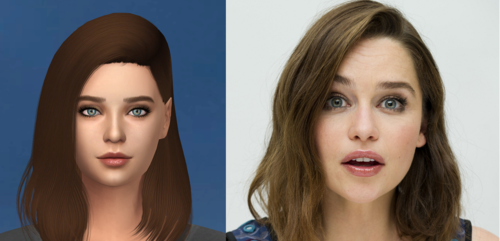
Hey ! I present you my Celebritie Collection ! (Just two for the moment, but i'll grow up this collection  )
)
It's some Celebrities that i try to do in the Sims 4.
I'm still novice in this, i mean, to do real person into a sims. So if you've some advices or tips, you're welcome 
I clothed up her, but you can change her outfits with what you want
All CC are included in the files except the wild_guy's Female Body Details,
you can find it here : wild_guy's Female Body Details (You need it for all my sims creation)
And you can find the Custom Content (CC) here :
Cara Delevingne : Cara Delevingne - Custom Content (Mediafire)


Made with The Sims 4 1.41.38.1020 version, "Backyard Stuff Pack" required
Custom Content Credits :
SamanthaGump, MorganeParis, S-Club, Simsimay, Bernies-simblr, Madlen, wild_guy, Marc Jacobs, solidDiamond,
toksik, MartyP, Alf-si, Pinkzombiecupcakes, Overkillsimmer, PYXIS, Sims_A_Porter, AvelineSims, Nightcrawler,
ShakeProductions, MYOBI, Anarchy-Cat, Kijiko, lullabysims, Soli, BEO, cmar, necrodog, Cien, TURBODRIVER
Emilia Clarke : Emilia Clarke - Custom Content (Mediafire)


Made with The Sims 4 1.41.38.1020 version, "City Living" required
Custom Content Credits :
Kijiko, Morgane Paris, S-Club, Simpliciaty, ShakeProduction, KittyMeow, Screaming Mustard, Birba32, Tsminh_3, Alf-si,
Pinkzombiecupcakes, wild_guy, Chisami, Daweesims, MartyP, Bernies-Simblr, Elfdor, salem-c, Marigold, Leahlilith,
Madlen, dsidhe, Peacemaker, necrodog, cmar, Cien
How to install :
Firstly, you need to download the sims you want, for this you need to download the Tray files and the Custom Content (CC) files (& don't forget to download the "wild_guy's Female Body Details", you need it for all my sims creation)
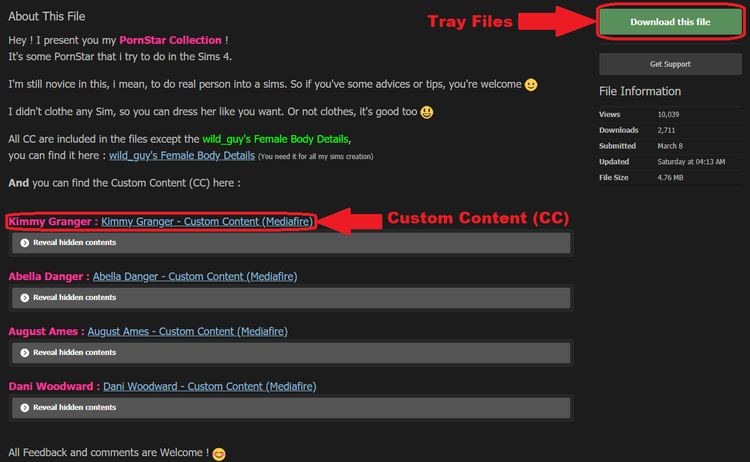
Then, when you have downloaded what you want, you need to put the tray files in your tray folder in this way :
Documents/ Electronic Arts/ The Sims 4/ Tray (You need Winrar or 7zip to open this type of folders)
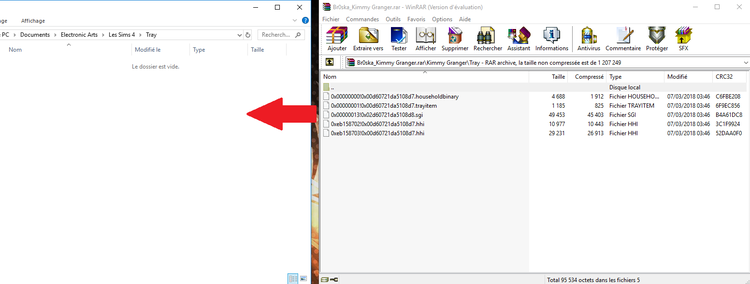
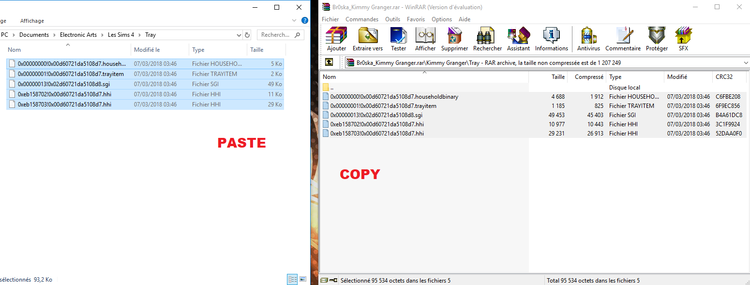
For the customs contents you need to put them in your Mods folder in this way :
Documents/ Electronic Arts/ The Sims 4/ Mods
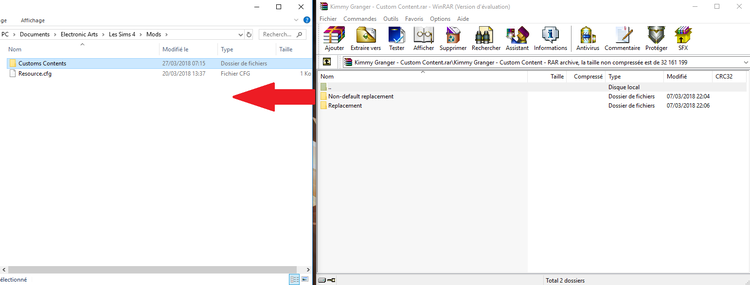
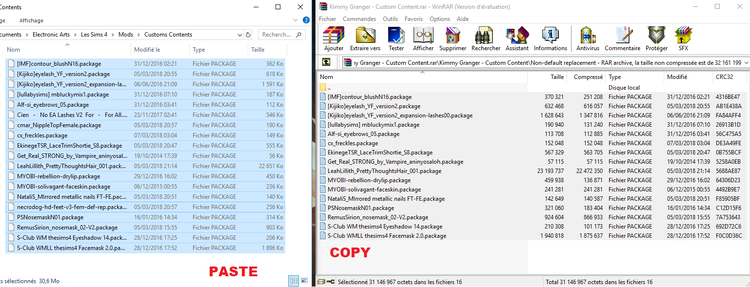
(For the wild_guy's Female Body Details it's the same way than the customs contents)
And to finish, don't forget to check the options in your gallery and settings :
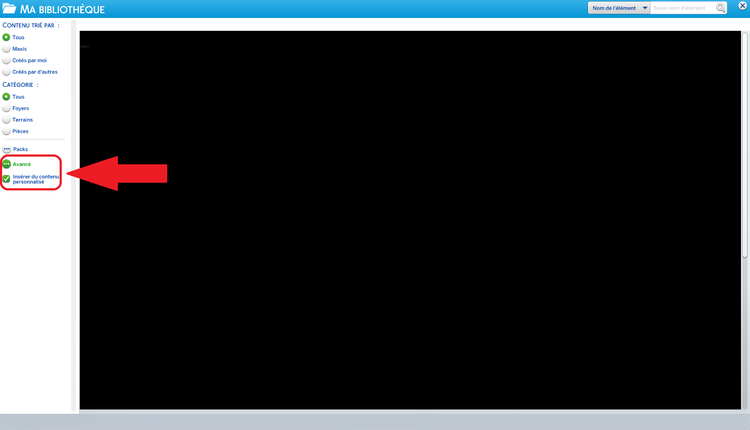
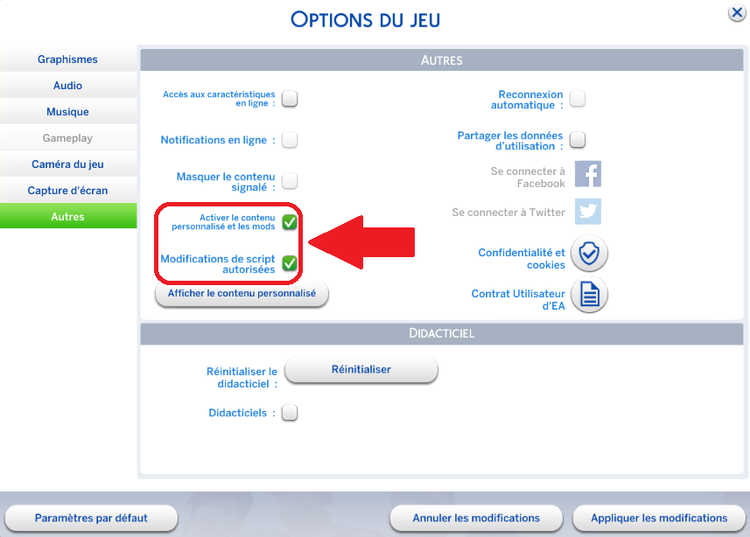
(In the screen it's in french, but it's the same way for all languages)
All Feedback and comments are Welcome ! 
PS : Sorry for my english
![More information about "[Sims 4] Random Custom Sims [UPDATE 15 April](Add Alice Bauer, Alissia Bunel)"](https://static.loverslab.com/screenshots/monthly_2018_04/5ad2d3afd980c_AliceBauerFace.thumb.png.d6edd50a600ddc5b70884ef66de1a70f.png)
![More information about "[Sims 4] PornStar [UPDATE 13 April](Add Lexi Belle)"](https://static.loverslab.com/screenshots/monthly_2018_04/5ad028ad2626d_LexiBelleFace.thumb.png.6fb143ecb540378f036d33b260d7c116.png)