About This File
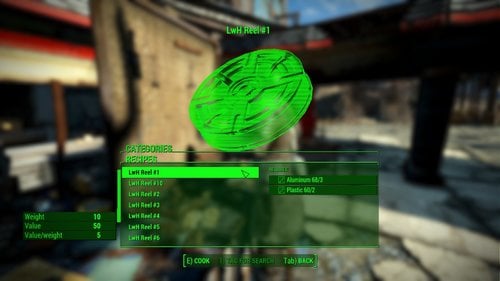
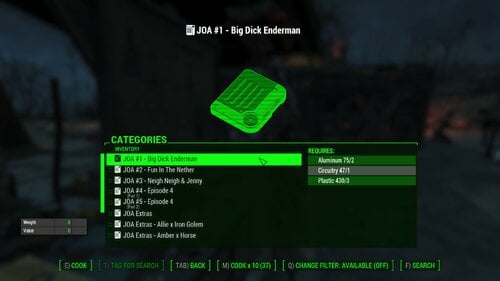
If you've followed the razorwire videos or other guides to manually create VotW mods, you know that it is time consuming and monotonous. AutoVideo is a program that automatically creates the entire VotW video addon from scratch with esp, textures, sounds and meshes. For novice users up to 10 videos per esp.
For intermediate users that know how to use FO4Edit you can have AutoVideo generate a script to go over the 10 videos limit, or just to add new videos to any other VotW esp.
Installation:
Extract the exe from the zip wherever you want. THIS IS NOT A FALLOUT 4 MOD, THIS IS A STANDALONE EXECUTABLE.
IMPORTANT! For this to work you need to have ffmpeg installed: https://www.ffmpeg.org/
For windows 10/11, try installing ffmpeg by typing "winget install ffmpeg" into the command prompt (cmd). If this does not work or you are on an older(??) version of windows, look up on google how to properly install ffmpeg.
FOR THE UI VERSION:
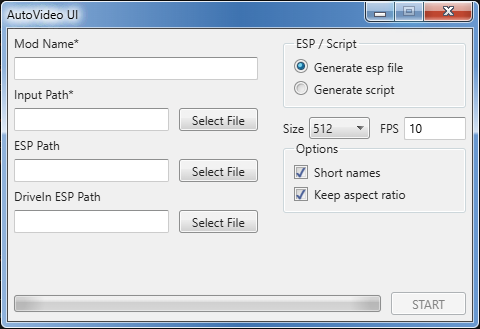
Fill in all required(*) fields and press start. Hover over fields with your mouse pointer to get more information.
FOR THE CLI VERSION:
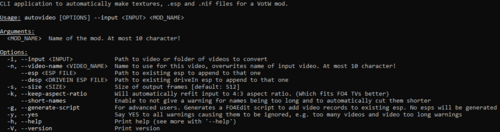
Use "autovideo --help" to get all available options.
Is this a virus?
It is dangerous to run random executables from random people online. All I can tell you is that this is not a virus and give you this virus scan as proof:
My own anti-virus is not bothered by autovideo.exe but yours might be. If your windows SmartScreen or maybe anti-virus gives you a popup that autovideo may be malicious, this is because the executable is unsigned and thus not trusted by windows. Signing an executable costs money and I'm not willing to spend that.
Edited by TheDestroyerOfWorlds
What's New in Version 1.5.5
Released
1.5.5:
- Added an option to create high quality textures
UI 1.3.155:
- Added a selector for video quality
- Added an extra warning that will help with the amount of videos to placeholders left in the esp
- Implemented autovideo core 1.5.5
1.5.4:
- "keep aspect ratio" now works again on not-NVENC-capable GPUs
UI 1.2.153:
- Fixed an issue where all mods would be called test
- Added webm to allowed video formats
- Fixed an issue where filename lengths would be determined wrong
1.5.3:
- Resize videos faster on NVENC capable GPUs
- Some background code rearrangements you don't care about
- UI: Made some clarifications
1.5.1b:
- Added a new version of autovideo that has a UI
- Why is it windows 7? I was feeling nostalgic.
1.5.1:
- Added the possibility to define desired fps in the filenames of videos, handy for when you're doing multiple at once
- other changes
1.5.0:
- Added an option to change the framerate of the video, @SorinFire found how to do it
1.4.0:
- Added YES, an option to say yes to all warnings, essentially ignoring them. Requested by John Seed.
- Generating an esp or a script are now mutually exclusive to avoid confusion
- Removed the --no-sound option in favor for automatically scanning for an audiotrack. Requires ffprobe that comes bundled with ffmpeg.
1.3.0:
- Slightly improved resize quality
- Added an option to generate a FO4Edit script to automatically append more videos to an existing esp (beyond the max of 10 videos the --esp option can do)
1.2.0:
- Added an option to automatically resize input videos to the right aspect ratio
- Added an option to automatically cut off too long names
1.1.0:
- Added an option to handle videos without sound
- Made ingame names more readable
1.0.0: initial