

About This File
Description:
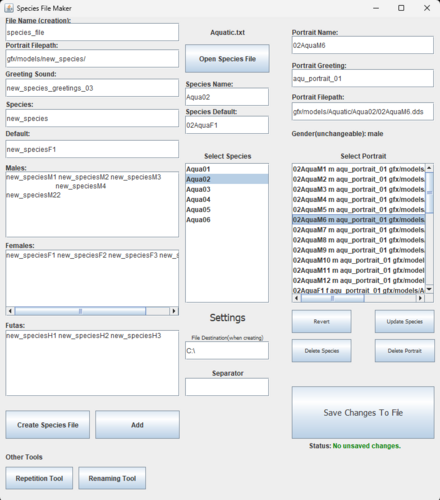
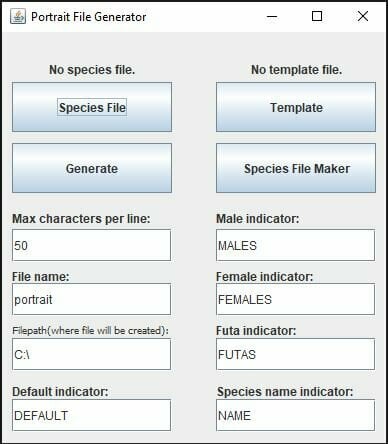
The Stellaris Portrait File Generator (SPFG) is a powerful yet lightweight Java program specifically designed to handle the portrait file code for the mod Vanilla Framework Continued (hence the existence of a hardcoded futa field). Vanilla Framework handles over 6000 portraits spread over dozens of species, so it is not feasible to update the portrait files (the files found under Stellaris/gfx/portraits/portraits that define the images associated with a species) of that mod manually. The design of this program is highly optimized to reduce the amount of work a human user must put into managing large amounts of portraits. While it will take some initial effort to create the species files used by the program, once finished you can update hundreds of species’ codes at once with a few clicks. It uses special files called “species files” to store data about a Stellaris species. It uses another kind of file, templates, to determine how the portrait files are coded. Templates are easily interchangeable so can use a custom template to create code for any mod, though only male/female/futa genders are currently supported.
Requirements:
The sole requirement for this program is to have Java installed on your device. The program may not run if the Java installation is outdated, so if you have trouble running the executable try updating Java.
Compatibility:
This program is only supported for the Windows 10/11 operating systems. I do not know if it will work on other operating systems but I cannot provide any help if you want to try it.
Installation:
This program is as portable as it gets, it consists of a single executable file (Stellaris Portrait File Generator.jar). Simply download this executable and put it wherever you want it on your computer. To uninstall, just delete the executable.
How It Works:
If you are interested in this program it is best to download and read the manual. This section will only go over the basic ideas.
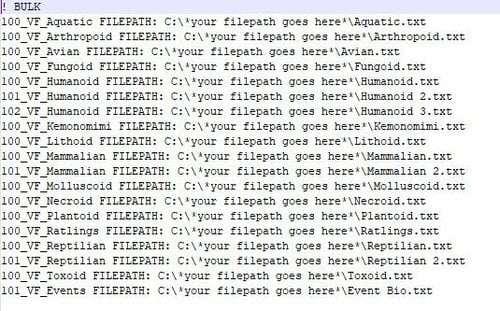
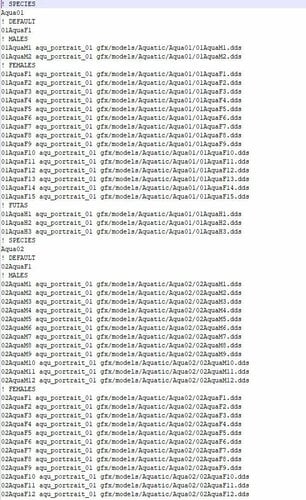
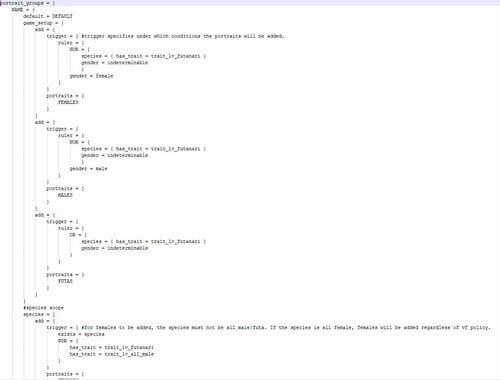
The Portrait File Generator is very simple, it reads data from a special species file and uses it to fill out a template. Species files are text documents that store all the necessary data about a set of portraits to make a portrait file. Species files are specific to the SPFG and can be created using the Species File Maker included in the program. Templates are basically the code for a species file, except actual values are replaced with indicators such as NAME or MALES so that the file generator knows where to put the data. You can create your own templates and use them to create custom-coded portrait files. There is also support for bulk species files, files that are used to generate many portrait files at once from many different species files, so you can update your entire mod in a few clicks!
VF Kit:
The VF Kit contains the templates, species files, and bulk species files used to make Vanilla Framework Continued. They serve as an example of working files and anyone who wants to make their own version of VF is free to use them.
The template(s) included in the VF Kit will up to date, however they will usually be labelled for an old version of VF as I rarely need to make changes to the templates when updating the mod.
The VF Kit will typically be updated every time an update is made to the SPFG. If you want a version of the kit that is up to date with VF Continued, just ask for it in the comments
Source Code:
The source code is a copy of the Eclipse project the program was made in.
Java Issues:
Any issue preventing you from opening the program in the first place is likely an issue with Java rather than my program itself. While you are welcome to ask for help here, I lack the expertise to help with Java issues, so you will need to troubleshoot the problem yourself. If you look up the error message you receive, you should find several actions you can take to help resolve any possible issues with Java. You can also try opening the source code in Eclipse IDE, and either trying to compile the code into an executable jar file yourself or simply running it inside of Eclipse (It works the same whether launched from an executable or an IDE). I really wish I could help everyone more, but I'm simply not an expert Java troubleshooter, and you are in a better position to resolve your issue than I am.
Known Issues:
- Currently the species file structure does not support any spaces in species names, portrait names, portrait greetings, or portrait filepaths as spaces are used to organize the file. This may be changed in future updates.
Included Tools:
The program includes some additional tools that are useful for making species mods.
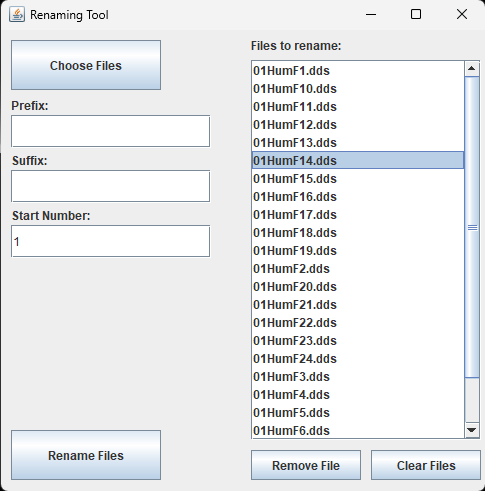
- File Renaming Tool: you may select a group of files from the computer and rename them in a predictable pattern.
Changelog:
10/23/2025 - SPFG 1.3
- Added "extension" field to renaming tool, allowing you to change the extension of renamed files. Previous version would not affect extensions.
- Fixed error when selected files on the renaming tool is null.
- Manual updated for version 1.3.
1/31/2025 - SPFG 1.2
- Added renaming tool useful for renaming large amounts of files in a predictable pattern.
- Manual updated for version 1.2.
10/23/2024 - SPFG 1.1
- Added status label informing users if there are unsaved changes.
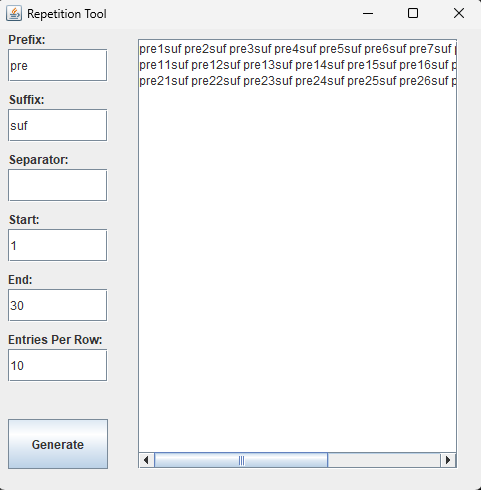
- Added repetition tool useful for generating portrait names to copy and paste into SFM inputs.
- SFM save button now shows popup message if there is no file opened.
- Species are now prevented from being created with blank names.
- UI now updates properly when a file fails to open.
- Version 1.0 manual still in use as no major changes were implemented this update. The only new tool is the repetition tool, which is fairly simple and doesn't affect the rest of the program so users can safely experiment to see how it works (it literally just generates some text so you can copy/paste portrait names rather than type them out manually).
Edited by ModderWhoModsThings
What's New in Version 1.3
Released
10/23/2025 - SPFG 1.3
- Added "extension" field to renaming tool, allowing you to change the extension of renamed files. Previous version would not affect extensions.
- Fixed error when selected files on the renaming tool is null.
- Manual updated for version 1.3.
.thumb.png.2f20553c9e0cbf57e8ef3a89a94e33c7.png)