Jump to content

NSFW TV 3.0

   (11 reviews)

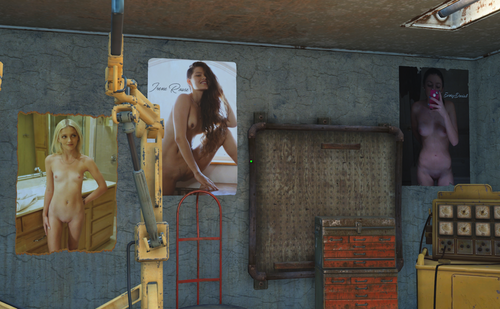
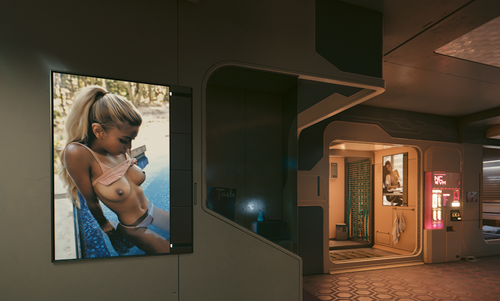
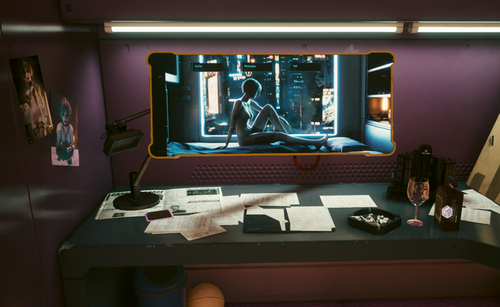
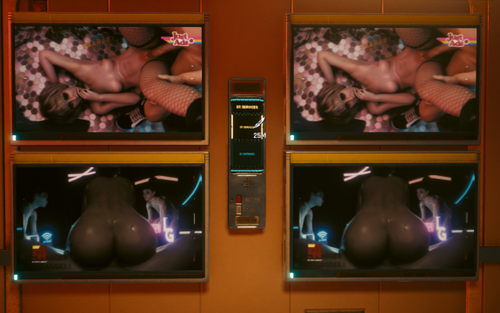
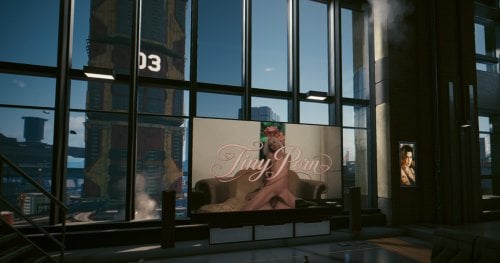
2 Screenshots

About This File

NSFW TV

Discussion Post


Channel Options

ONLY USE ONE PER CHANNEL AT A TIME

Channel: ChipIn

Fuck Urself - Female POV self pleasure (0.25GB File)

Channel: InfoFlash

Tiny Asian Girls - self explanatory (0.18GB File)

Channel: N54

Blow Job Network - Almost every video contains a blowjob (0.76GB File)

Fuck Urself - Female POV self pleasure (0.44GB File)

Porn Stars - Athena Faris - only videos with Athena Faris (0.45GB File)

Channel: SafeNSound

Forest Nymph Finders - Loving in nature (0.2GB File)

Channel: WSN

Tiny Tits TV - Self explanatory (0.86GB File)

Erotic Elegant Ebony - Beautiful women of colour (0.53GB File)

Channel: Ziggy

The Surprise Network - Not who they thought it was (0.56GB File)

Spying Shower Shows - Just shower, no sex (0.49GB File)


--------------------------------------------------------------------------------------------------------------

AD Options

ONLY USE ONE AT A TIME


CyberTV - Long Ads (0.2GB File)

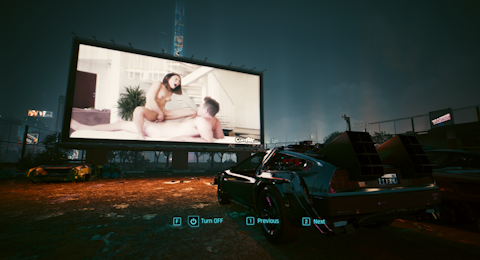
This mod changes Almost All TV Ads in Cyberpunk to longer ads where possible.

Some of the ads are centered around a theme or sexual position.


NSFW TV Ads (Main Character Edition) (1GB File)

This mod changes Almost All TV Ads in Cyberpunk into NSFW / more sexual versions.

Mostly with Panam and Judy but also includes other in game characters


CyberTV Ads - ShortPornAds (0.1GB File)

This mod changes Almost All TV Ads in Cyberpunk to 8 seconds or less porn clips


CyberTV Ads - CyberPoke (0.6GB File)

This mod changes Almost All TV Ads in Cyberpunk into NSFW Female Pokemon Characters.


CyberTV Ads - Sucking Fucking and Gaming (0.2GB File)

This mod changes Almost All TV Ads in Cyberpunk to porn clips while gaming is going on


CyberTV Ads - Cowgirl (0.2GB File)

This mod changes Almost All TV Ads in Cyberpunk to porn clips in the cowgirl position


CyberTV Ads - Little (18+) (0.2GB File)

This mod changes Almost All TV Ads in Cyberpunk to porn clips of petite girls

ALL VIDEOS ARE SOURCED FROM SITES THAT DO NOT ALLOW UNDERAGE CONTENT


--------------------------------------------------------------------------------------------------------------

Extra Options

CyberTV - Western (0.08GB File)

This mod changes the western video playing in the cinema during "I Walk The Line" Quest

Theme and style are still western, just much more NSFW and longer


NSFW Decorations - Movie Theater - AF (0.2GB File)

This mod changes the Video playing during the "Blistering Love"  Quest

The cow girl position will loop until you answer rogue about "what you would change" then the missionary video will loop until you progress the conversation


NSFW TV - Vik Boxing Game (0.04GB File)

This mod changes the video Vik has playing at his Ripperdoc location

This Changes the boxing game to a Judy sex scene


CyberTV - Arasaka Logo (0.02GB File)

This mod changes Spinning Arasaka logo on the screens in Arasaka buildings


Some videos may pause or stutter, this may happen near the end of the video or if you are looking at too many tv's


--------------------------------------------------------------------------------------------------------------


Installation


Open the .rar files and add the .archive files to

C:\Program Files (x86)\Steam\steamapps\common\Cyberpunk 2077\archive\pc\mod


You may also simply drop the .rar or .archive file into Vortex Mod Manager


--------------------------------------------------------------------------------------------------------------


NSFW Channel Changer

Get it from here in the google Drive


Change the channel on almost any TV at anytime.

Requires Cyber Engine Tweaks (CET)


How to use

Open CET (I believe the default hotkey is ` ). Under Bindings assign the hot keys you like to change the channel.


Installation

Drop the .rar into vortex or drop the contents of the .rar file into your cyberpunk install folder which is typically located at:

C:\Program Files (x86)\Steam\steamapps\common\Cyberpunk 2077


If you want to manually delete this please delete the folder located here:

C:\Program Files (x86)\Steam\steamapps\common\Cyberpunk 2077\bin\x64\plugins\cyber_engine_tweaks\mods\NSFW Channel Changer


--------------------------------------------------------------------------------------------------------------


Please Check back For updates!

Sources

Donations

Edited by EveryDenial
Re-up 2 - Sources


What's New in Version 3.0   See changelog

Released

No changelog available for this version.


User Feedback


mnh36

   7 of 7 members found this review helpful 7 / 7 members

Love this mod and the NSFW Ads. So much work went into this. Thank you from the bottom of my loins.

duncan.aftw

   6 of 6 members found this review helpful 6 / 6 members

I'm positive that it would be painful to do, but it never hurts to ask.

Some of the ad packs have individual images that were used, or appear to be taken from the game, to help decide which files to use.

Can that be done across the video packs as well? Just so we know which option we're choosing.

Thanks again for the mod(s)!

fable_kin

   5 of 5 members found this review helpful 5 / 5 members

a great mod! amazing work, thank you ?

Yanyas

   4 of 4 members found this review helpful 4 / 4 members

I did forget to make review when my old computer gone so here we go: Its really good with tv anywhere mod if it still works I recommend both. if we can use change channel with more videos it will be awesome!! now after year I comeback but using emma ai mod right now so cant use it sadly I'm sure they wont work together but thank you that japan news channel still in my heart till now :D

Shaggy Doo

   3 of 3 members found this review helpful 3 / 3 members

Great mod, but cant get  any sound, its just the the audio from the show that its replacing

Response from the author:

Unfortunately the sound is nice changed. It's a bit of challenging process on the back end. :(

theredsox

   1 of 1 member found this review helpful 1 / 1 member

If anyone wants an easy way to randomize which ads show for each game session, I created a simple PowerShell script that will do it for you with one click.


1) In your base game folder create folder "nsfw_tv"

2) Put the folders with the mod archive files inside there

3) Put the .ps1 file from my zip into the same folder

4) Edit the file, set your game's path on line 11, $gameRoot

5) Right-click desktop -> New -> Shortcut

6) Paste the following snippet, but replace with your game's path:


"powershell.exe -NoProfile -ExecutionPolicy Bypass -File "C:\Games\steamapps\common\Cyberpunk 2077\nsfw_tv_randomize.ps1"


That's it. Each time you run the shortcut before starting the game it'll shuffle the ads.


Example structure:


\Cyberpunk 2077

|-- \nsfw_tv

|    |-- \NSFW TV Ad Options - Choose 1 option

|        |-- Cyberpoke TV Ads.archive

|        |-- CyberTV - Long Ads.archive
|    |-- \NSFW TV Channel N54 - Choose 1 option

|        |-- CyberTV - N54  - Pornstars - Athena Faris.archive
|        |-- CyberTV - N54 - Blow Job Network.archive

|    |-- nsfw_tv_randomize.ps1

nsfw_tv_randomize.zip

Shadow1588

   1 of 1 member found this review helpful 1 / 1 member

great stuff

BBXLPeach

· Edited by BBXLPeach

   4 of 5 members found this review helpful 4 / 5 members

Best Mod Ever! Love the version with CyberPoke.
 

blackstrays

   2 of 3 members found this review helpful 2 / 3 members

the game crashes and says it may be due to a outdated archive file, did i install it wrong or is the mod too outdated?

Screenshot_2.png

Response from the author:

Just tested on the latest version with a few of the CyberTV files and I got into the game and viewed them without issue. Typically errors like that are caused by bigger mods that run other mods such as RED4EXT or CyberTweaks.

My mods that alter video or photo(textures) should not cause these errors, if the game were to update and change internal file names or locations, the mods would simply do nothing.

If it some how is my mod, let me know the exact file you were trying that caused this please!

I hope you figure out which of the mods you're using is causing this error and you reconsider your 1 star review once it's all good! :)

Rugged Bro

· Edited by Rugged Bro


[16.04.2026] CP2077 V2.31a 💔 Dragging and dropping into Vortex doesn't work, you get a notification that says the archive is damaged!


...Lets see if installing manually works. brb


UPDATE: Nope! Manual doesn't work either. Maybe it's clashing with another mod??? I'll report back if I discover anything.


HOPE THIS MOD ISNT ABANDONED as there's NOTHING like NSFW Channel Changer!

Response from the author:

Since you mentioned the NSFW Channel Changer I assume that's where you are having the issue. 


I just downloaded a copy of NSFW Channel Changer from the drive this site is linked to and loaded it into my game and it showed up fine in Cyber Engine Tweaks (CET) key binds section. I tested changing channels in the Mega Building 10 elevator and it could change each screen individually. 


Sorry, I'm not sure what could be conflicting. The only suggesting is to ensure CET is up to date. Or possibly ensure that in CET you have the key bindings set to your liking :)

Logan777


Thank you for sharing 


×
×
  • Create New...