Jump to content

10 Comments


Recommended Comments

Agent Tex

Posted

Wow, do more of these, they help.


Could you do this for say cum too?

Tirloque

Posted

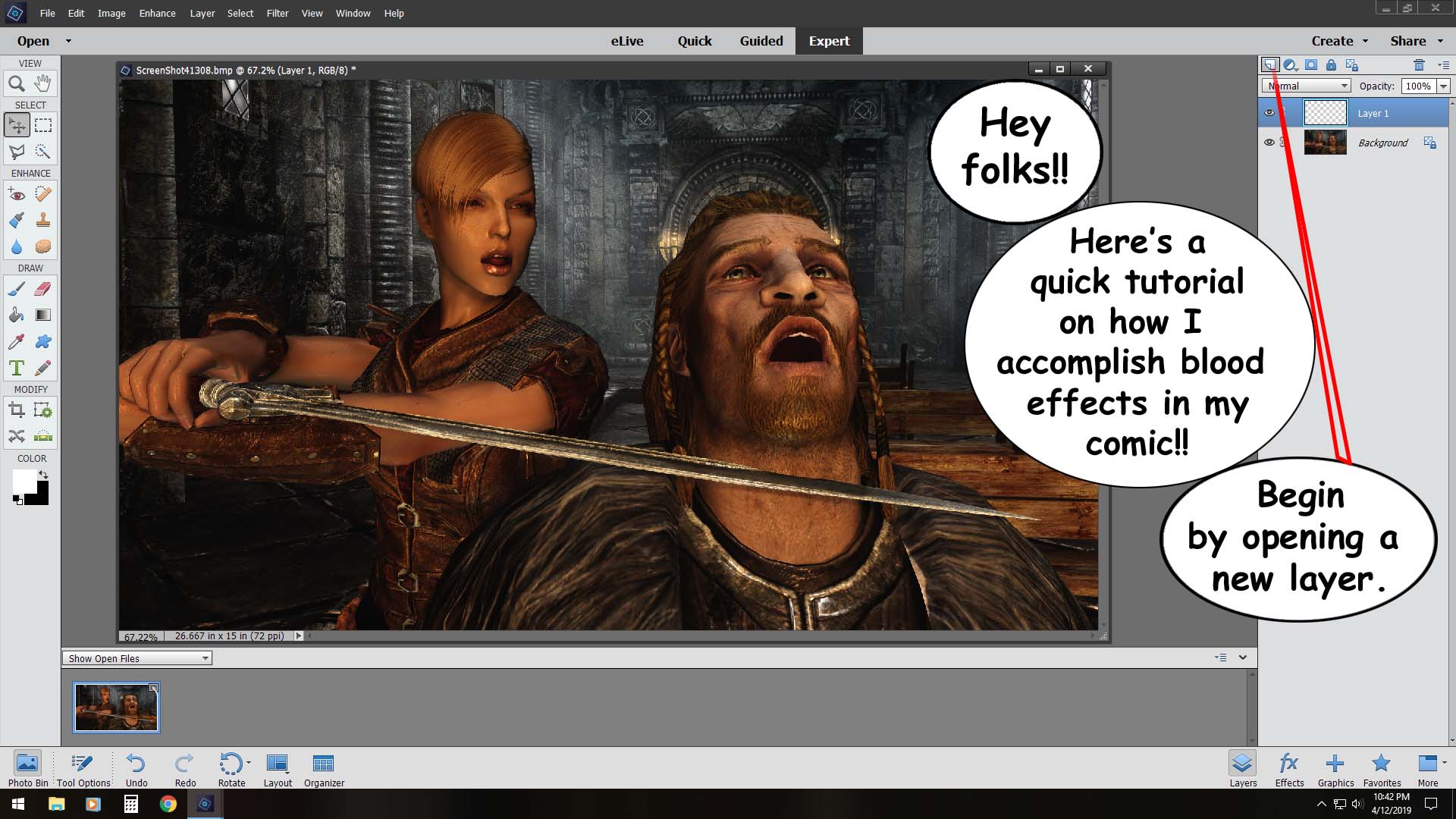
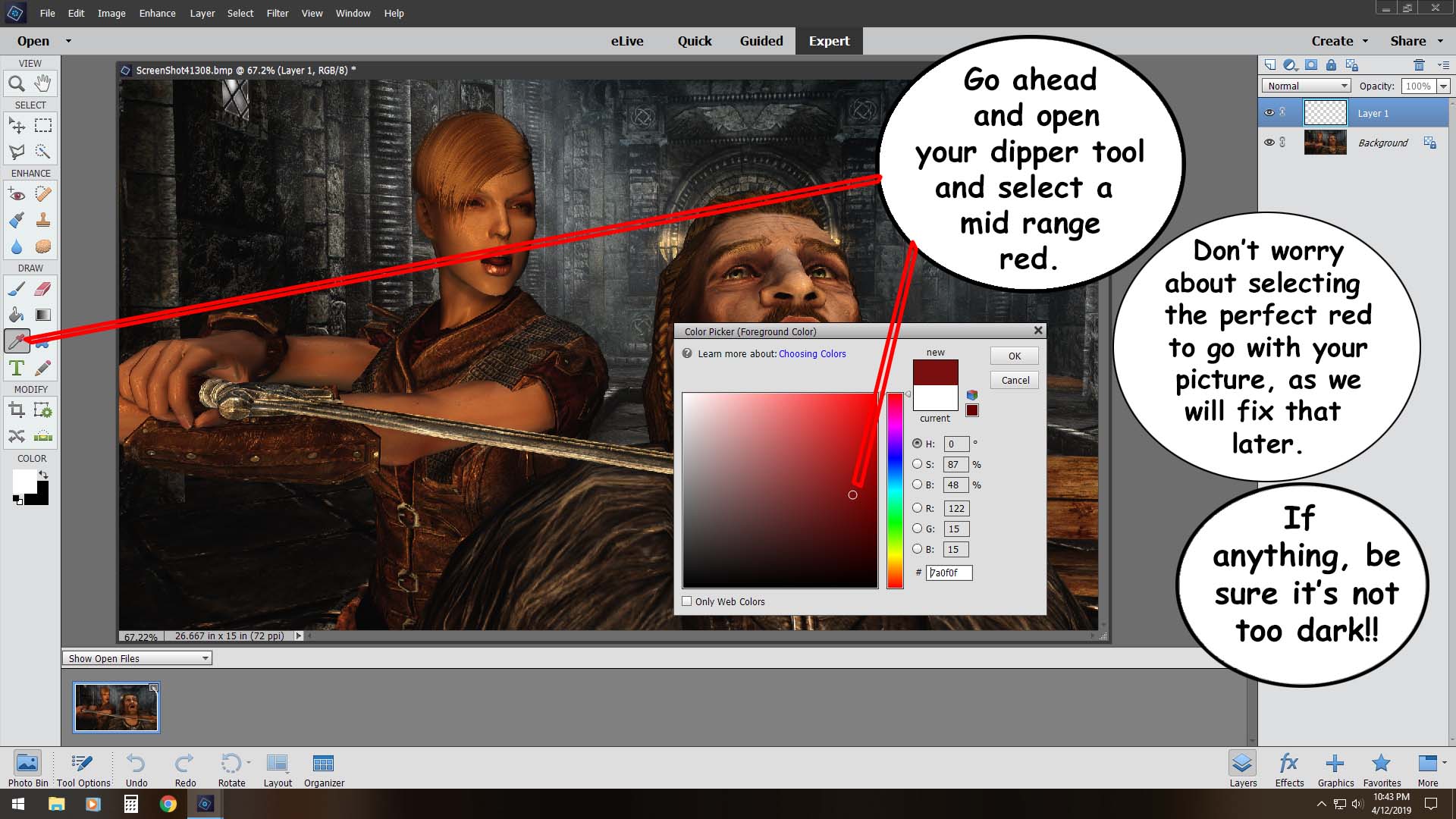
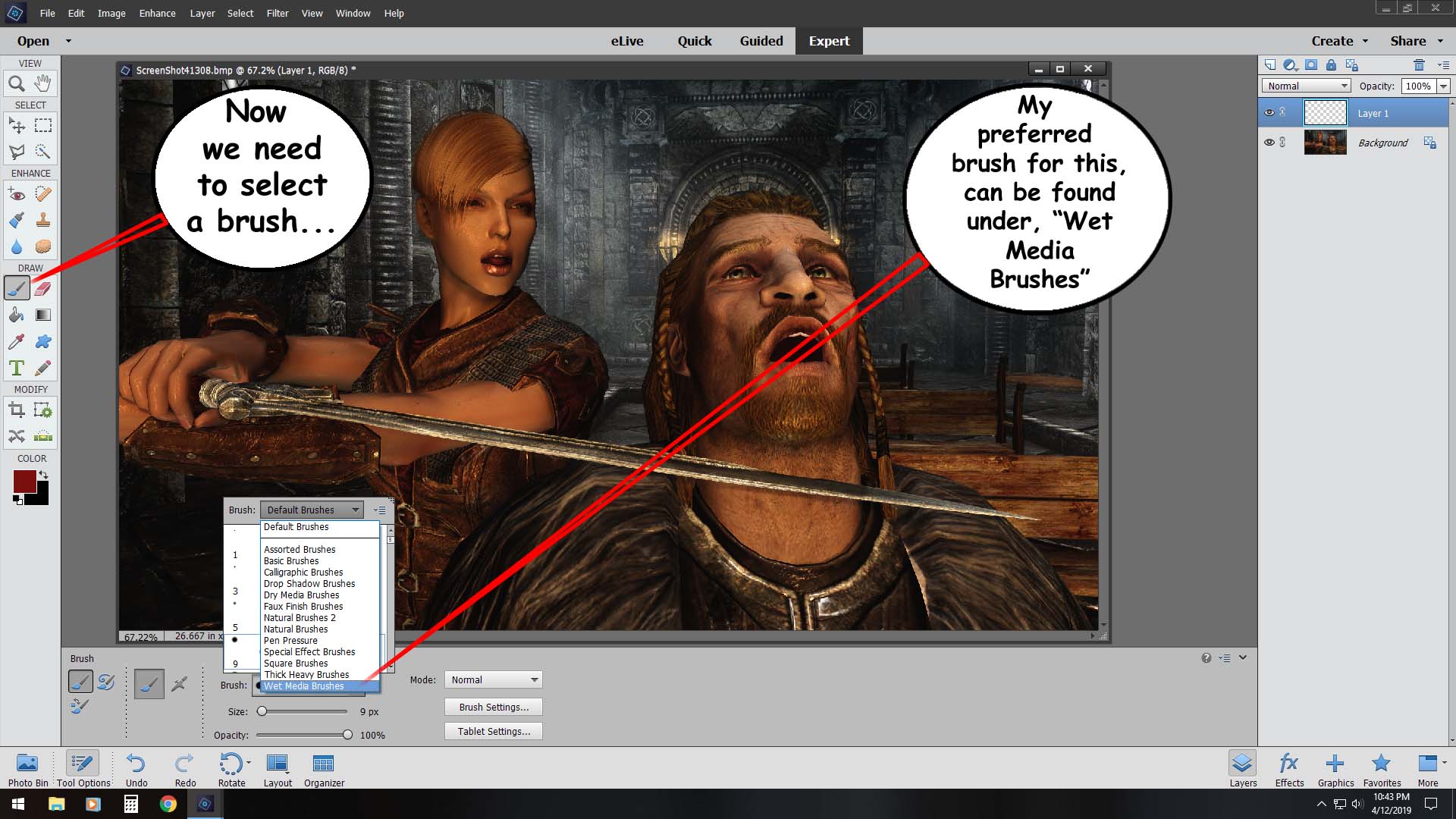
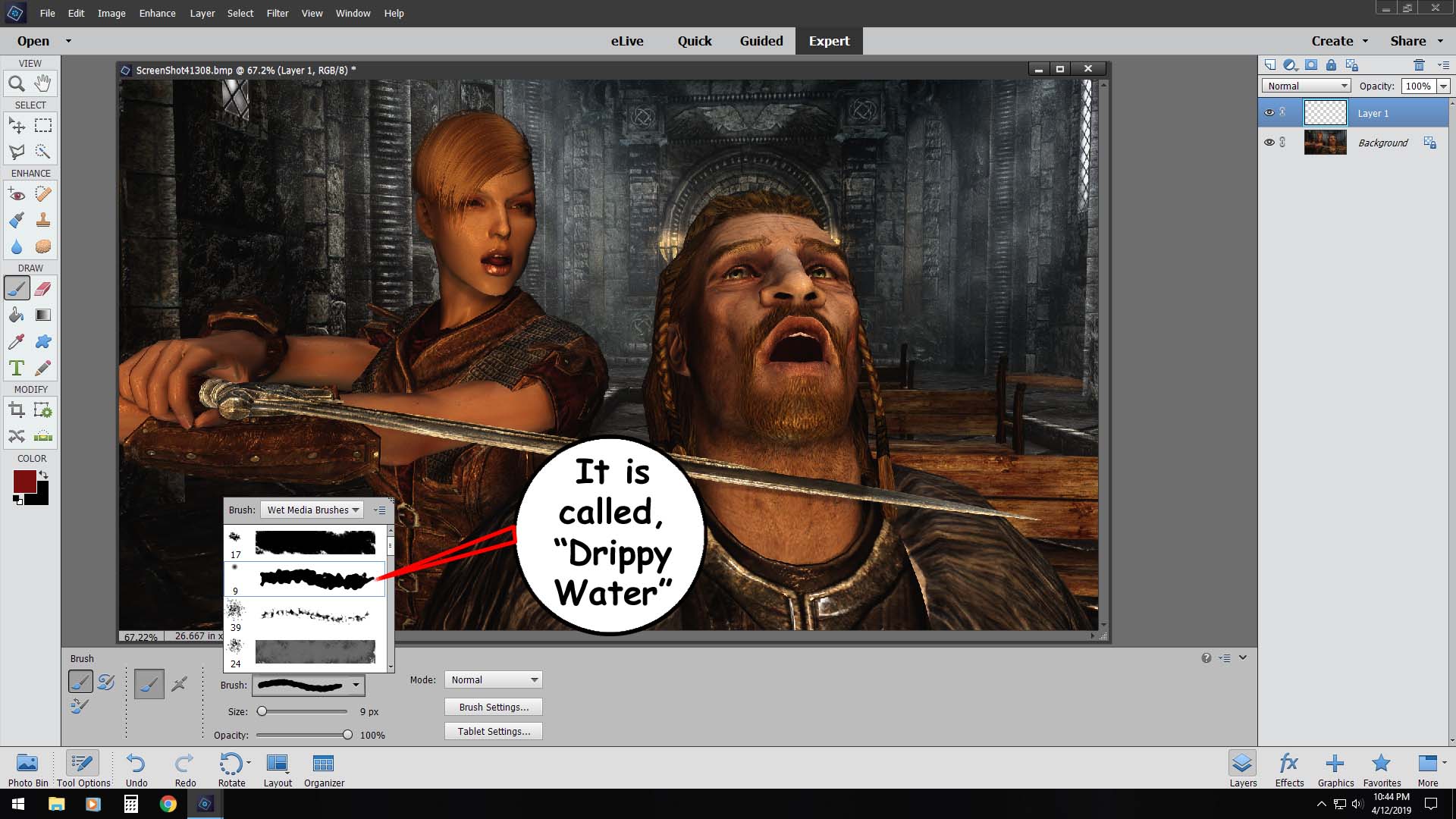
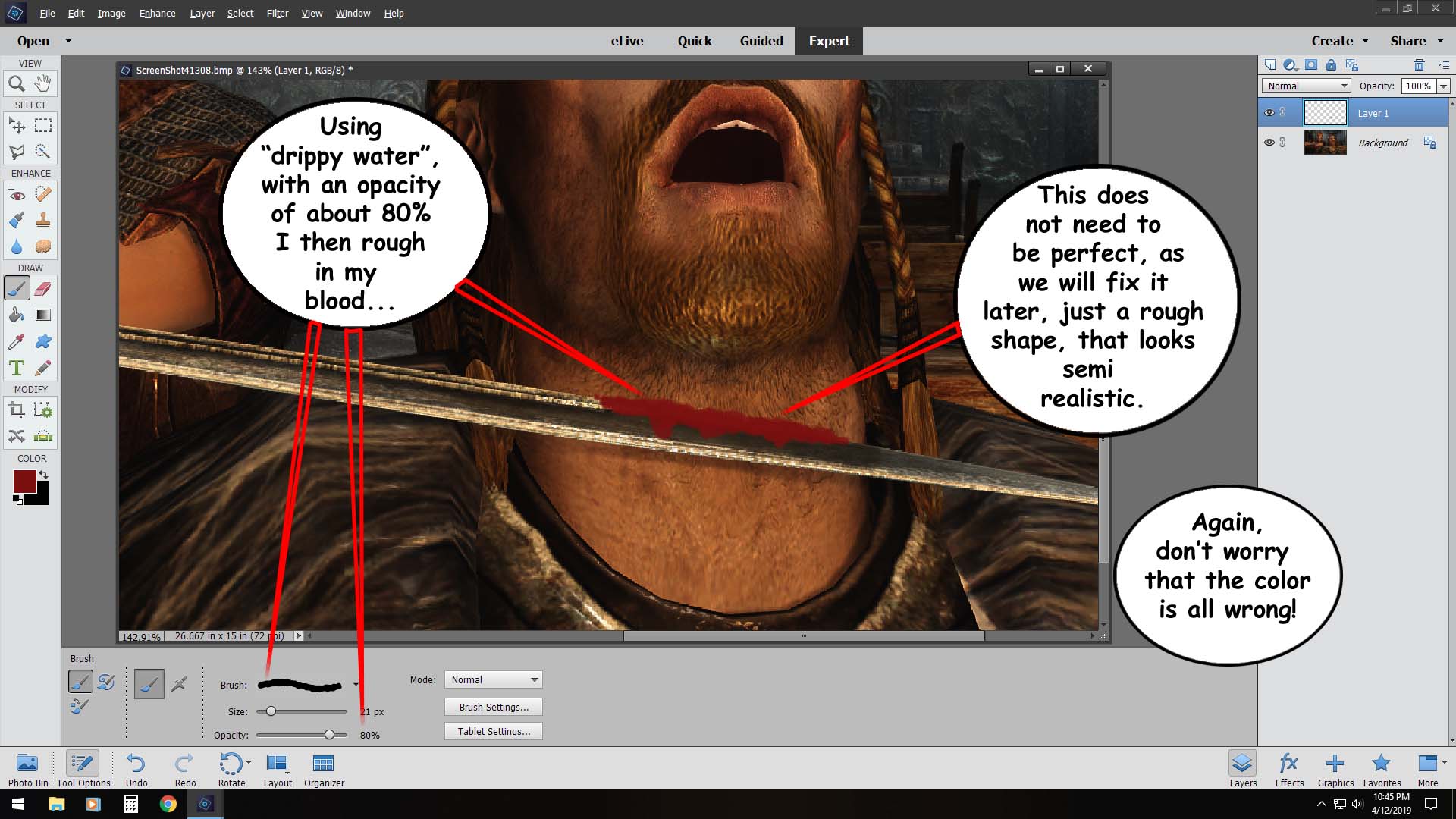
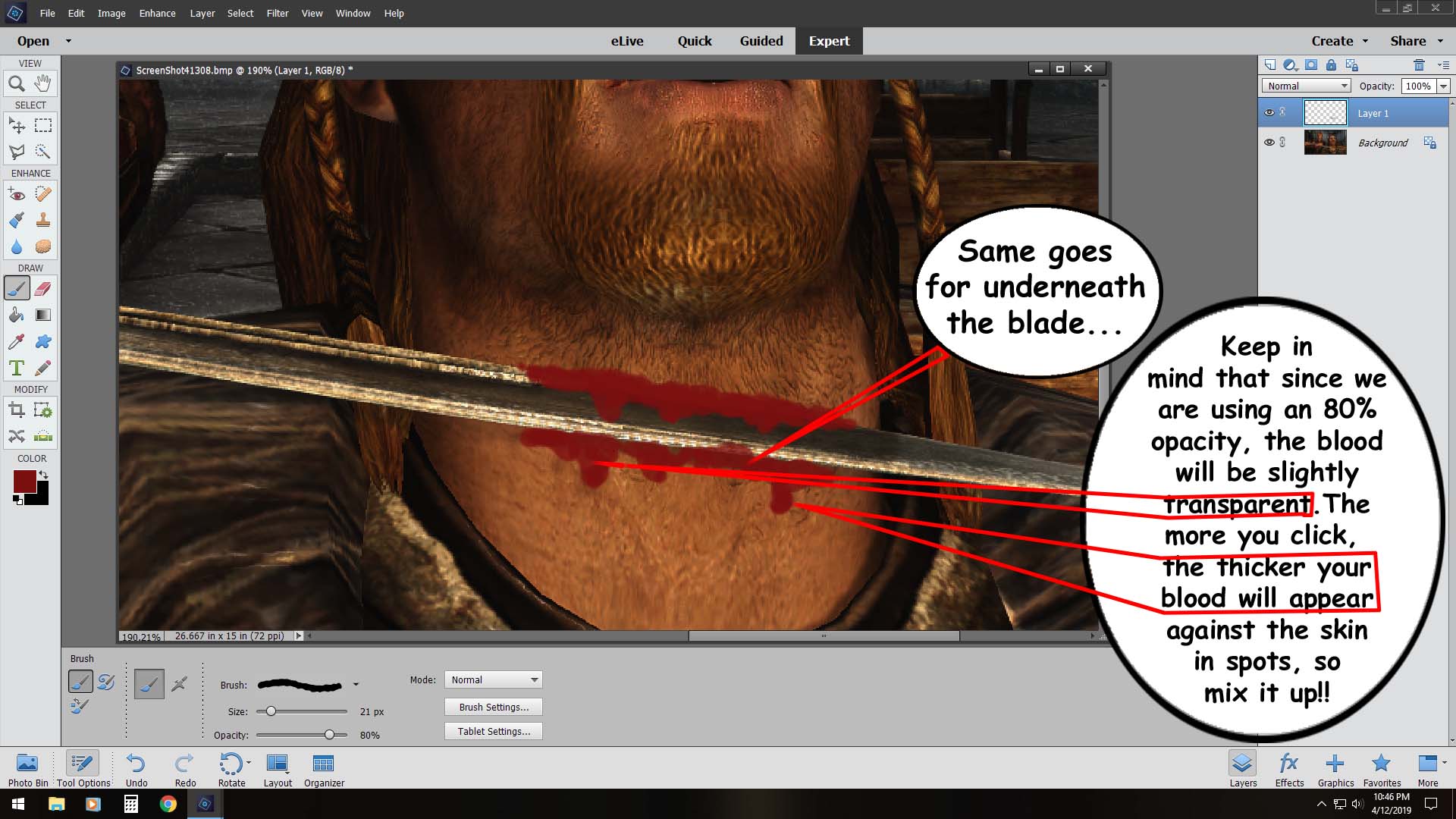
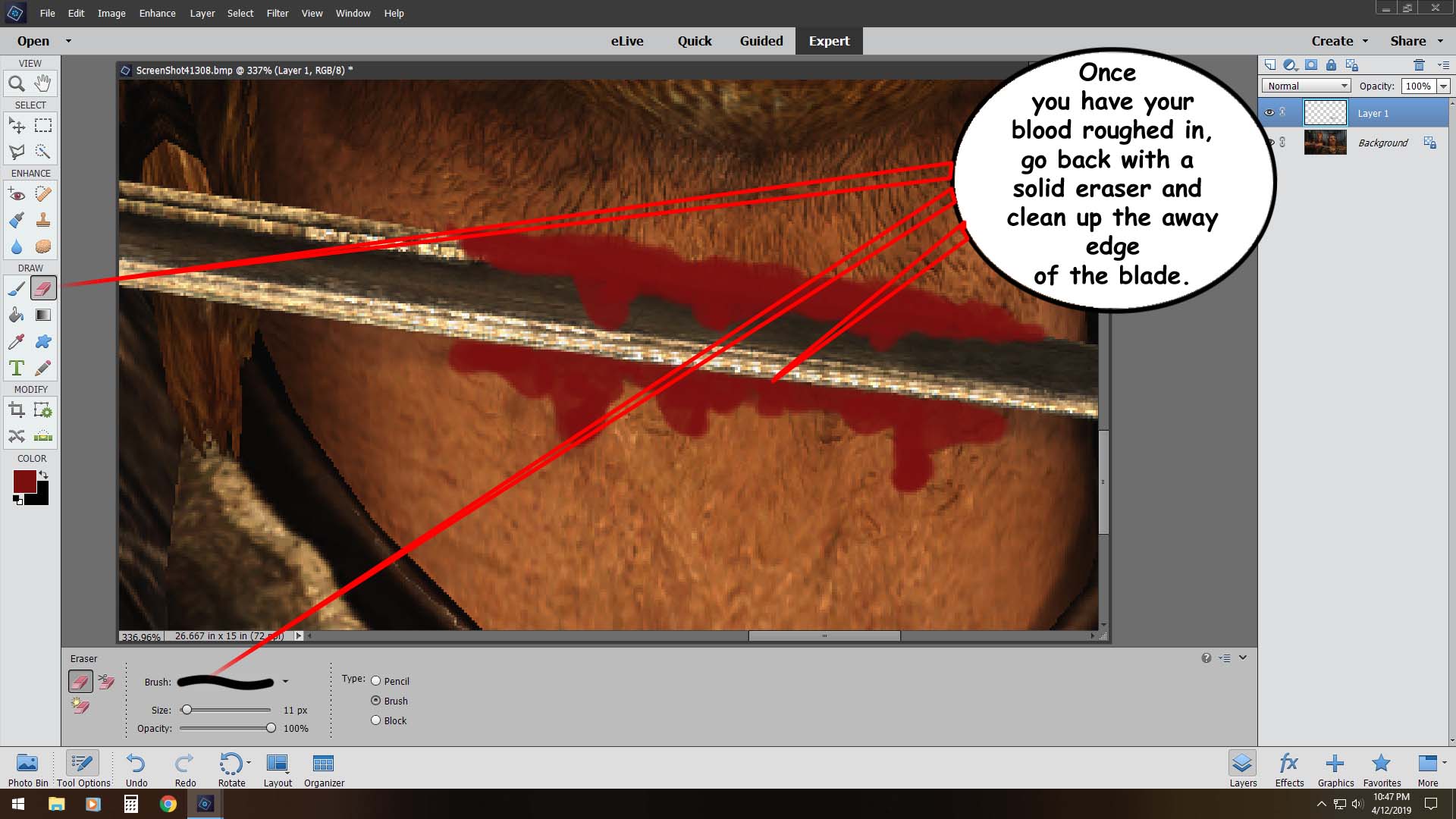
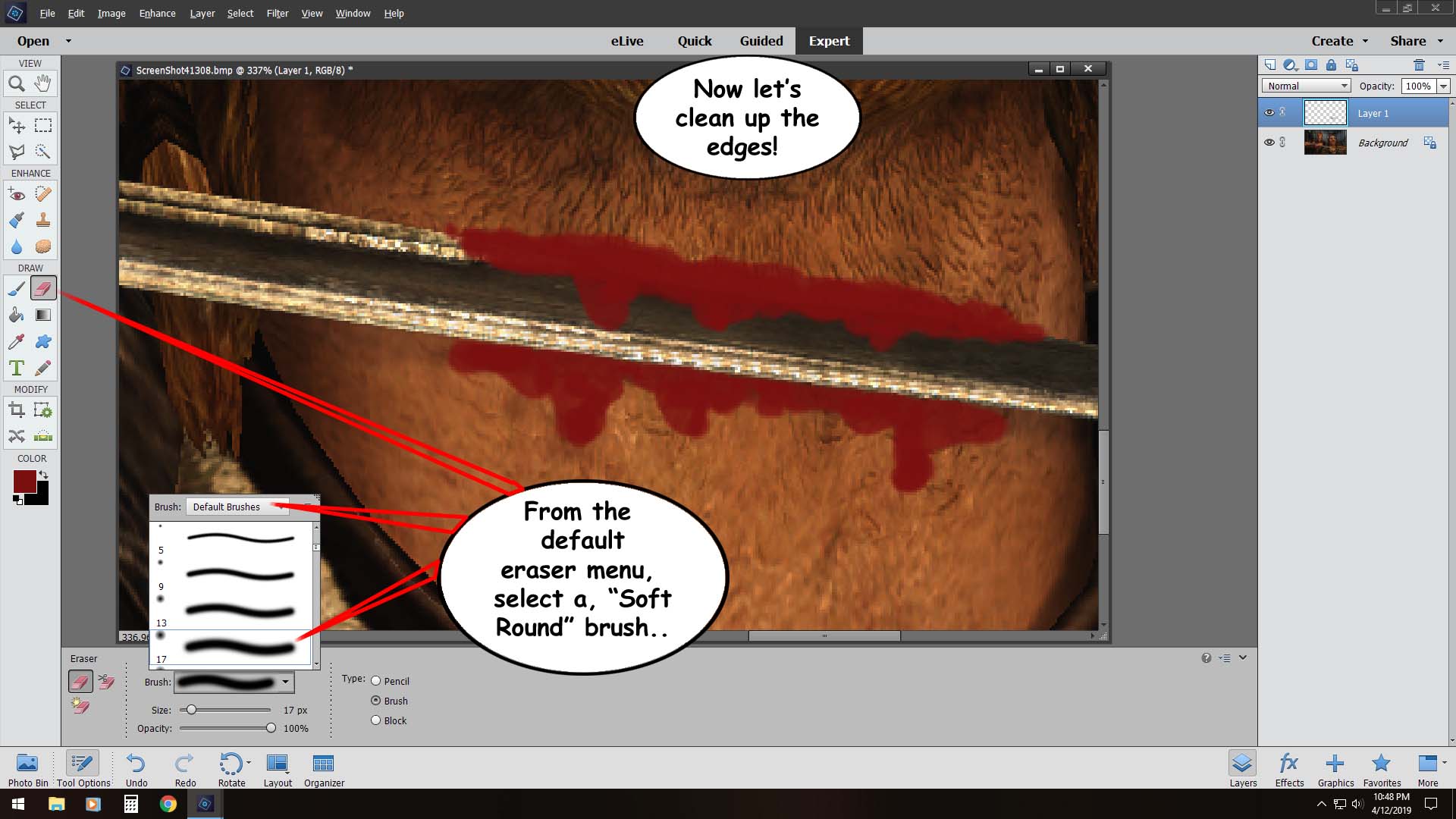
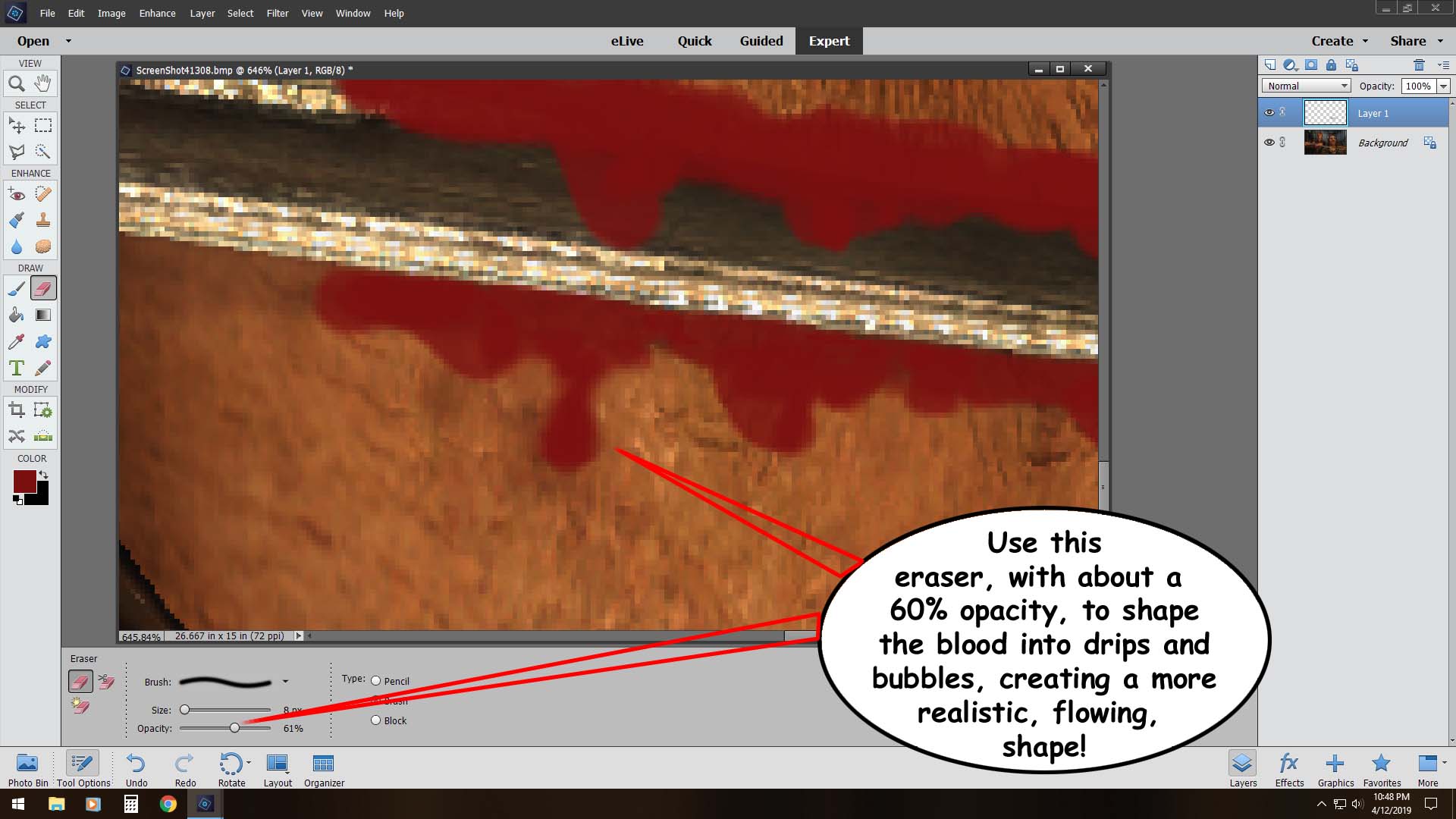
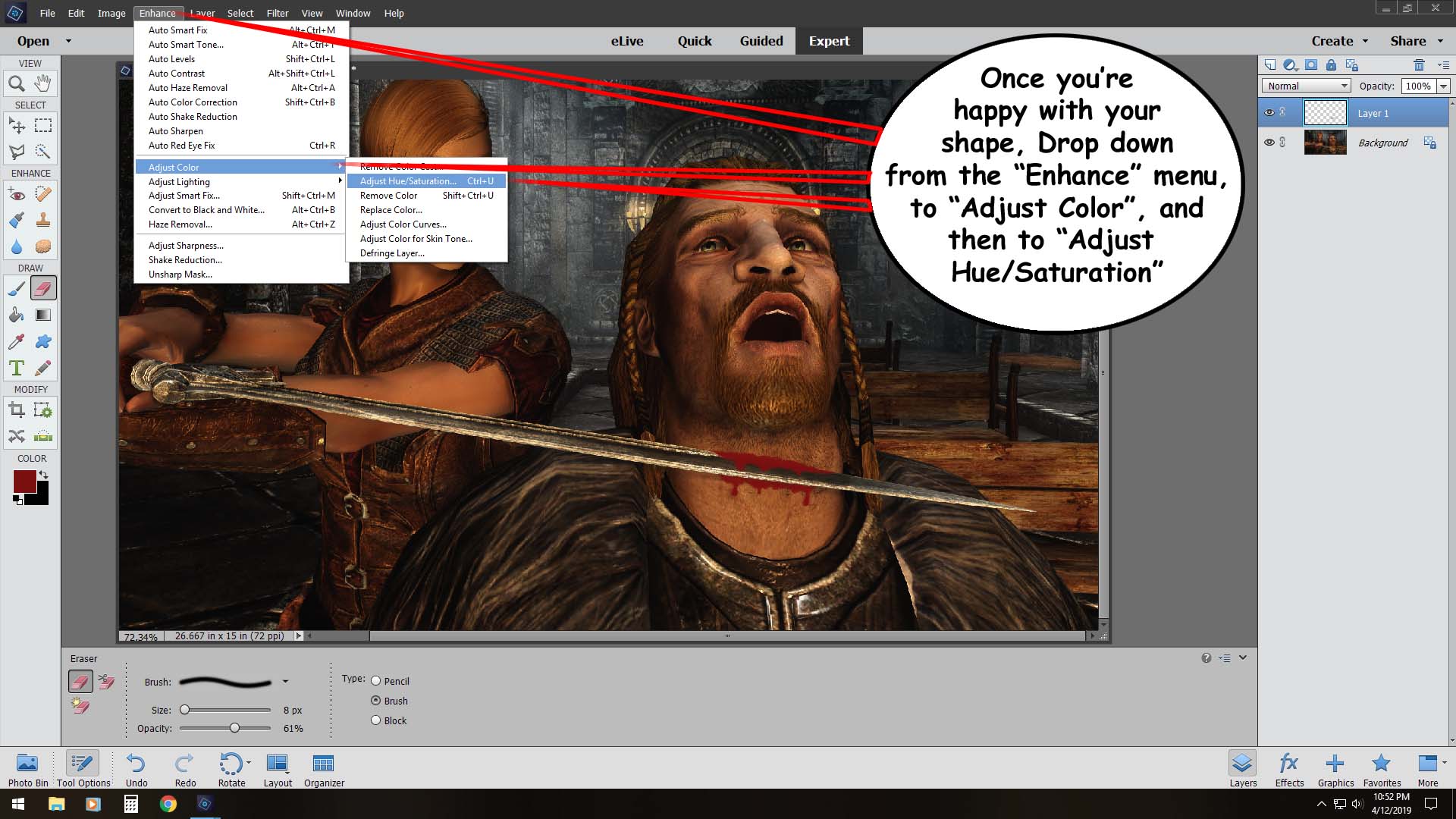
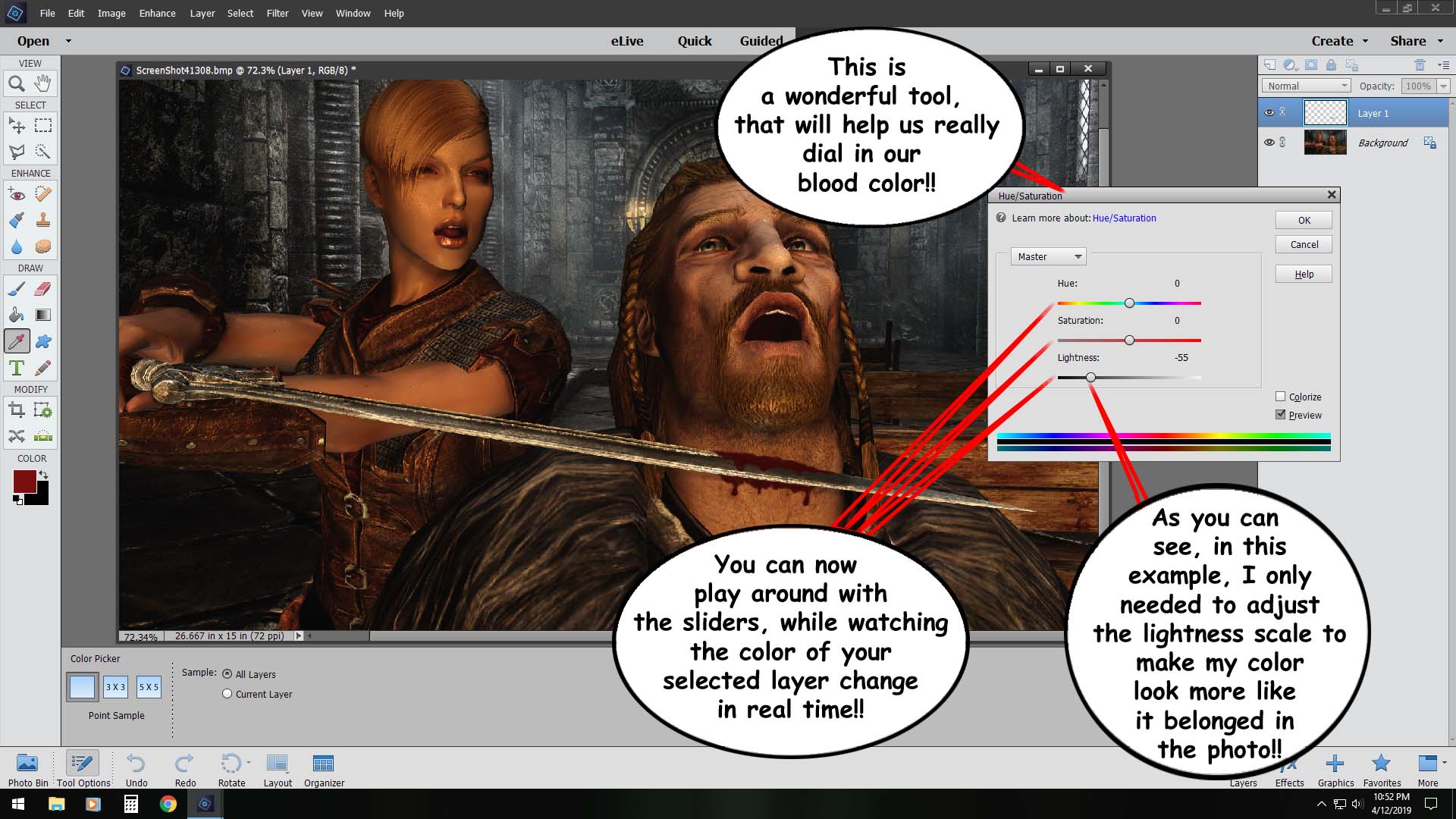
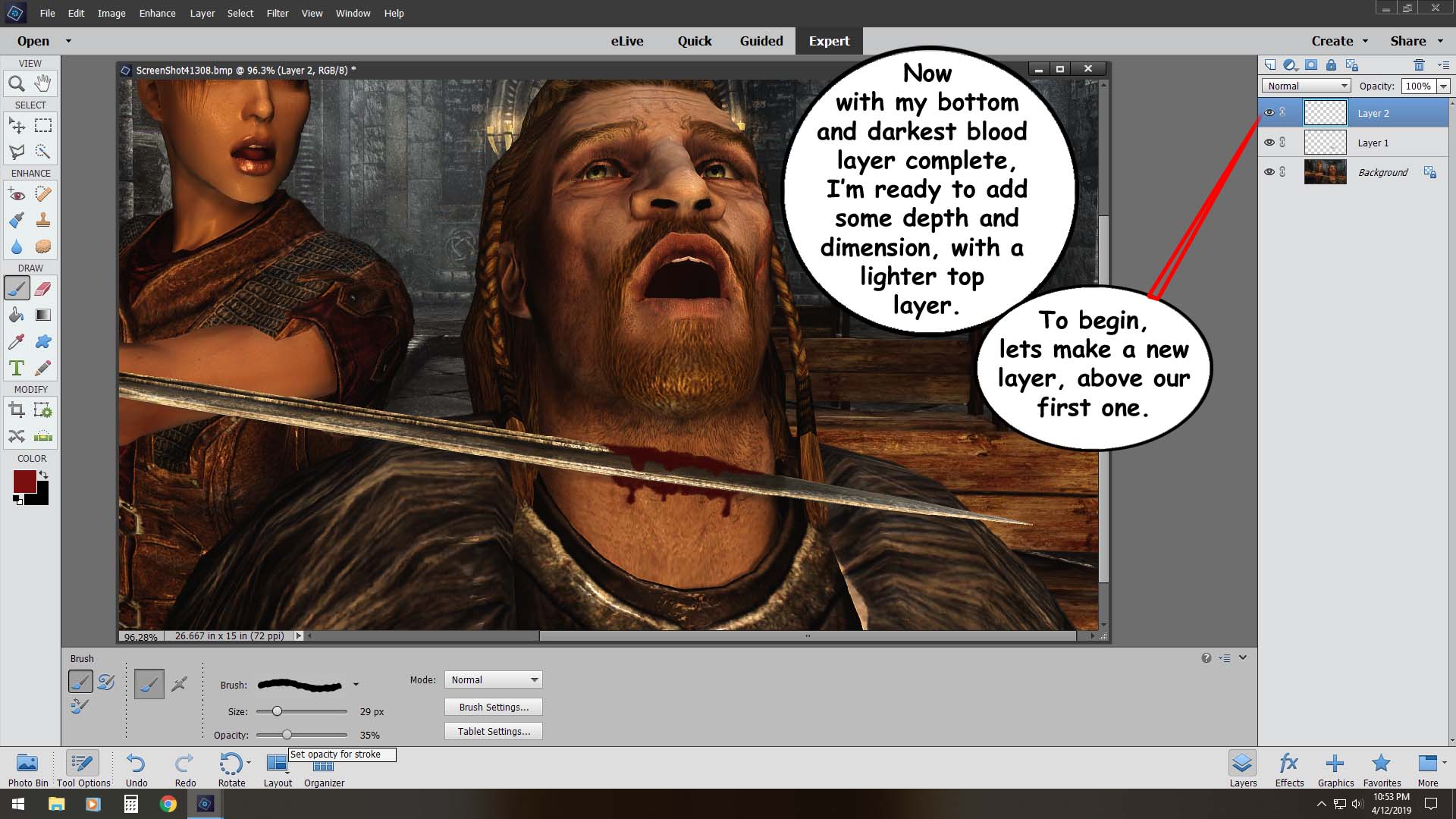
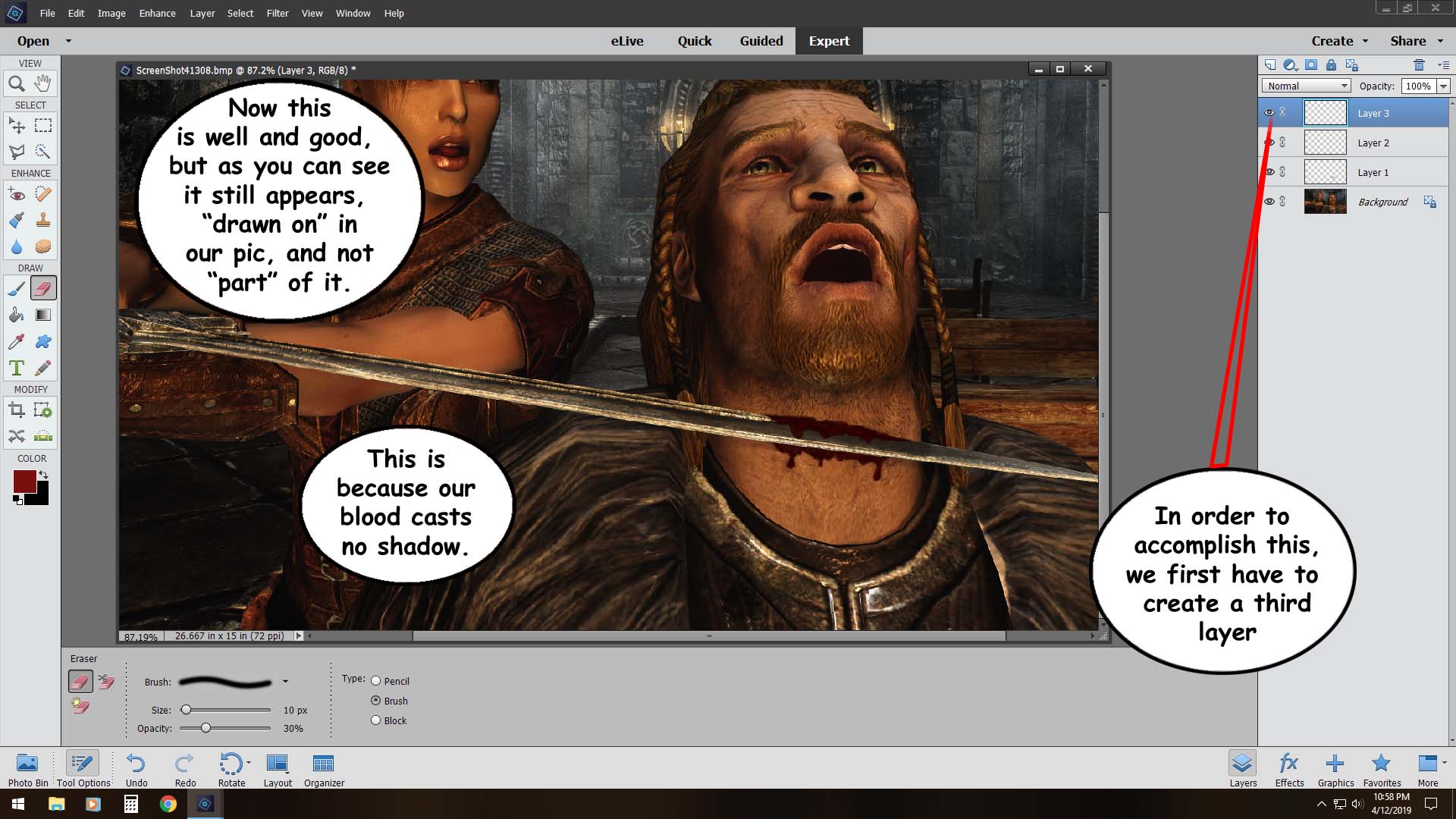
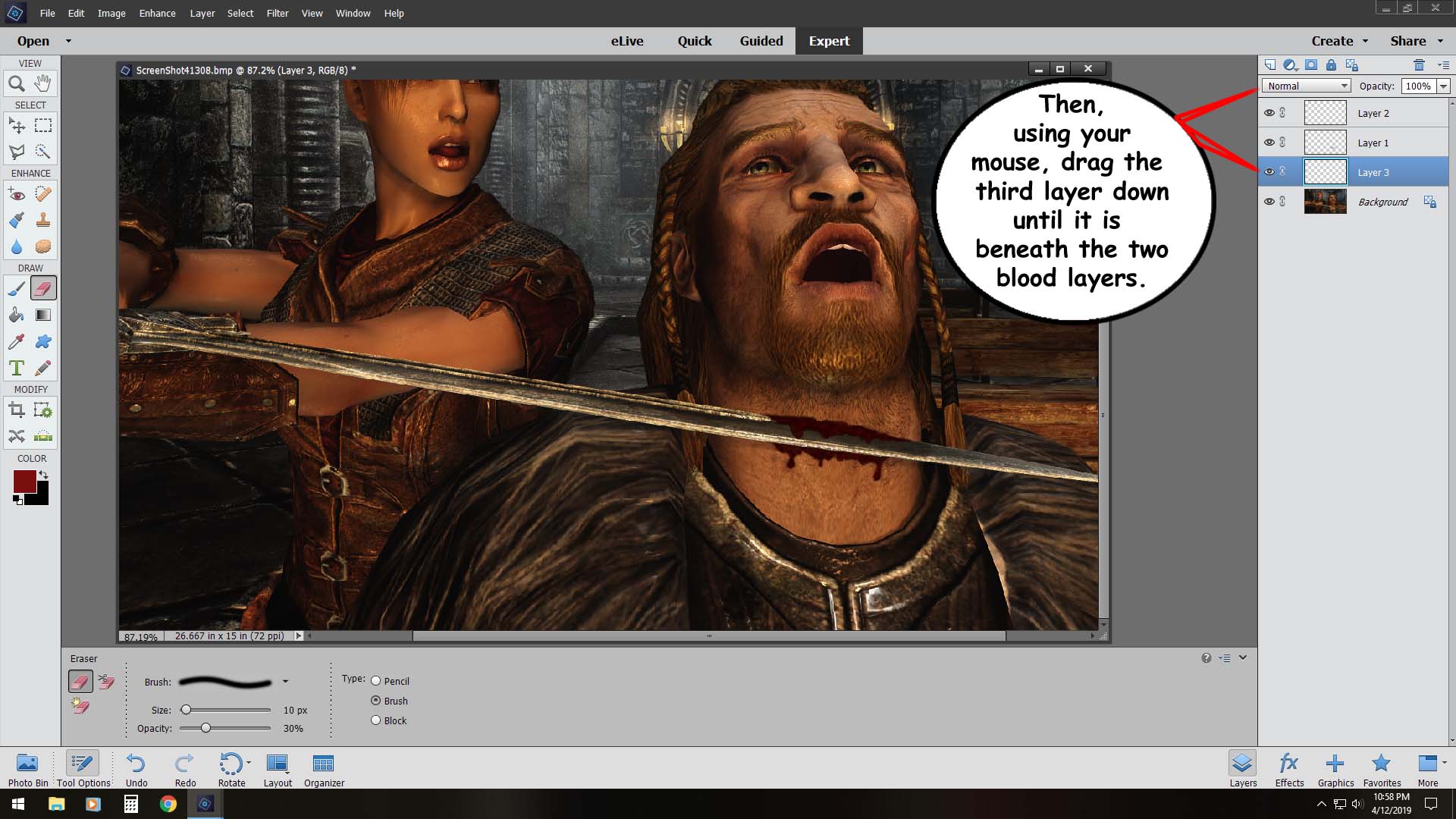
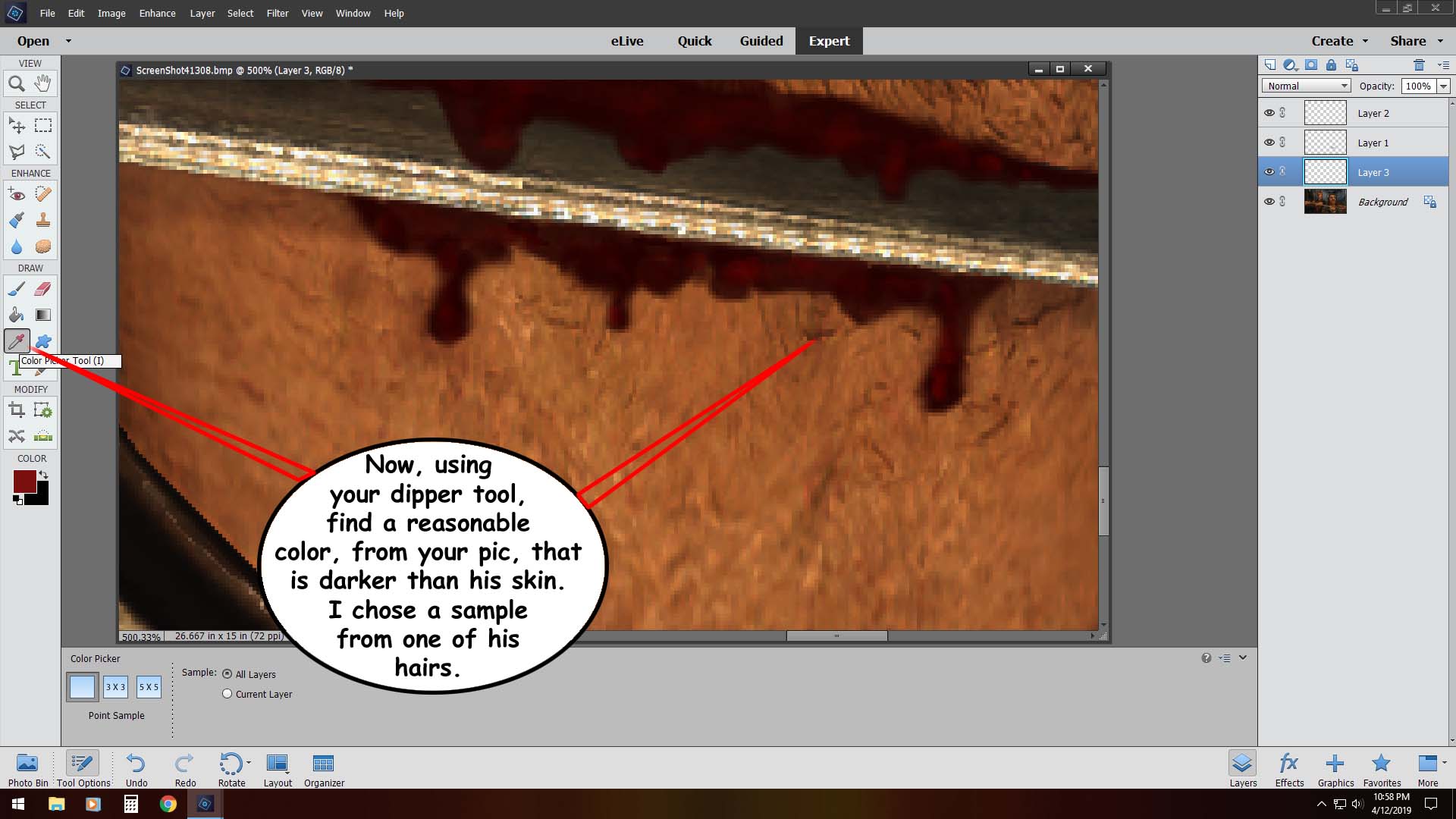
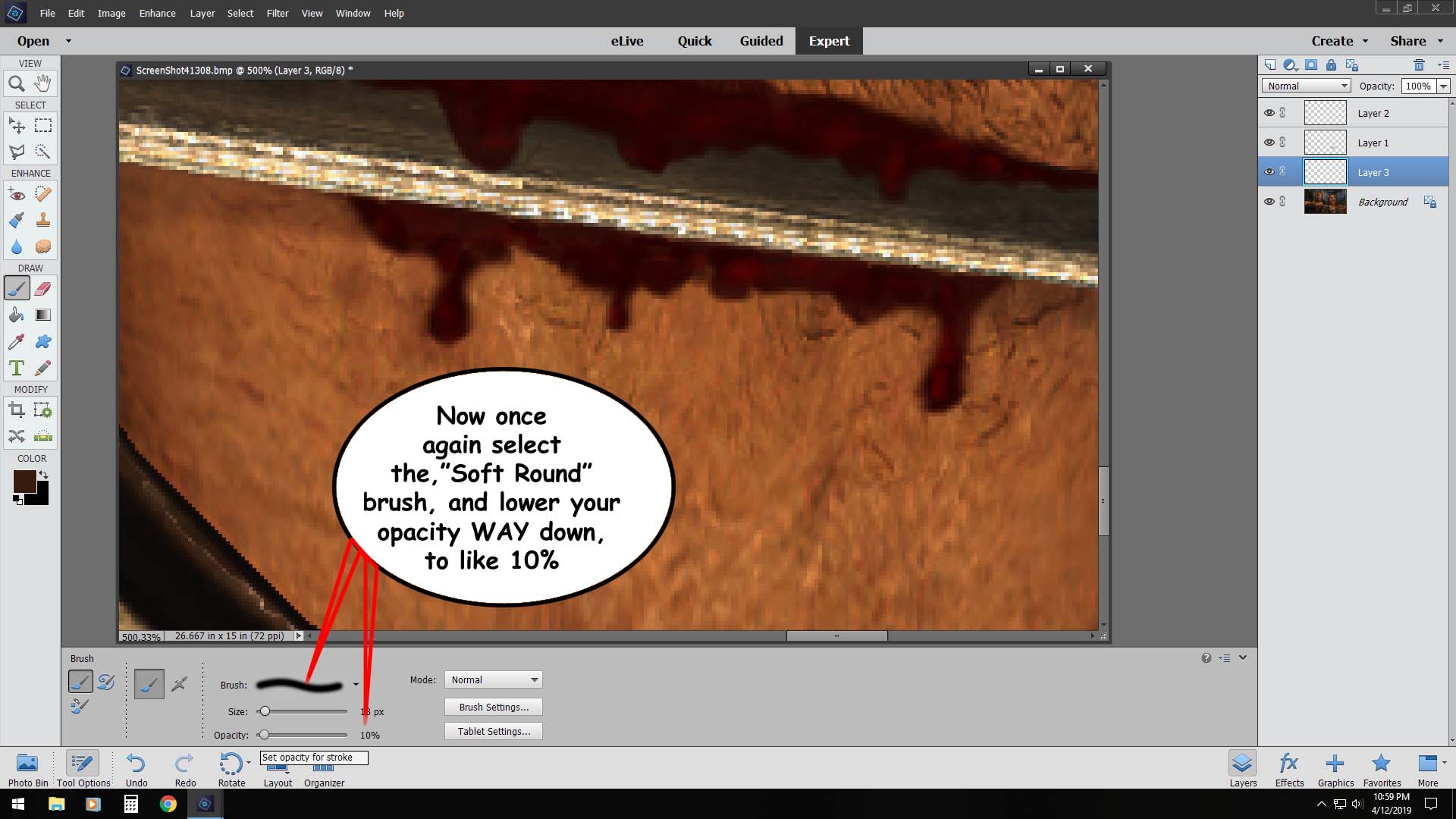
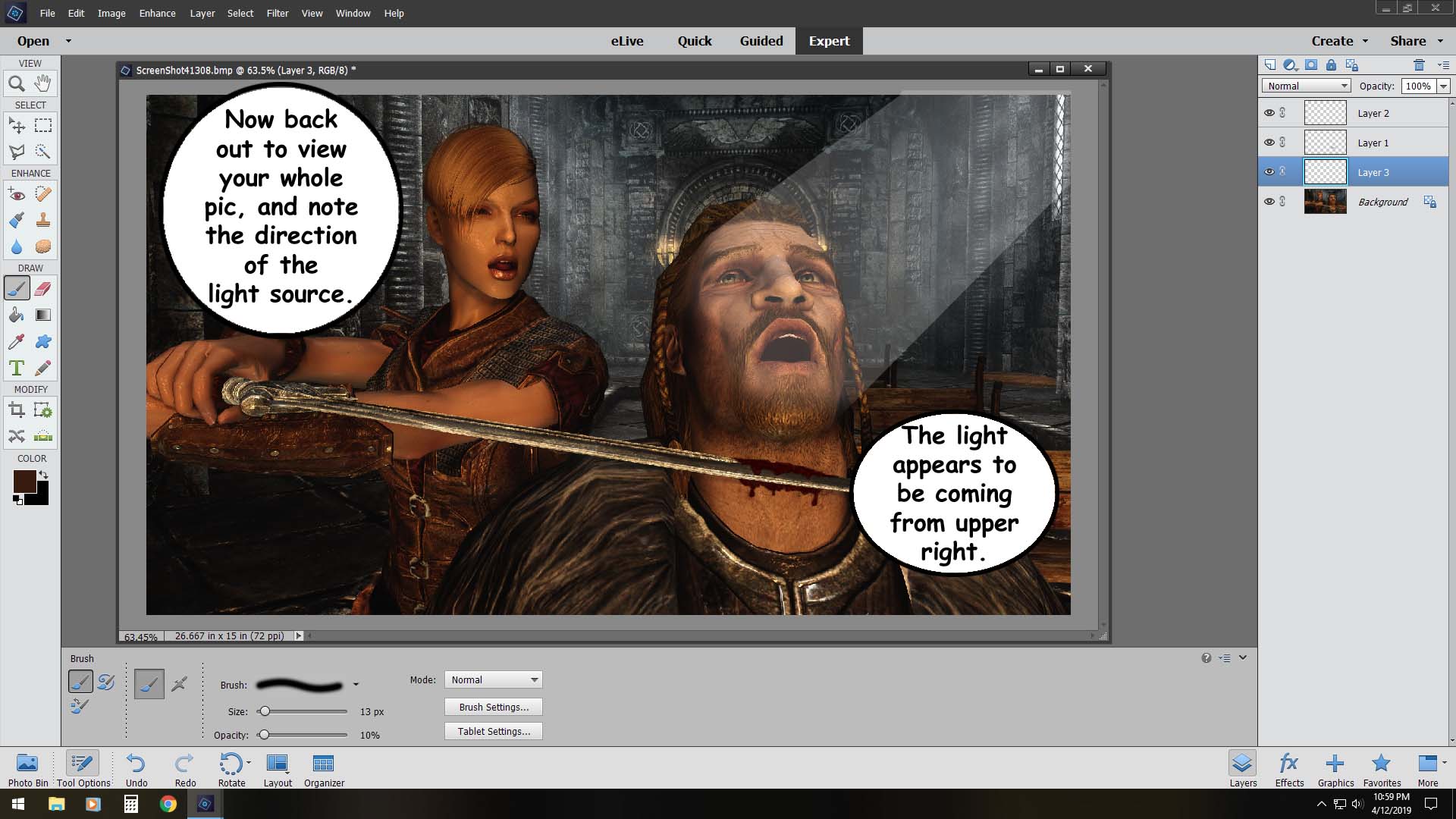
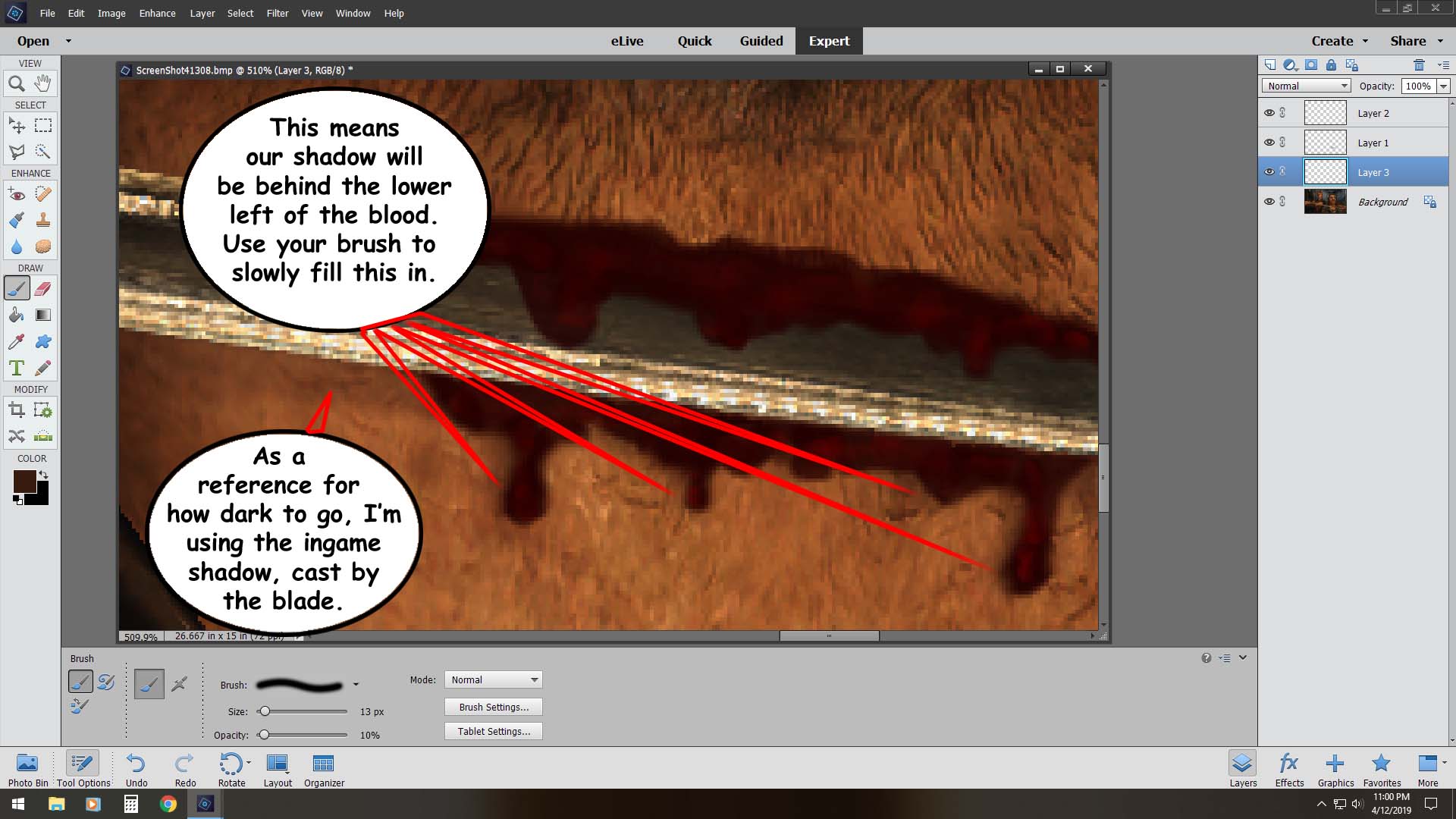
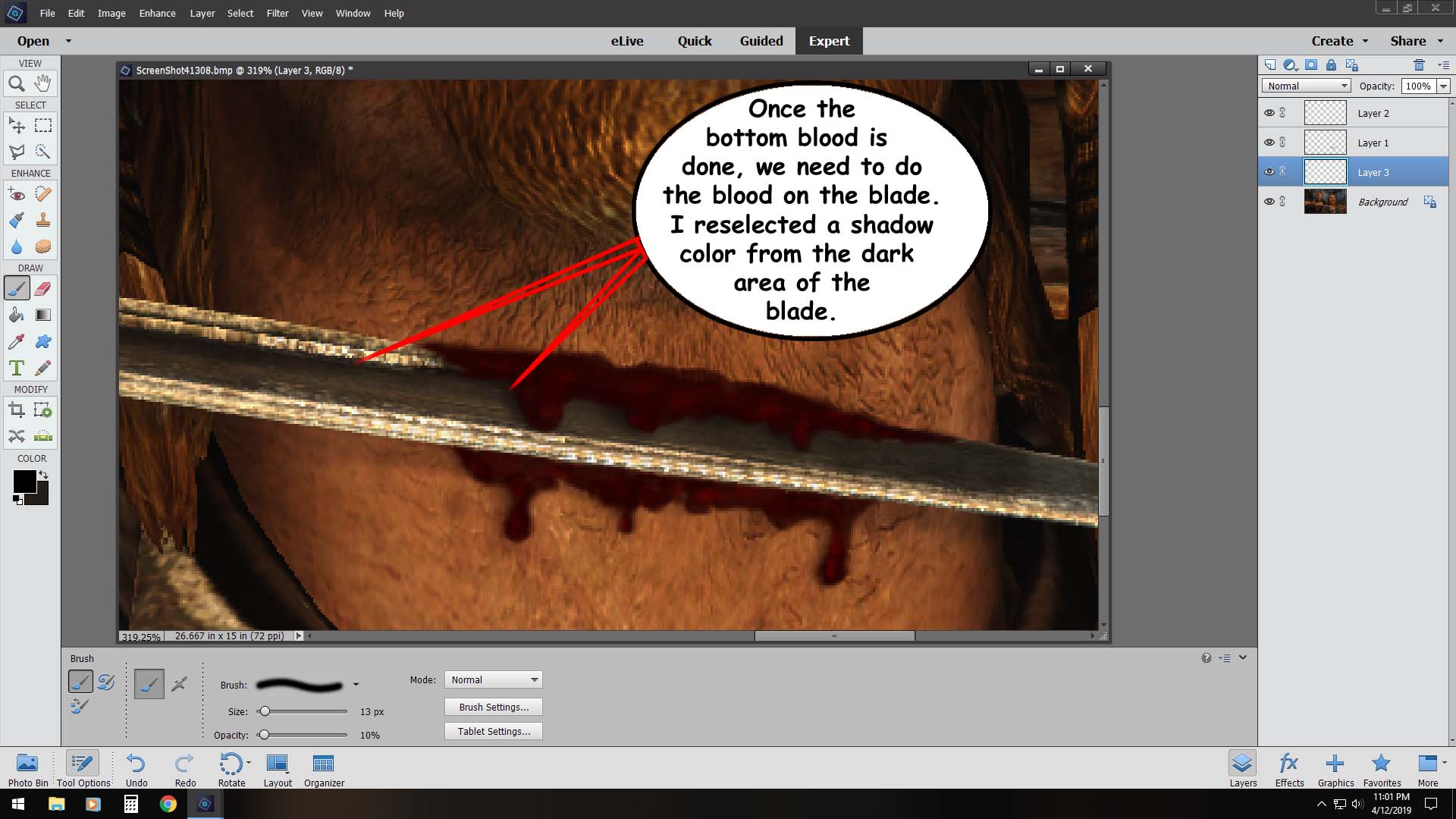
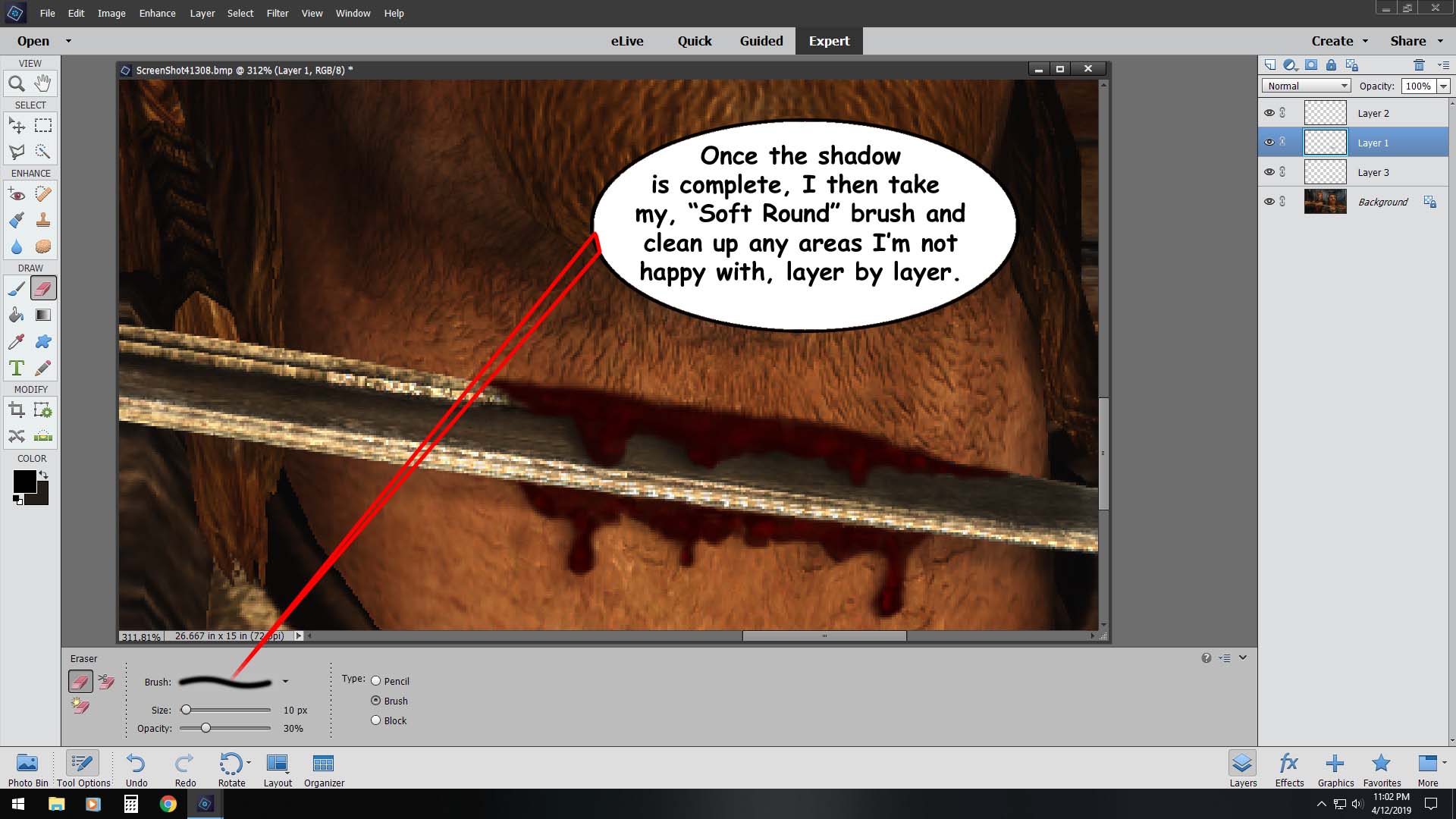
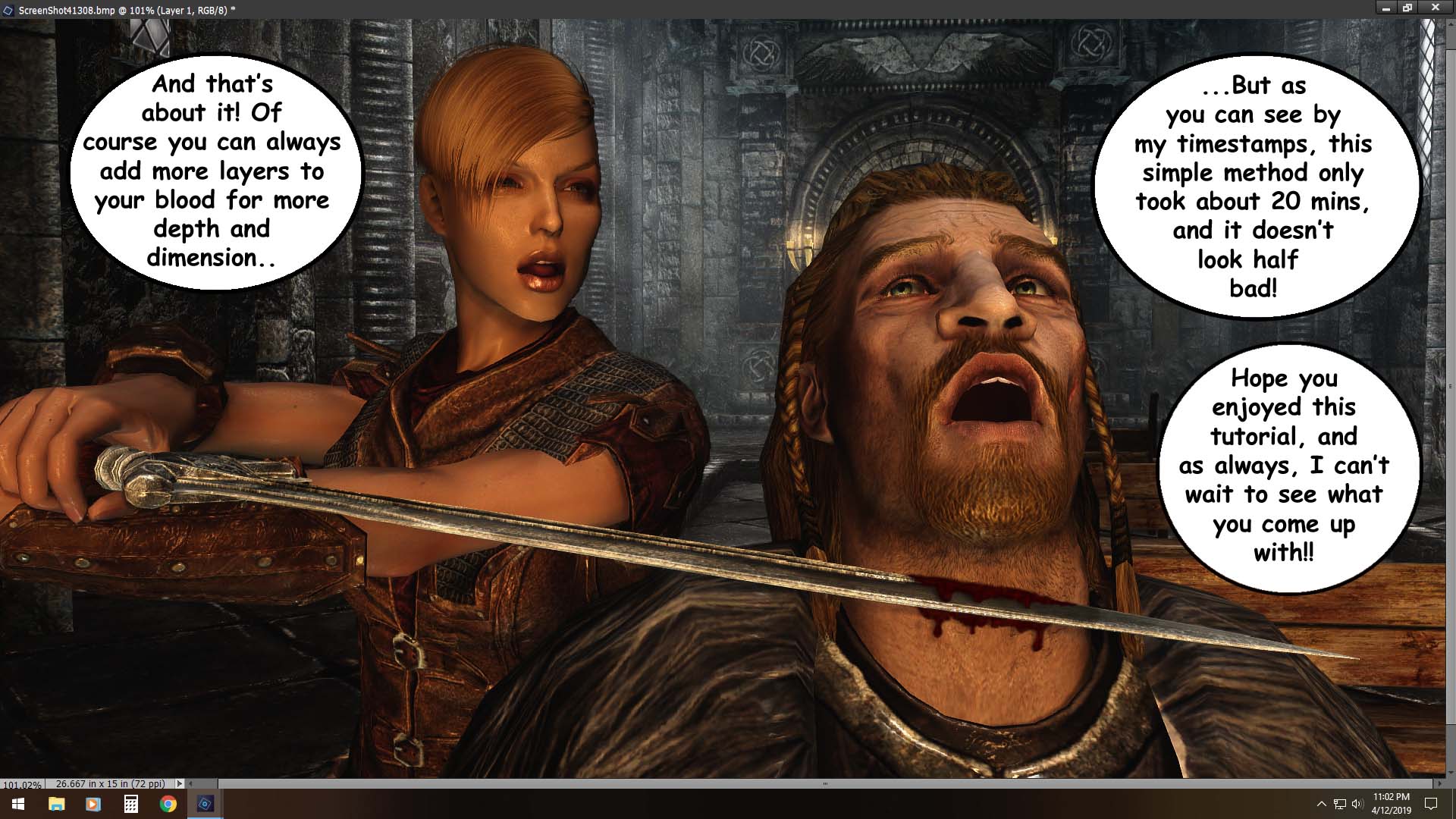
I'm amazed you did this in such a small amount of time (specially considering the recent requests in our community ^^). Great tutorial ! Due to my Triassic version of Photoshop, I'd have to get around the brush part ; but still you explained the different steps (Above/under object ; regular, brighter and shadow layers) quite well so anyone should be able to replicate the rest easily.

Thanks for sharing, Wanobi !


(and don't forget to post a link in the club, it deserves a place there :classic_wink:)


Malicia :

Spoiler

tumblr_inline_p8b4sheVT11r1hukg_540.gif


52 minutes ago, Agent Tex said:

Wow, do more of these, they help.

Don't forget to click on the thumbs up button at the bottom right corner of the entry if you like something. It helps the author noticing it. :classic_angel:

Agent Tex

Posted

26 minutes ago, Tirloque said:

Don't forget to click on the thumbs up button at the bottom right corner of the entry if you like something. It helps the author noticing it. :classic_angel:

Oh yeah, thats isnt it :joy:

Irstina

Posted

Ooh, this is basically what I was looking for. Haven't gotten to actually try yet, I ought to actually finish my next set (Soon!TM) before I edit any of the images, but, thanks! It definitely wouldn't have looked quite as good with what I was trying out.


Crw0

Posted

Damn, thats 'bloody' good one ^_^
Thank you for another grat tutorial ^_^

ther1pper

Posted

Awesome, slowly working on my next chapter, i'll use this.

Guest

Posted

You can go more in depth on blood with 3d and lighting

WANOBI12

Posted

13 hours ago, Agent Tex said:

Could you do this for say cum too?

Done!

13 hours ago, Tirloque said:

Due to my Triassic version of Photoshop, I'd have to get around the brush part

In this case id just use a standard brush, you'll just have more erasing/shaping to do in the next step is all ?

13 hours ago, Tirloque said:

Thanks for sharing, Wanobi !

You betcha, thanks for the comments ?

9 hours ago, Jayomms said:

:dizzy::lol::wacko::no_mouth::wink::thumbsup:

:beer:!!

WANOBI12

Posted

9 hours ago, Irstina said:

Ooh, this is basically what I was looking for. Haven't gotten to actually try yet, I ought to actually finish my next set (Soon!TM) before I edit any of the images, but, thanks! It definitely wouldn't have looked quite as good with what I was trying out.


You betcha!!

4 hours ago, Crw said:

Damn, thats 'bloody' good one ^_^
Thank you for another grat tutorial ^_^

Welcome!!

But I'll be doing all the bad puns in this blog TYVM! ? 

4 hours ago, ther1pper said:

Awesome, slowly working on my next chapter, i'll use this.

sweet, cant wait ?

3 hours ago, NikoNeliko said:

You can go more in depth on blood with 3d and lighting

Definitely, But if it's not half ass, it has no business on this blog! ?

×
×
  • Create New...