
How I built my ReShade setup for NGVO Skyrim - shader selection, reasoning and results

Entry posted by holocen123 in hardware
415 views
I recently installed ReShade on top of the NGVO (Next Generation Visual Overhaul) modlist for Skyrim SE, which uses Cabbage ENB as its visual centrepiece. NGVO already comes with a ReShade preset — Biggie's Cabbage ReShade — but after going through every effect one by one I realised there was a lot of room to improve it. Here is exactly what I selected, why, and what I changed.
Starting point — the Nolvus preset
When ReShade is installed it offers a large list of shader repositories to download. I started with the preset from Nolvus which had already selected a set of effects. After loading it I went through every active shader individually and compared the image with it on versus off.
The first thing I noticed was that FakeHDR was darkening interiors significantly. My monitor does not support HDR so this shader was doing nothing useful — it was just crushing the image in closed areas. I turned it off immediately and the interiors improved right away.
Which shader repositories I selected and why
When ReShade presented the full installer list I chose the following:
Standard effects — already checked by default. Contains utility shaders like DisplayDepth and UIMask which are needed by other effects.
SweetFX by CeeJay.dk — already checked. This is the classic collection and contains SMAA (proper anti-aliasing), LumaSharpen, Tonemap, Vibrance, Technicolor2 and several others that the base preset was already using.
qUINT by Marty McFly — added this for MXAO, which is the best screen-space ambient occlusion available in ReShade. The ENB already runs its own high-quality SSIL ambient occlusion but MXAO at low intensity adds nice close-contact shadow detail that complements it.
iMMERSE by Marty McFly — the successor to qUINT. Added this specifically for iMMERSE Sharpen, which is a more intelligent sharpening algorithm than anything in SweetFX. It focuses on structural edges rather than any local contrast change, meaning it sharpens stone walls and wood grain without introducing noise.
Color effects by prod80 — the preset was already using several shaders from this pack (Color Balance, Selective Color, Filmic Adaptation). Adding the full pack gave me access to Shadows/Midtones/Highlights and Color Temperature, which I added to the chain for finer brightness control.
AstrayFX by BlueSkyDefender — added for DepthCues, which adds subtle atmospheric depth haze based on the depth buffer. Gives distant scenery a natural aerial perspective.
Everything else — HDR packs, stereoscopic effects, anime shaders, retro CRT effects, VR tools — was left unchecked. NGVO is a realism-focused setup and those packs either fight the ENB aesthetic or are irrelevant to a standard monitor gameplay setup.
Auditing the existing preset — what was wrong
After installing the new shader packs I did a full audit of the preset and found several problems.
Double ambient occlusion. The preset was running SSDO (from GloomAO.fx) on top of ENB's already excellent SSIL. This was doubling the AO darkening and making interiors and shadowed areas look crushed. SSDO was removed from the effect chain entirely.
Double tonemapping. Both Tonemap.fx and PD80 Filmic Adaptation were active. The PD80 filmic had all its curves at neutral (1.0) so it was doing nothing — just wasting a shader pass. Removed.
GaussianBlur with no purpose. This was originally paired with FakeHDR to soften its halation effect. With FakeHDR removed, GaussianBlur was just making the image globally soft for no reason. Removed.
Wrong effect order. FilmGrain was running before iMMERSE Sharpen, which meant the grain was being sharpened — creating ugly, crunchy noise instead of subtle organic texture. Color Temperature and Shadows/Midtones/Highlights were placed after Sharpen, meaning the sharpener was working on an image that hadn't been fully color graded yet. The entire chain was reordered.
DepthCues not working. The DepthCues shader had No_Depth_Map=1 which disabled its depth buffer access, making the shader run while doing essentially nothing. Fixed by setting it to 0 and correcting the Depth_Map_Adjust value which was set to 250 — an absurdly high value that would have made the effect cover the entire scene uniformly.
MXAO too aggressive. After adding MXAO, the default values of SSAO_AMOUNT=1.0 and MXAO_SAMPLE_RADIUS=2.5 were far too strong on top of ENB's existing SSIL. This was creating wide dark halos around buildings and objects. Reduced amount to 0.35 and radius to 1.2.
Sharpen at maximum. iMMERSE Sharpen was set to SHARP_AMT=1.0 — the maximum — which produces visible ringing artifacts around edges. Pulled back to 0.5 as a starting point.
Tonemap exposure still dark. With FakeHDR removed the Exposure=-0.204 value in Tonemap.fx was no longer needed to compensate for HDR brightness. Raised to -0.080 to recover overall image brightness.
FilmGrain too heavy. grainAmount=0.333 combined with grainIntensity=0.650 and grainDensity=10 was producing large, visible clumped grain rather than subtle film texture. Reduced to 0.120 / 0.300 / 3.0 respectively.
Shadows/Midtones/Highlights all zeros. The shader was in the chain but every single value was at zero — doing nothing. Configured it to lift shadows slightly (0.080) to help interiors, add a tiny midtone contrast boost (0.050) and pull highlights down marginally (-0.030) to recover blown outdoor areas.
Final effect chain
After all the changes the active pipeline runs in this order:
-
iMMERSE Launchpad — provides depth and motion data to other iMMERSE shaders
-
MXAO — ambient occlusion, contact shadows
-
DepthCues — atmospheric depth haze
-
Colourfulness — subtle saturation boost
-
Color Balance — per-channel shadow/midtone/highlight colour shift
-
Color Temperature — overall warmth/coolness baseline
-
Shadows/Midtones/Highlights — exposure control per tonal range
-
Technicolor2 — filmic colour separation
-
Tonemap — exposure, gamma, bleach bypass
-
Vibrance — selective saturation boost for less-saturated colours
-
Selective Color — fine per-hue colour adjustments
-
Clarity — local contrast enhancement
-
iMMERSE Sharpen — edge-aware sharpening
-
SMAA — spatial anti-aliasing, runs on the final sharpened image
-
FilmGrain — last in chain so it is never sharpened
Results
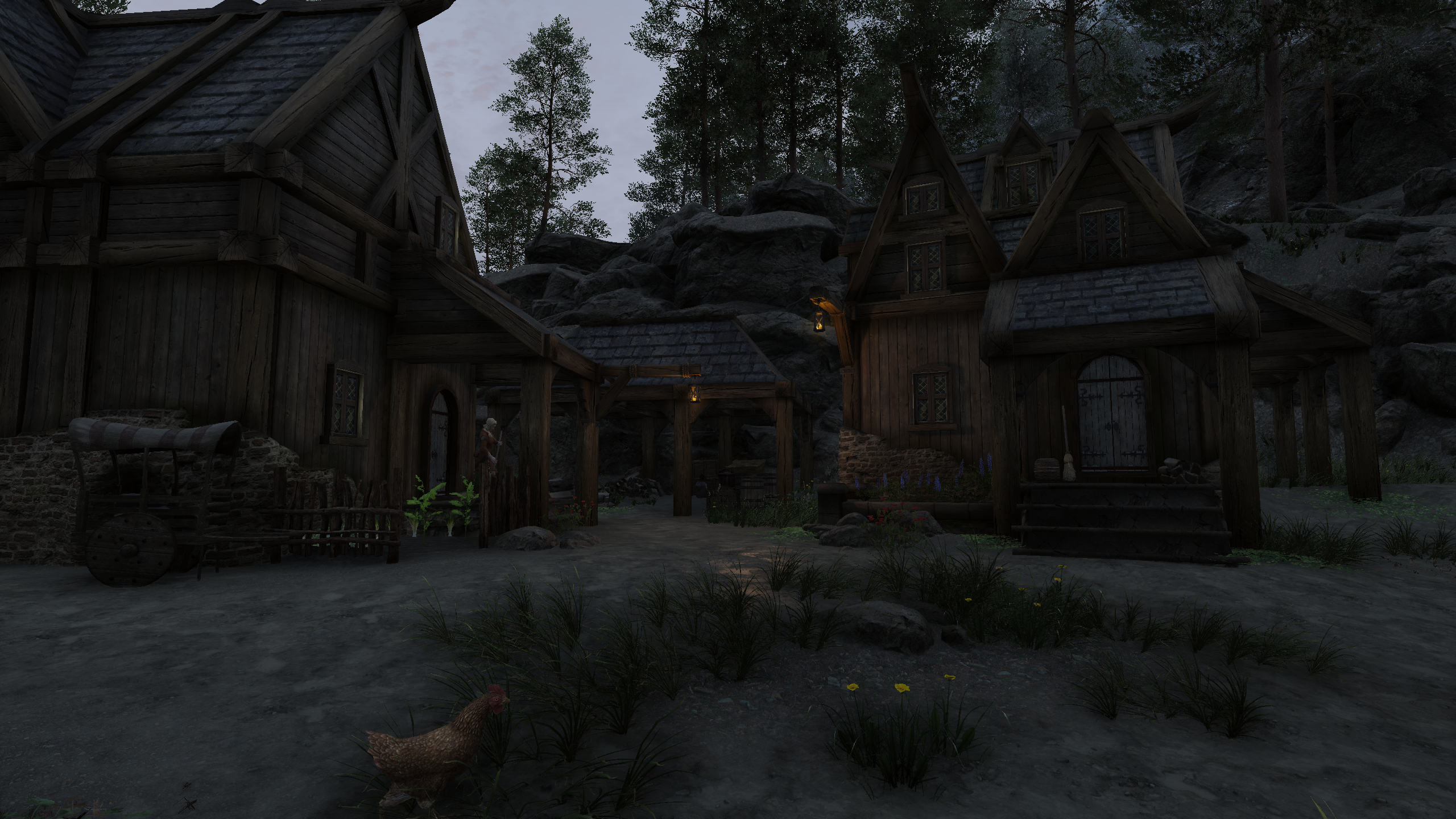
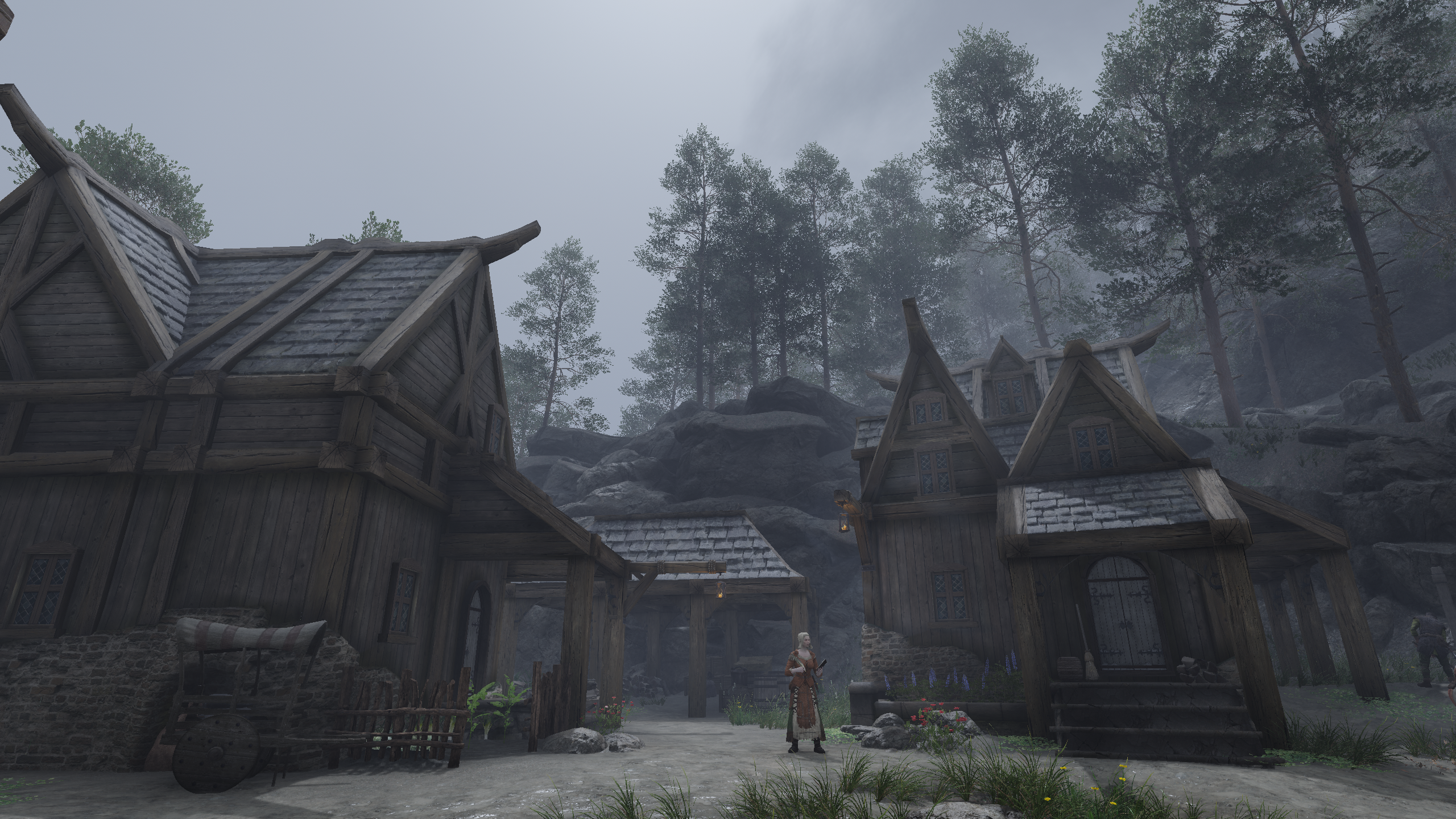
Testing across three weather conditions showed the preset working correctly in all of them. Sunny days show the full benefit of Vanaheimr's landscape textures and the parallax work from NGVO — rock surfaces, wood grain and ground detail are all sharp and well-lit. Foggy and overcast weather reads as intended atmospheric Skyrim weather rather than a washed-out grey mess. Night is dark and moody without being unplayable, with lantern and fire light showing natural warm falloff.
Interiors look warm and detailed, with candle and firelight doing the heavy lifting and ENB's ambient lighting keeping shadow areas just readable enough without flattening the contrast.
The key lesson from the whole process: more effects is not better. Removing three shaders (FakeHDR, GaussianBlur, SSDO) and fixing the order of the remaining ones made a bigger improvement than adding anything new.
Setup: Skyrim SE Anniversary Edition, NGVO modlist, Cabbage ENB with Silent Horizons 2 Shader Core, ReShade 6.x
0 Comments
Recommended Comments
There are no comments to display.