Khala — Body & Outfit Mod
The Seven Deadly Sins: Origin
Adult content — 18+
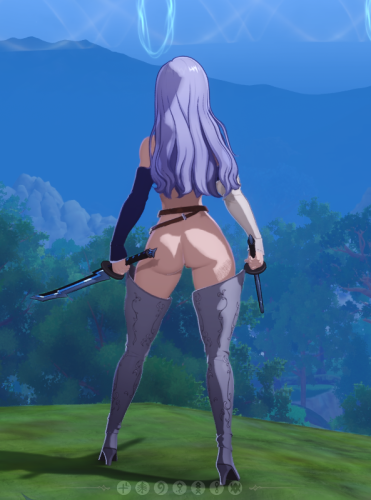
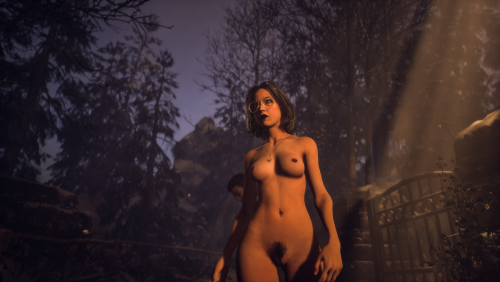
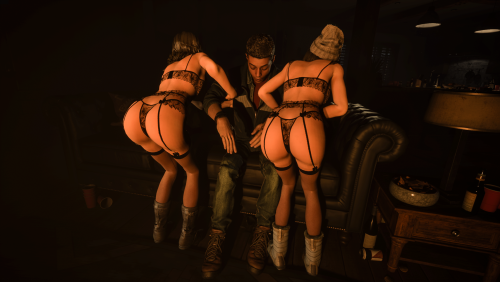
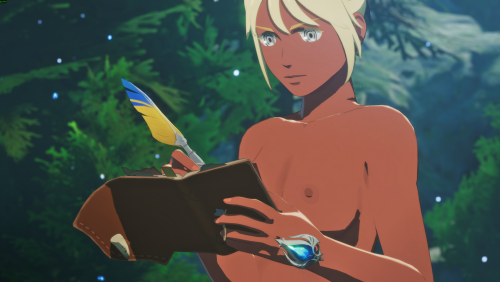
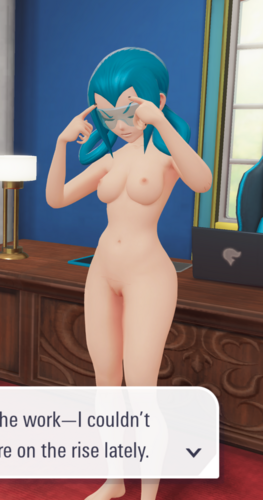
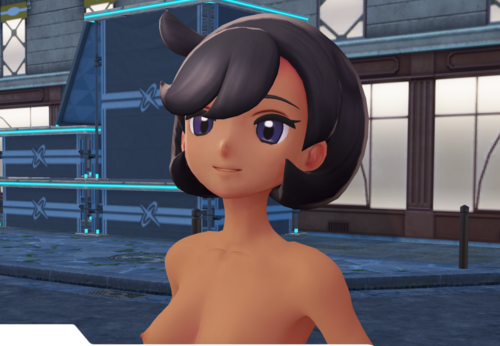
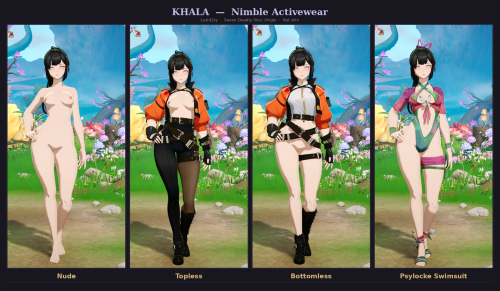
A full body replacement for Khala, with four variants. Custom mesh, custom material, and hand-built texture maps colour-matched against the game's own palette so she doesn't look pasted in from somewhere else.
Everything is in one file. Pick a single pak, drop it in, done.
Everything is in one file. Pick a single pak, drop it in, done.
All four variants replace the Nimble Activewear outfit — including the nude and the swimsuit. Equip Nimble Activewear in game or you won't see any of them. Her other outfits are untouched.
This is an online game, and modding it may break Netmarble's terms of service. I haven't run into trouble using it, but nobody can promise you won't — account action is always possible with any mod in any online game. Use it at your own discretion, and think twice before putting it on an account you'd be upset to lose. If that's not a risk you want, this mod isn't for you, and no hard feelings.
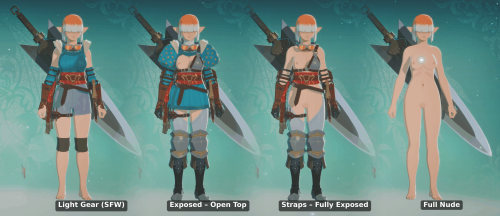
Variants
Four files. Pick the one you want.
|
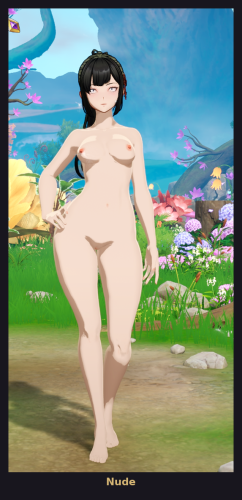
Nude Fully nude |
Khala_Nude_P.pak |
|
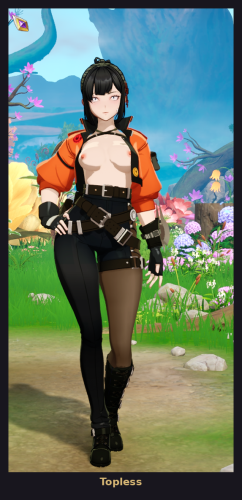
Topless Jacket, belts, leggings and boots stay on |
Khala_Nimble_Topless_P.pak |
|
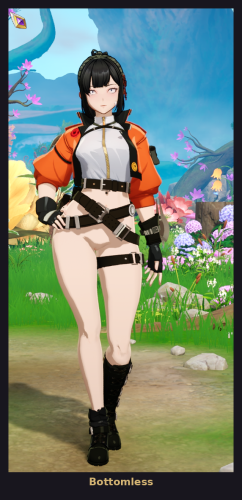
Bottomless Top, jacket, harness and boots stay on |
Khala_Nimble_Bottomless_P.pak |
|
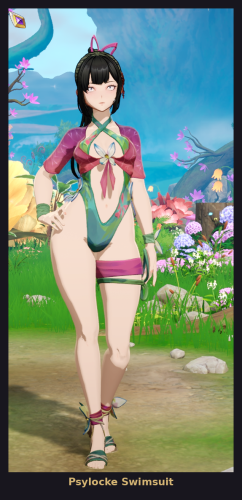
Psylocke Swimsuit Sheer wrap top, cut-out one-piece, thigh wrap, sandals and ribbon headpiece |
Khala_Psylocke_Swimsuit_P.pak |
One skin finish this time: flat. It matches the game's own skin exactly — one flat tone, with every bit of light and shadow generated by the game's shader. It's the option that blends in, so it's the only one I shipped.
Installation
1 — Open the PICK_ONE folder and take one pak.
2 — Drop it into your mods folder:
...\The Seven Deadly Sins Origin\SevenDeadlySins\Content\Paks\~mods
3 — Launch the game and equip Nimble Activewear. That's it.
Only install one pak at a time. All four replace the same character mesh. Two at once and you'll get whichever loads last, or a mess. To switch variants, delete the old one first.
Uninstalling is just deleting the pak. No game files are modified.
Uninstalling is just deleting the pak. No game files are modified.
Known issues
Being upfront about these. They're limits of the game's engine, not corners I cut.
Eyes. The iris can render too small, and it shifts with camera distance and pose. Eye rendering is driven by native game code that isn't in the mod files at all, so it can't be reached or patched from a mod. Affects every variant equally, most noticeable at a distance.
No outline on the body. Characters in this game get a dark outline generated at build time by a custom engine feature, and that data can't be produced outside the developer's own toolchain. Her face, hair and any original gear still have theirs. You may occasionally catch a stray dark line on the torso — that's the outline system partially surfacing, and it's harmless.
Clipping. Possible at extreme poses, mainly around the hips and shoulders during combat animations.
Compatibility
Conflicts only with other mods that edit Khala's body mesh or her body textures. No conflict with mods for other characters. Nothing is overwritten — everything runs out of the mods folder.
Credits
The swimsuit is a port of the Breezy Butterfly skin for Psylocke in Marvel Rivals. All rights to that asset belong to NetEase and Marvel. Khala and The Seven Deadly Sins: Origin belong to Netmarble.
What's next
More outfits for Khala, and other characters if there's interest. Say who you want to see next — requests that come up more than once get made.
Found a bug that isn't listed above? A screenshot and roughly where you were standing is genuinely useful.
Found a bug that isn't listed above? A screenshot and roughly where you were standing is genuinely useful.
Edited by Luzid1ty
Installation
1 — Open the PICK_ONE folder and take one pak.
2 — Drop it into your mods folder:
...\The Seven Deadly Sins Origin\SevenDeadlySins\Content\Paks\~mods
3 — Launch the game and equip Nimble Activewear. That's it.
Only install one pak at a time. All four replace the same character mesh. Two at once and you'll get whichever loads last, or a mess. To switch variants, delete the old one first.
Uninstalling is just deleting the pak. No game files are modified.
Uninstalling is just deleting the pak. No game files are modified.