
(1).thumb.jpg.ed94c52b5f7c4c876a96813ae9277b45.jpg)

TL;DR: RimFlix, but with actual video playback and no multi-minute loading hit from your show library.

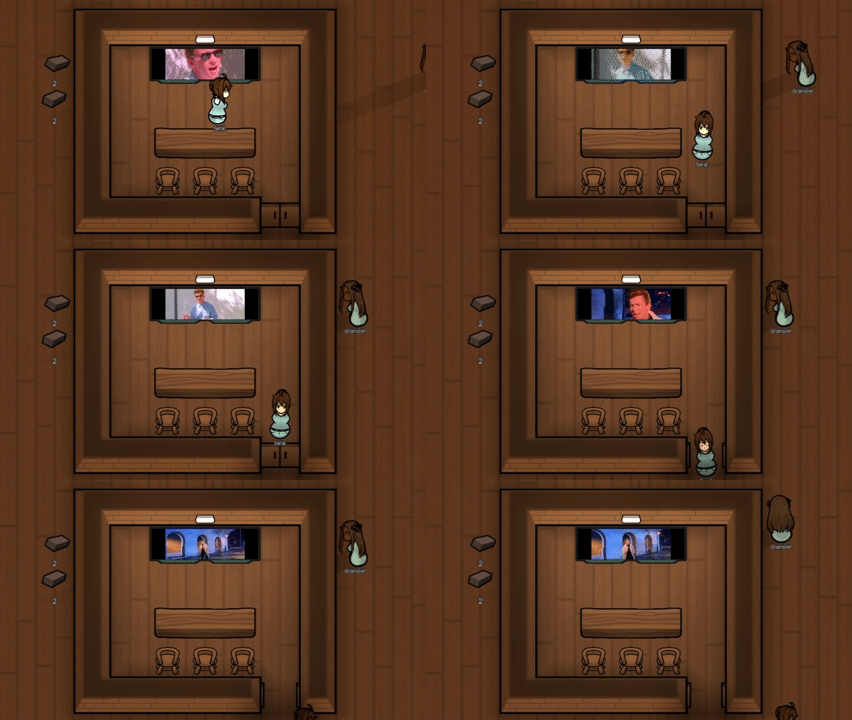
RimCinema lets you play your own video files and image-sequence "shows" on every Tube, Flatscreen, and Megascreen television in the game.

Key features:
- Play real video files (MP4, WebM, OGV, MOV, AVI, WMV, ASF) directly on in-game TV screens
- Turn folders of images into animated slideshow "shows"
- Everything loads at runtime; point it at a folder with gigabytes of content and it won't add a second to your game's loading time
- Distance-based audio falloff, so the sound fades out as your colonists (or you) walk away from the screen
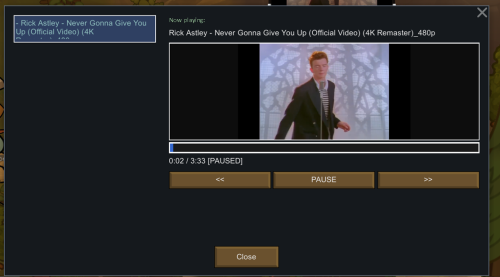
- Take manual control of any TV with the "Allow Pawn" toggle: pick shows, scrub through videos, pause/play from a player dialog, just like a real remote
- Per-TV-type screen calibration (scale/offset) for Tube, Flatscreen, and Megascreen, so content actually lines up with the screen
- Configurable playback speed cap, volume, power draw, and rotation timing
- Enable/disable individual shows right from the mod settings menu
- Compatible with the classic RimFlix show folder layout; drop in your existing show folders and they just work

How it works:
Point the mod at a folder of videos and/or image-sequence subfolders in the mod settings.
RimCinema scans it recursively; every video file becomes a "video show," every folder of images becomes a "slideshow."
These become available on every TV in your colony automatically.

By default, pawns pick a random show when they sit down to watch TV, and shows rotate automatically.
Want more control? Flip "Allow Pawn" off on a specific TV and a Player button appears; open it to browse, preview, and control playback yourself.

Requirements: Core only, though Ideology and/or Royalty are recommended for full TV compatibility (they add the Flatscreen/Megascreen TV types).

Repository: https://gitgud.io/pekakek/rimcinema
Edited by pekakek33
What's New in Version 1.0.1
Released
New
- Proper RimFlix interop: RimCinema now reads RimFlix's own ShowDef XML instead of just treating its image folders as generic slideshows. Shows imported from RimFlix now get their real names and their own per-show frame timing, instead of a
folder-name label and the generic slideshow FPS.
- The show list in settings now has a "Type" column showing whether a show is Video, Slideshow, or RimFlix.
- Added a Slide show FPS setting for your own image folders (RimFlix-imported shows still use their own configured interval, unaffected by this setting).
- The player now shows a diagnostic message directly on the preview when a video fails to play (e.g. no frames decoded, or an outright video error).
- Clearer reasons are now shown for why a screen isn't playing: no power, TV not facing south, or no shows available, etc.
Fixes and improvements
- Faster RimFlix content loading at game startup.
- The Play/Pause button now honestly shows "Game is paused" and disables itself while the game is paused (previously it just appended a label to the timer).
- Fixed a bug where the show list undercounted line height for long show names.
- General internal refactor for stability (no visible behavior change, but fewer chances of future bugs).
Sources:
- RimFlix GitHub https://github.com/ritsu/RimFlix
- RimFlix Steam Workshop https://steamcommunity.com/workshop/filedetails/?id=2569957748
Icons: iconify.design
Preview image: generated with ChatGPT
Code development: This project was developed with assistance from claude. Yes, it's vibe-coded, but I pushed the model pretty hard to make sure the generated code actually works properly :)