

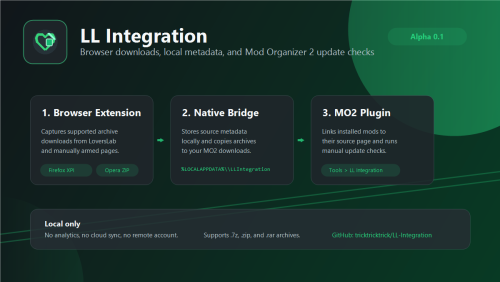
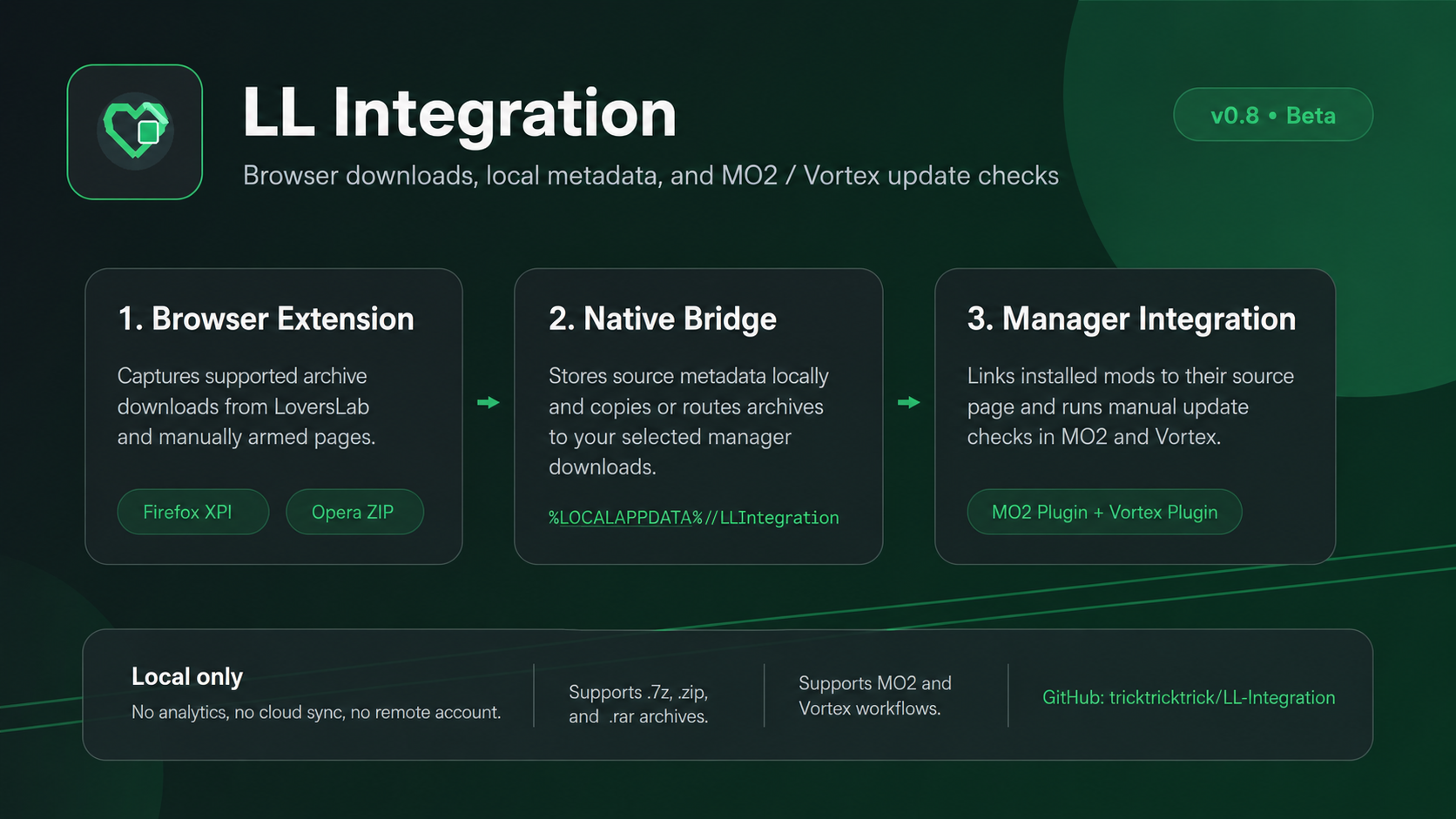
LL Integration connects your browser, a local native bridge, and mod manager integrations for MO2 and Vortex.
The goal is to capture supported archive downloads, preserve their source metadata locally, and make linked mods easier to manage, update, or import into your mod manager.
This is now a beta release.
Beta note
I am mainly building this for my own modding workflow and sharing it because it may help others.
I will track bugs and update when I can, but I cannot promise individual setup support for every environment.
Support
If you like my work and want to support it: https://buymeacoffee.com/nm088
Game compatibility note
LL Integration is listed under Skyrim SE because that is where it was built and tested first, but the tool itself is not Skyrim-specific.
MO2 support should work with other games as long as MO2 downloads and mod metadata are available.
Vortex support is newer and depends more on the game’s staging/deployment setup,
so other Vortex games may need additional testing or fixes.
Confirmed so far (mo2 only) : Skyrim Special Edition and Oblivion. Other games are not confirmed yet.
Feedback is welcome.
Features
Browser integration
- Captures LoversLab archive downloads
- Supports Firefox and Opera/Chromium
- Exports LoversLab cookies locally for MO2 update checks
- Can capture archives from manually armed external pages
- Optional always-on-top floating capture controls
- Follow mode can retarget capture while browsing between active tabs
-
Supports Dwemer Mods download capture; more sources may be added later
MO2 integration
- Adds Tools > LL Integration inside Mod Organizer 2
- Links installed mods to their LoversLab/source page
- Adds a custom right-click option to open linked LoversLab/source pages
- Stores source metadata inside MO2 meta.ini, so it does not create file conflicts
- Can check linked LoversLab mods for updates
- Can open the installed mod folder from the LL Integration manager
- Can edit or purge bad source links
-
Includes a Voice Finder workflow for matching installed voice packs to LoversLab-linked base mods
Vortex integration
- Adds LL Integration support inside Vortex
- Links installed mods and downloads to their LoversLab/source page
- Applies local source metadata captured by the browser/native bridge
- Can open linked LoversLab/source pages from Vortex-managed entries
- Can edit or purge bad source links
- Supports manual links for external downloads, renamed archives, and already installed mods
- Includes Vortex-side workflows for matching captured archives to installed mods
- Includes a Voice Finder workflow for matching installed voice packs to LoversLab-linked base mods
Download handling
- Copies supported browser downloads to the configured MO2 downloads folder
- Stores local sidecar metadata for downloaded archives
- Handles renamed archives using local metadata/fingerprint matching
- Supports external archive downloads from manually armed pages
- Supports Dwemer Mods downloads with local metadata
Manual links
- Create manual source links for already installed mods
- Useful for multipart archives, external downloads, old mods, or manual installs
- External links are stored as manual/fixed links and are not auto-fetched for updates
Update manager
- Checks tracked LoversLab mods for updates
- Downloads update archives into the active MO2 downloads folder
- Detects already downloaded update archives
- Supports assisted MO2 install/replace flow for downloaded updates
-
Update install remains user-controlled and does not silently replace mods
Update modes
- Manual install
- Download only
- Assisted install
- Skip updates
Note: Useful for fixed versions, external links, multipart archives, and manual installs
File pattern matching
- Improved matching for non-standard archive names
- Supports version markers such as {version}, {v}, <version>, and <v>
- Can detect versions from renamed or unusual archives
- Added a Pattern Help button in the edit link dialog
MO2 instance support
- Tracks the active MO2 instance more reliably
- Updates the active MO2 downloads folder used by the browser extension
- Helps avoid writing captured downloads to the wrong MO2 installation
- Stores integration paths so the plugin and native app can stay in sync
Voice pack helper
- Scan installed LoversLab-linked base mods for missing voice packs
- Detect installed DBVO, DVO, IDTV, Voice Pack, VoiceFiles, and other voice-like mods
- Compare base mods against installed voice packs using name scoring
- Fetch user-provided LoversLab voice source pages and score available downloads
- Browse all fetched voice downloads and manually choose candidates
- Manually bind voice packs to base mods when automatic matching is wrong
- Force mods as Base mod or Voice pack when automatic detection gets confused
- Save manual voice matches, false matches, ignored mods, and classification overrides
- View installed voice-like mods with filtering and sorting by name or install date
Preview of the LL manager

For setup steps, open the Install Instructions tab above.
Edited by Nm088
What's New in Version 0.8
Released
This release is a larger jump from 0.3 to 0.8 because I decided not to publish every internal patch separately.
The main focus of this version is the polished Voice Finder workflow and the new, much more complete Vortex integration. With these additions, LL Integration is now much closer to the original idea I had for the tool: capturing external downloads, preserving source metadata, and helping manage LoversLab/other source mods across both MO2 and Vortex.
This is now a beta release. The general ideas are now in place, but the Vortex support is a major public test and some setups may still expose bugs or edge cases. If something breaks, please report it so it can be fixed.
The old Voice Finder preview screenshot has been removed because it no longer reflects the current version of the tool. It was only showing an early prototype, and adding screenshots for every feature would make the page too crowded.
MO2 Setup :
1. Extract Installers.zip.
2. Run LLIntegrationInstaller.exe Or LLIntegrationInstaller-WithToolbar.exe.
3. Select ModOrganizer.exe.
4. Select your MO2 downloads folder.
5. Restart MO2.
Vortex Setup:
1. Extract LLIntegration-Installers.zip.
2. Run LLIntegrationInstaller.exe.
3. The installer will copy the Vortex plugin to the default Vortex app data extension folder.
4. Restart Vortex.
5. Open Vortex once so the plugin can sync with the native app and browser extension.
The Vortex workflow is new in this beta release. It should be considered a public test, and some user setups may expose issues that will be fixed when reported.
Firefox Setup :
1. Extract Firefox Ext.zip.
2. Install the signed .xpi file in Firefox.
3. Restart Firefox.
4. Log into LoversLab.
5. Open the LL Integration popup.
6. Click Export Cookies.
Opera / Chromium Setup :
Opera store approval is pending, so manual install is required for now.
1. Extract Opera Ext.zip to a permanent folder.
2. Open Opera extensions.
3. Enable Developer Mode.
4. Click Load unpacked.
5. Select the extracted Opera extension folder.
6. Restart Opera.
7. Log into LoversLab.
8. Open the LL Integration popup.
9. Click Export Cookies.
Basic usage :
After setup, download supported archives from LoversLab normally.
LL Integration captures metadata, copies supported archives to your MO2 downloads folder, and lets the MO2 plugin manage source links and update checks.
If you want to link an already installed mod, re-download its archive through the browser after LL Integration is set up, then reinstall or replace the mod in MO2 so the metadata can be attached automatically.
Open MO2:
Tools > LL Integration
Supported archive types:
.7z
.zip
.rar
External downloads:
Examples: Patreon, SubscribeStar, Mega, Google Drive, or similar pages:
1. Open the source page.
2. Click Capture Archives From This Page in the extension popup.
3. Download the archive.
4. Click Cancel Capture when finished.
External links are stored as manual links.
Experimental toolbar installer
The WithToolbar installer adds a direct LL Integration button to the MO2 toolbar.
It is marked experimental because this toolbar hook is outside the official MO2 plugin API. It works on my setup, but future MO2 updates could break the button.
The normal installer is recommended. Tools > LL Integration remains the supported path.
Privacy
LL Integration stores data locally on your computer.
It does not use analytics, telemetry, cloud sync, or remote accounts in doubt the code is open source.
Privacy policy:
https://github.com/tricktricktrick/LL-Integration/blob/main/PRIVACY.md
GitHub / documentation
https://github.com/tricktricktrick/LL-Integration
Use GitHub for detailed setup notes, privacy policy, license, bug reports, and known limitations.