About This File
Diagnostic Menu — v7.2.10
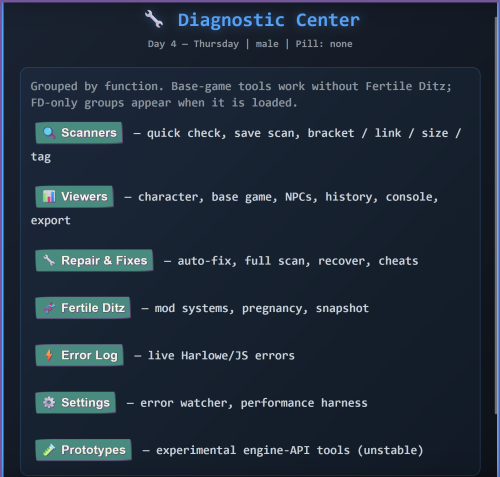
A full-featured debugging and save-health suite that lives inside the game. Every tool is reached from the settings menu → Tools, with consistent navigation back to the central hub.
No external software needed. No browser Dev tools required. If something's wrong with your save, your stats, or your event flags — there's a panel for it. And as of
7.2, the mod doesn't just wait for you to open a panel a set of always-on live detectors watches for errors, soft locks, freezes, and broken save loads while you play, and files what it finds into the error log automatically.
Compatibility & install
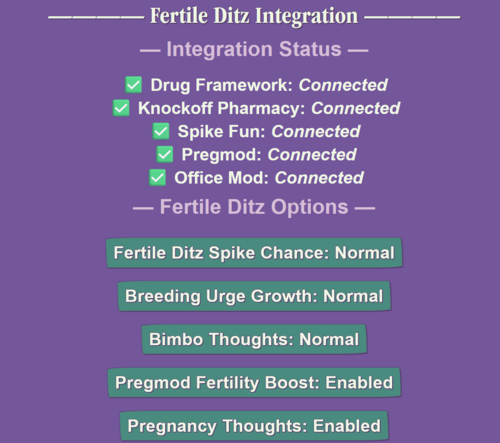
This is a standalone mod, and it is compatible with Fertile Ditz. You can install it on its own for vanilla X-Change Life, or run it alongside Fertile Ditz.
- **Standalone:** works on vanilla X-Change Life with the full base-game toolset.
- **Alongside Fertile Ditz:** it auto-detects FD in your save and appends the FD-specific panels (FD Core, FD NPCs, FD Systems). Vanilla players never see those.
- **Load order:** load this after Fertile Ditz, Pregmod, and Creampie Overhaul (declared in the mod meta). Requires base game 0.25+.
- Purpose: it helps fix issues with game saves and does general diagnostics of mods while you play — finding bugs and coding errors.
- ⚠️ Use Auto-Fix at your own risk — it can and will change save state. Auto-Fix only offers a repair when it detects an actual problem, but write operations have no undo. Save first. For anything you're unsure about, review it in the Interactive Console (read-only snippets) before applying.
Feedback: diagnostic issue reports are welcome — post them in the Discord channel **Diagnostic Tool**.
What's new since 7.0.x (for returning users)
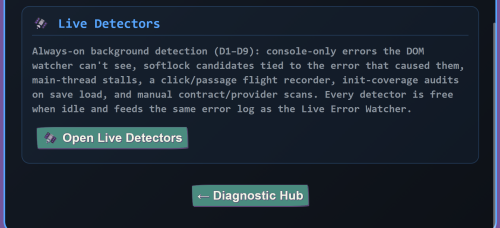
🛰️ Live Detectors (7.2.0) — nine background detectors (D1–D9) that catch what the old error watcher structurally couldn't: console-only errors, softlocked screens,
multi-second freezes, save loads where init hooks were silently skipped, and calls to macros that don't exist. All are designed to be free when idle; the master switch is in the panel (default ON).
- Live source-map inference (7.2.1) — the source map now pulls from your actual game at load time instead of relying only on a baked snapshot. Mods the snapshot never knew about still get attributed (it correctly picked up AlexiasCut in live testing), and anything it can't prove is honestly labeled as unattributed instead of guessed.
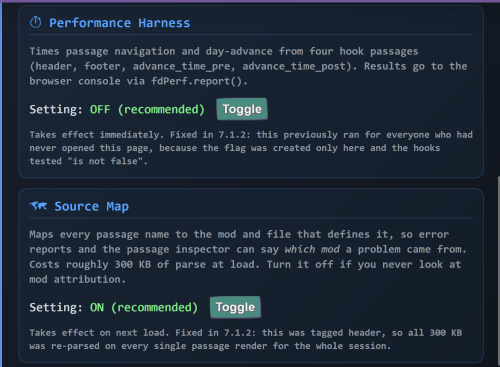
- Source map is now a `.js` file (7.2.0) — parsed once per browser session instead of ~300 KB of inline script re-parsed on every save load. Noticeably lighter loads for source-map users.
- One error pipeline — console errors, DOM errors, stalls, softlocks, and load-health entries all flow through the same log with the same de-duplication, taxonomy, and per-mod attribution, so the Error Log Viewer and Export Report show everything in one place.
Quick Reference
| Panel | What it does |
|---|---|
| Diagnostic Hub | Central navigation to every panel + cheats menu |
| Quick Health Check | At-a-glance scan of essential game state |
| 🛰️ Live Detectors | Always-on error/softlock/stall/init watchdogs (D1–D9) — NEW in 7.2 |
| Character & Side Effects | Character datamap dump + side-effect integrity |
| Mod Systems | Deep inspection of mods |
| Base Game & Save | NPCs, events, outfits, mods overview |
| Auto-Fix | One-click repairs (only shows when issues exist) |
| Recover from Old Bad Fixes | Targeted repair for damage from earlier diagnostic versions |
| Save Health Diagnostic | All 16 sections in one pass |
| Save & Game State Scanner | Analyze any save slot from IndexedDB |
| Save Size | Variable-by-variable bloat audit |
| Pregnancy Timeline | Visual pregnancy + birth history |
| Bracket Balance Checker | Find mismatched [ ] in passage source |
| Passage Link Checker | Find broken (goto:), ($cs:), (display:), (link:) |
| Tag Analyzer | Group passages by tag |
| NPC Relationships Viewer | Edit per-NPC dom / attraction / friendship / respect |
| Passage History | Visit log + undo-history trimming |
| Variable Snapshot | Capture state, compare later |
| Error Watcher | Always-on background error capture |
| Cheats Menu | Direct stat / storyline manipulation |
| Interactive Console | Live Harlowe REPL with 8 power tabs |
| Export Report | Full diagnostic report to clipboard |
| Harlowe Debug Mode | Activate Harlowe's native debug overlay |
| Source Map Addon | Optional addon — per-mod attribution everywhere, now with live inference |
Diagnostic Panels
🏠 Diagnostic Hub
Central navigation with links to every diagnostic panel plus a cheats menu for testing and recovery. Every panel has consistent navigation back to the hub — and a clean exit back to the game/settings with no soft-lock.
⚡ Quick Health Check
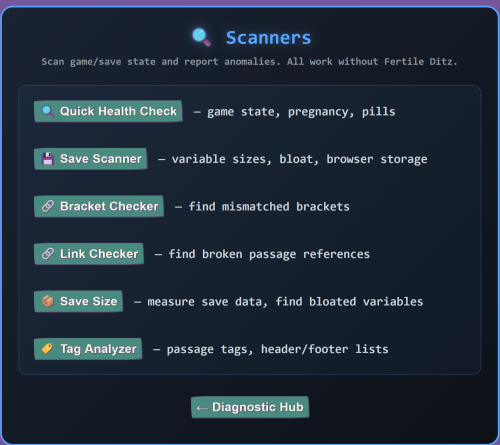
At-a-glance scan of essential game state: day/time, character data, money, pregnancy, pill status, birth counter, and event arrays. Catches the most common problems fast.
🛰️ Live Detectors (NEW in 7.2)
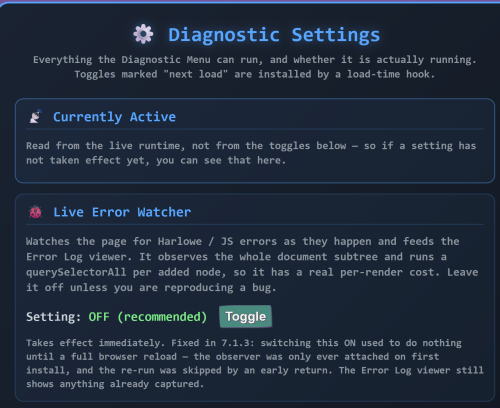
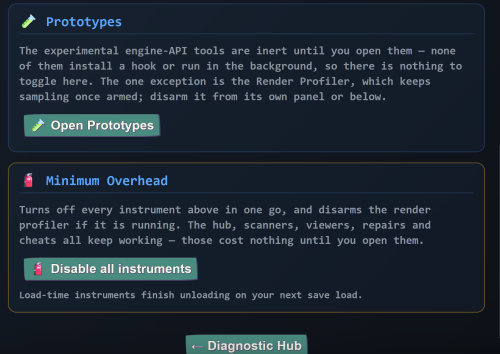
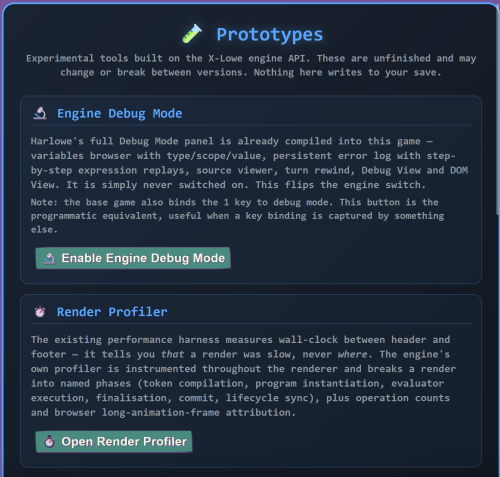
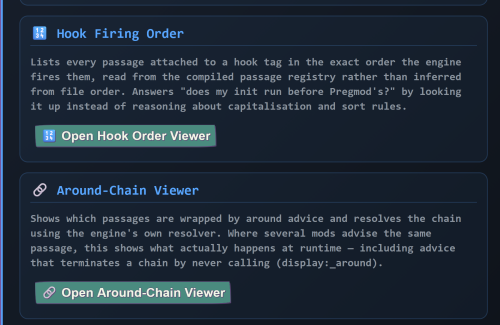
Nine background watchdogs that catch problems the moment they happen and file them into the error log — with the passage, the mod (when the source map is installed), and a probable cause attached. Found in Prototypes → Live Detectors; the master switch defaults to ON. Each detector was built around one rule: **zero cost when idle** — they fire on rare events, not every frame.
- D1 — Console error capture. The game engine logs some errors only to the browser console — errors inside day-advance processing, dialogs, and deferred content that never touch the visible page. D1 captures those into the same log as everything else (with a noise filter for known-harmless chatter), so "invisible" errors stop being invisible. This class of bug included a real calendar error that never appeared on any screen.
- D2 — Softlock detector. "No more options show up" is the most-reported symptom there is. D2 checks each screen after it settles; if a passage renders with zero clickable elements, it files a SOFTLOCK CANDIDATE entry naming the passage — and attaches the most recent error, which is almost always the cause. Your softlock report now writes itself.
- D3 — Error-abort tagging.** In this engine, one error aborts the *rest* of that render — the red box and the broken screen that follows are one bug. D3 estimates how many macros each captured error silently killed ("this error skipped ~N macros") and links the error to any softlock it caused.
- D4 — Flight recorder. A rolling trail of your recent clicks and passage transitions (capped, tiny). "What did you click before it broke?" — the first question in every bug report — now has a recorded answer, included in exports.
- D5 — Stall sentinel. Multi-second freezes produce zero errors — the game just hangs. D5 uses the browser's own performance monitoring to log any main-thread block over 2 seconds (configurable) with its duration and what was being processed. A 150-second load stall that once took weeks of anecdotes to pin down now shows up as one log line.
- D6 — Passage breadcrumb. Shared infrastructure: tracks the last passage the engine fetched, so stall and load entries can say where the game was. (Presented honestly as "the last passage fetched before the event", never as "the culprit".)
- D7 — Init-coverage audit. When a save loads, dozens of initialization hooks are supposed to run — and an early error can silently skip a whole block of them, leaving your save subtly incomplete (the classic "her data is missing half its keys" bug). D7 counts them on every load and reports "Save load: 171/173 init hooks ran — MISSING: …", pointing at the error that caused the gap. Nothing else can detect a skipped hook, because a skipped hook produces no error.
- D8 — Datamap-contract scanner. A registry of "this datamap must contain these keys" contracts, swept on demand — because in this engine a missing key isn't a harmless default; it's an error that breaks the next screen that reads it. Includes a dedicated rule for the Creampie Overhaul calendar window (a real field bug this would have caught before the player ever opened the day screen). Other mods can register their own contracts.
- D9 — Missing-macro scan. Finds calls to custom macros that no installed mod actually provides — a bug class that hides in rarely-visited screens and only explodes when you finally reach one. One manual-run sweep checks every passage in the game in well under a second; on its first live run it automatically found a field-reported bug plus nine more latent ones.
🧍 Character & Side Effects
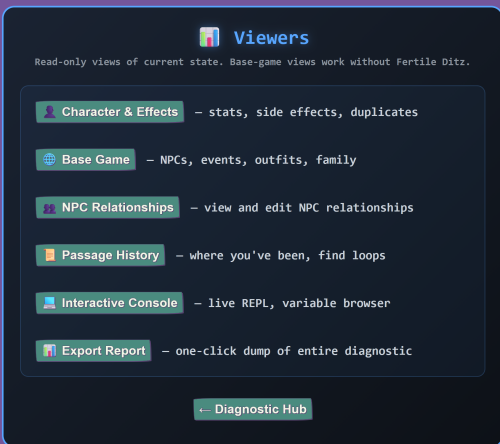
Dumps your full character datamap, stat breakdowns (base + buffs), and runs integrity checks on side effects. Finds orphans, duplicates, and unregistered entries that would crash the stat page.
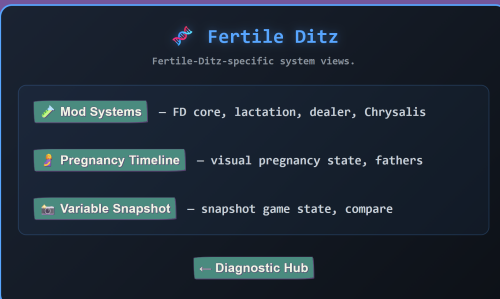
🌱 Mod Systems
Deep inspection of mod systems: core variables, pill database.
🎮 Base Game & Save
Scans NPC databases, family NPCs, game systems, events, outfits, positions, and loaded mods. Quick top-level overview of base-game data integrity.
🛠️ Auto-Fix
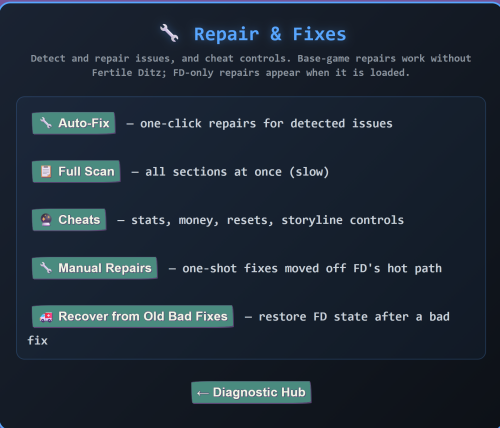
One-click repairs for detected issues. Only shows fix buttons when actual problems are found, so you can't accidentally break things. Pairs with the Interactive Console's read-only repair snippets when you want to review what a fix does before running it.
🩹 Recover from Old Bad Fixes
Targeted repair page for damage caused by earlier diagnostic versions.
A previous Auto-Fix release had two false positives that wrote bad shapes into base-game data:
- `position_inventory` was being reset to an empty array when it should be a datamap
- `memory` was being reset to 0 when "none" is a valid recall-miss state
This page scans for those exact damage signatures, leaves valid states alone, and offers fixes only when actually broken.
Non-destructive — only restores valid base-game shapes. Safe to run on a healthy save (it'll just report everything as healthy and do nothing). Useful if you played on an older diagnostic build and now see crashes in sex scenes or recall events.
🩺 Save Health Diagnostic
The big one. Runs all 16 diagnostic sections in a single pass with a table of contents for navigation. Covers everything from core state to gauntlet NPC bloat cleanup.
💾 Save & Game State Scanner
Standalone tool with a save-slot selector. Pulls live data straight from your browser's IndexedDB, so you can analyze any save slot without loading it.
Includes:
- Variable size analysis
- Save bloat detection
- Gauntlet cleanup tools
- Color-coded size bars per slot
📦 Save Size
Focused save-bloat audit for the currently loaded save. Measures each variable's serialized size, sorts by largest first, and flags oversized data so you can see exactly what's eating up your save file. Lighter and faster than the full Save Scanner when you just need to know "what's making my save big."
🤰 Pregnancy Timeline
Visual timeline of your current pregnancy status plus full birth history, pulled from the same source the base game's Sex Stats page uses — so the numbers always match. Detects FD / base-game sync drift and points you to the fix.
🔧 Bracket Balance Checker
Scans passage source code at runtime for mismatched [ ] brackets.
- Basic mode — shows counts
- Advanced mode — pinpoints exactly which brackets are unmatched with line numbers, depth tracing, and full passage source
Filter by Fertile Ditz only or base game / other mods.
🔗 Passage Link Checker
Finds broken (goto:), ($cs:), (display:), and (link:) references.
- Basic mode — shows the line with each broken reference
- Advanced mode — displays the full passage source with broken references highlighted in red and line-numbered
Uses the source map (when installed) for accurate per-passage mod attribution, so you'll never get false positives from other mods that happen to share keywords.
🏷️ Tag Analyzer
Scans every passage in the game and groups them by tag. See exactly which passages run on header, footer, startup, nightly, etc. Useful for tracking down what's executing every turn and finding tag-related bloat.
👥 NPC Relationships Viewer
Lists every NPC in your save with expandable cards showing dom, attraction, friendship, and respect.
- Edit any stat with ±5 buttons or reset
- Delete corrupted entries
- Filter by All or Corrupted
- Choose how many to show
📜 Passage History
Shows where you've been, using Harlowe's own visit log.
- Recent passages list
- Full search across all 9000+ passages
- Undo-history trimming tools (keep last 100 / 50 / 20) to shrink bloated saves
- Show 10 / 25 / 50 / All
📸 Variable Snapshot
Capture full game state at one moment, do something in-game, then come back and compare. Shows added / removed / changed variables with before/after values.
Pairs with a built-in performance timer that counts headers, footers, and event-tag passages firing per turn and measures elapsed time and turn-rate (Fast / Moderate / Slow), so you can quantify slowdown and pinpoint when it started.
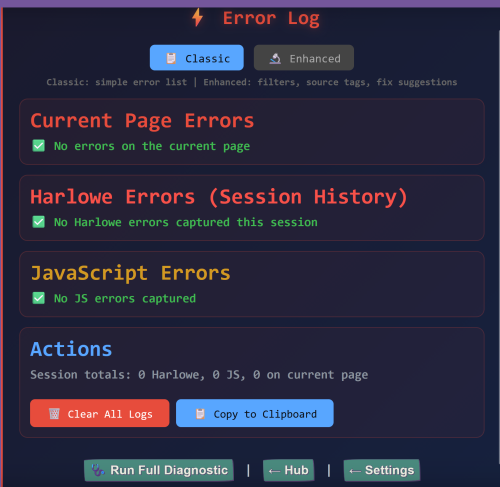
🚨 Error Watcher & Error Log Viewer
Always-on background monitor that silently captures Harlowe and JavaScript errors as they happen. The viewer lets you review, filter, and copy error reports without losing your place.
As of 7.2, everything converges here: console-captured errors (D1), softlock candidates (D2), abort annotations (D3), stalls (D5), and load-health lines (D7) all land in the same log with the same de-duplication and taxonomy — one place to look, one export to share. When the source map is installed, every entry is automatically enriched with the file and mod it came from.
🎯 Cheats Menu
Direct manipulation of:
- Masculinity cap / Identity level
- Breeding urge / Bimbo conditioning
- Money / Base stats / Arousal / Mood
- Pill timer
- Kane / Vex / Dealer progress
- Lactation / Birth counter
- Storyline resets
Every destructive action requires confirmation.
💻 Interactive Console
Live Harlowe REPL for inspecting and surgically repairing save state when the canned tools don't fit. Type any Harlowe expression, click Run or hit Ctrl+Enter, and the result renders inline against your real save with timing and ok/error status.
⚠️ The console writes to your live save state. Same as the X-Lowe Enhanced Console, same Harlowe API. A (set:) query actually sets the variable. The Confirm Writes toggle (default ON) catches write macros and shows you a preview before executing. See the Safety section below.
Quick example — reset the pregnancy accelerator (paste into the console, Run, confirm the write):
```
(if: $character is a dm)[(if: $character contains "side effects")[(if: $character's "side effects" is an array)[(set: $character's "side effects" to $character's "side effects" - (a: "accelerated womb", "hyperaccelerated womb", "hypergestation"))]]](set: $fd_bought_accelerated_womb to false)(set: $fd_bought_hyperaccelerated_womb to false)(set: $fd_bought_hypergestation to false)(if: $pregnancy is a dm)[(if: $pregnancy contains "extra days")[(set: $pregnancy's "extra days" to (a:))]]
```
Organized into eight tabs:
Tab 1 — 💻 Console (main work area)
The REPL itself. The variable-browser sidebar groups all variables in your save by prefix (FD / character / pregnancy / pill / pregmod surfaced first), with a filter box that auto-expands matching groups and one-click insertion of (print: $varname) into the input.
Quick-insert toolbar:
- Inspect character
- Inspect pregnancy
- Type of
- Keys of
- Clear output
- Snapshot / Diff buttons
Smart features:
- Variable autocomplete fires while you type — $pre shows $pregnancy [dm], $pregkids [num], $preg_video_num [num], etc., labeled with type and size. Tab accepts the first match, Esc dismisses.
- Datamap pretty-printing — output renders as a clean key/value list instead of Harlowe's raw `<table class=datamap>` HTML.
Tab 2 — 🔬 Inspector (power inspection without writing queries)
Four tools for exploring state visually:
- 🔍 Filter Variables by Type — chips for datamaps / arrays / numbers / strings / booleans / oversized (>5KB). Click a chip, see only matching variables. Click any result to insert (print: $varname) into the Console.
- 🔎 Search Variable Values — walks every top-level variable looking for matches in strings, numbers, array elements, and datamap keys/values. Shows where each match occurred.
- 📋 Datamap Inspector — type any variable name, get a clean three-column table inline (Key / Value / Type) with smart truncation for long values. No popup modal.
- 📄 Passage Source Viewer — type any passage name, see its full source with tag info. Falls back across multiple Harlowe API surfaces so it works regardless of build version.
Tab 3 — ✏️ Editor (power query writing)
Four tools for building, saving, and previewing queries:
- 💾 Saved Snippets — name and store the current console input. Each entry has an expandable preview, Insert/Delete buttons, and the library has Clear-all + Copy as JSON + Import (Replace or Merge) for sharing/backup. Stored in localStorage.
- 🧪 Dry-Run Mode — captures pre-state, runs the current input, computes the diff (added / removed / changed counts plus per-variable before→after for the first 20 changed), then attempts to restore primitive values to undo the change.
- Honest caveat: only string / number / boolean variables restore reliably. Datamap and array mutations cannot be perfectly reverted.
- 📋 Query Templates — dropdown of pre-built generators: Set NPC stat · Init pregnancy datamap key · Reset variable · Add to side effects array · Loop and inspect array. Pick one, fill in the form fields, click Generate — the constructed query lands in the Console ready to review.
- 🎨 Syntax Highlighting Preview — colors your console input by token type (macros / strings / $variables / _temp variables / numbers / brackets / keywords). Click-to-render to keep it cheap.
Tab 4 — 📖 Cheat Sheet (categorized variable reference)
Built directly from the base game source files. Eleven base-game categories with curated reference rows plus extensive datamap key listings.
| Category | What's covered |
|---|---|
| 🧍 Character | Full $character datamap with all keys (including gotchas like pregnant being a string "true"/"false") |
| 📅 Time & World | Day, time, weather, events |
| 💊 Pills | All 11 pill types with effects, prices, durations + pill_inventory keys + protection state |
| 💗 Pregnancy (base) | Base game pregnancy datamap structure |
| 🧪 Side Effects | Full list of 30+ side-effect names with display labels |
| 👥 NPCs & Relationships | $relationships master map, default NPCs (Alexia, stepdad, Bruce, Serra, Nyx) |
| 📊 Stats & Skills | get/set macros, action points, sex/activity counters |
| 🎒 Inventory & Outfits | Items, outfit datamap, outfit categories |
| 💼 Office Job | sales_job datamap with all keys |
| 🏠 Home & Money | Rent, allowance, mess, chores |
| 🎮 Cheats & Settings | cheats_enabled, realism_mode, all toggle flags |
Each entry shows:
- Variable name + type label
- Plain-English description
- Common values (when known)
- Datamap key list (for complex datamaps)
- 📍 Live indicator — shows your save's actual current value, OR "not present in current state" when missing
- 📋 Read button → inserts (print: $var)
- ✏️ Write template button → inserts a (set:) template with a typed default
Toolbar: debounced search filter (by name or description) + Expand all + Collapse all.
FD detection: When the Fertile Ditz mod is detected in your save, three additional FD categories append to the bottom (FD Core, FD NPCs, FD Systems) with a banner. Vanilla X-Change Life players never see them.
Tab 5 — ⚙️ Workflow (structured debugging workflows)
Five tools for multi-step / longer-running investigations:
- 👁️ Watch List — pin variables to monitor across queries. Refresh-on-demand; changed values flash yellow. Persisted in localStorage.
- 📍 Named Baselines — save multiple state snapshots with names and timestamps. Diff vs current shows added / removed / changed counts plus per-variable before→after for the first 30 changed values. Useful for "save baseline before pill, take pill, diff to see what changed."
- 📝 Multi-Step Queries — queue queries from the Console tab and run them in sequence with per-step ok/error status and elapsed milliseconds.
- 🔬 Variable Read/Write Tracer — takes a variable name and walks every passage in the game, distinguishing writes (passages that contain (set:|put:|move:|unset: $var)) from reads (passages that reference $var without setting it).
- 💾 Save State Import/Export — copies full state JSON to clipboard, or imports from a textarea with two-click confirmation. Same primitive-only restore caveat as dry-run.
Tab 6 — 📚 Snippets (27 base-game-only diagnostic queries)
Organized into five categories. Useful for vanilla X-Change Life players and FD users alike — no mod-specific references in any snippet.
- 🌱 Basic — Quick checks (7 snippets) — day/time/money, gender & DNA, active pill, pregnancy status, side effects, pill inventory, outfit
- 🔍 Basic — Inspect structure (5 snippets) — list keys for $character / $pregnancy / $sales_job / $relationships, plus stepsis state
- ⚙️ Advanced — Stats (4 snippets) — skill levels via get_charm / get_fitness / get_intellect macros, lifetime activity counts, action points, pregnancy-chance preview
- 🛠️ Advanced — Repair (review first!) (6 snippets) — find duplicate side effects, remove specific side effect, reset $position_inventory, force pill expire, reset cheats flag, heal energy & action points
- 📊 Advanced — Bulk inspection (5 snippets) — count keys across all major datamaps, event array sizes, inventory & outfit counts, NPC stats summary, money breakdown
Each has an expandable preview so you can review the code before clicking. Snippets never auto-run — clicking inserts the query into the Console tab for you to review and run manually.
Tab 7 — 📜 History
Last 20 queries persisted in localStorage across sessions. Click any entry to recall, or use ↑/↓ in the input when it's empty to cycle through. Dedupes repeats. Clear-history button.
Tab 8 — ❓ Help
Pattern reference, keyboard shortcuts (Ctrl+Enter, Tab, Esc, ↑/↓), safety features, and caveats. Pattern reference is rendered at runtime so the help text never accidentally executes the macros it's documenting.
🛡️ Safety
- Confirm Writes toggle (default ON, persisted) — detects (set:), (put:), (move:), and (unset:) and prompts with a query preview before executing.
- Snapshot/Diff — captures full state at one moment so you can see exactly which variables changed after doing something in-game.
- Copy Output — sends the result to clipboard for bug reports.
- Per-feature error isolation — each tab's features are wrapped in individual error reporting. If one feature fails to wire up, the others still work, and a red banner at the top of the panel names exactly which feature errored.
- Graceful API fallback — if the Harlowe API isn't reachable in your install, the console shows "Console unavailable" instead of crashing.
Other Tools
📤 Export Report
Generates a full-text diagnostic report and copies it to your clipboard for easy sharing when reporting bugs. As of 7.2, the log it draws from includes the detector streams — so a pasted report can carry the error, the softlock it caused, the click trail leading up to it, and the save-load health line, all in one paste.
🐞 Harlowe Debug Mode
One-click activator for Harlowe's own native debug overlay. Adds a panel in the bottom-right corner with a built-in variable inspector, a macro replay log, and an enchantment viewer. Useful when you want to see how Harlowe is interpreting your state from the engine's own perspective rather than through the diagnostic's lens.
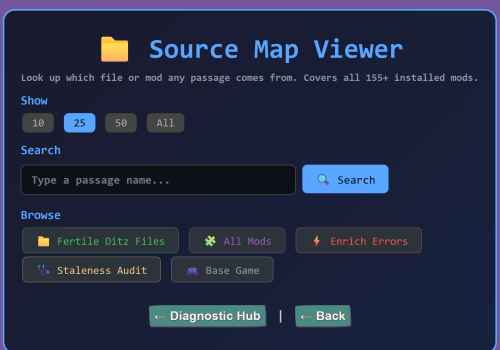
🗺️ Source Map Addon
Maps every passage in your game to the file and mod it came from. Once installed, it powers smarter behavior across the toolkit:
- Link Checker stops misclassifying other mods' passages as Fertile Ditz
- Error Log shows which mod each error originates from
- A dedicated Source Map Viewer unlocks with:
- Live search across all 9000+ passages with click-to-expand details (mod, file, tags, source size)
- Browse all Fertile Ditz files with their full passage lists
- Browse every installed mod sorted by passage count, click to see what passages each one defines
- Enrich Errors view that maps recent Harlowe/JS errors back to their originating mod and file
- Show 10 / 25 / 50 / All buttons across every view, with sticky state when switching counts
Edited by Kyatinoa
What's New in Version V7.2.10
Released
New in 7.2: the addon now ships as a proper `.js` file — parsed once per browser session instead of re-injected on every save load, so it no longer adds weight to loading times.
New in 7.2.1 — live inference: the map no longer depends only on its baked snapshot. At game load it reads your *actual* installed game and works out which mod each passage belongs to — so mods added or updated after the snapshot was built still get correctly attributed, and even mods that don't tag their own passages are picked up. Where a passage's origin genuinely can't be proven, it's honestly reported as unattributed (with enough context to identify it by eye) rather than guessed — so an attribution you see in the Error Log is one you can trust.
New in 7.2.6: fixed issues where bracket checker, link checker, and other systems where not loading. fixed prototypes they all seem to function as designed.
New in 7.2.8: Fixed back button issue not working.
New in 7.2.10: Fixed js errors in some pages.