.thumb.jpg.79342f9bb404a152c61d313cf628e93a.jpg)
About This File
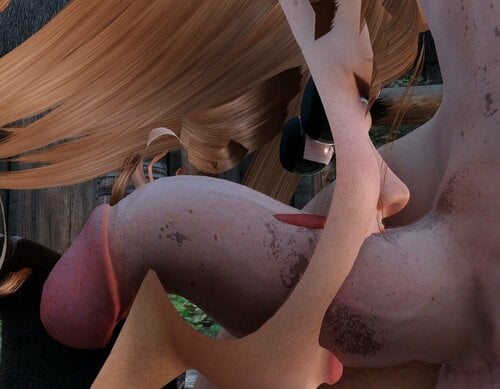
Physics mod that procedurally animates/aligns the penis, and adds visual collision to the anus and vagina (Like CBPC does). It's designed to work perfectly with CBPC - actually I didn't test without CBPC even..
The penis will now properly be pushed into either the mouth, vagina, or if the scene is tagged as "anal" the anus. It will then follow the vaginal canal, anal canal, or throat. Meaning that if an animation is offset, the penis will still find it's home! However, if the animation is super offset, obviously don't expect a miracle. Make sure you mess with the /skse/plugins/accurate-penetration.toml- plenty of features are disabled by default and you may want to better correct hole/canal positions!
Please read the config section before commenting. 95% chance your question/concern/complaint has already been solved
Not working? Your Sex mod (OStim, Sexlab) is outdated. This ONLY works with OStim-Standalone v7.3.5a+ and newer Sexlab/P+ versions. Fully updated? Check for mod conflicts with your sex mod
Also check %USERPROFILE%\Documents\My Games\Skyrim Special Edition\SKSE\AccuratePenetration.log
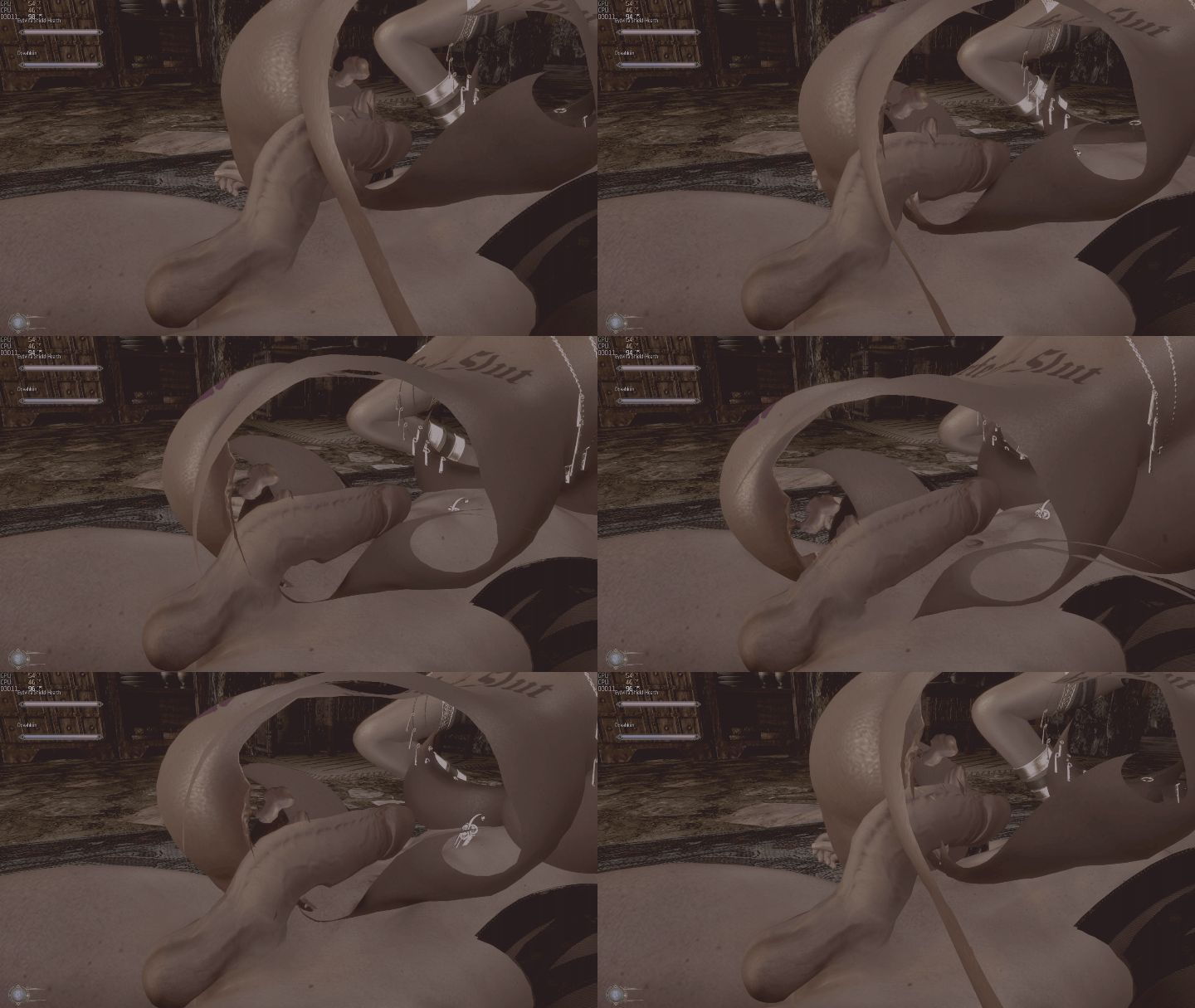

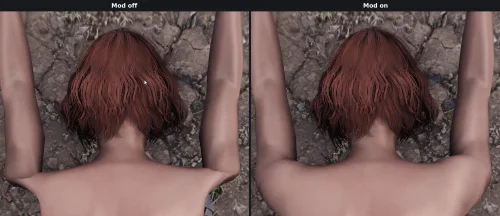
Original Position VS PPA animating:

Requirements:
- Address Library
- Crash Logger: Not required, but just get it. It's amazing
- SKSE Menu Framework: Optional unless you want a mod menu and some other minor UI elements
- Skyrin SE or AE.
- Sexlab or Sexlab P+ or OStim Standalone (Latest version for all of these ONLY. OStim will NOT WORK if it's not v7.3.5a+)
- A modern Skyrim body like 3BA, or UBE with anus/vagina bones that aren't shit
Slightly incompatible mods
- UBE Penis: Bones are offset. You must go into bodyslide and move the penis mesh UP using the Penis->Height slider to fix it.
- TRX Male Penis: Penis tip can't bend. You must go into bodyslide and try and shrink the end portion of the penis more. It works fine, but just wont look as good as VectorPlexus's penises
- Mu Joint Fix: Causes sex animations to get offset. Works, but if you notice stuff getting offset - that's why.
Features:
- The penis will now be fully procedurally animated and properly enter and follow another actors orifices/mouth during sexlab scenes
- Anus, Vagina, and Mouth penetration are all procedurally animated
- Handjobs are procedurally animated
- Like CBPC, the anus and vaginal will now have penetration physics. However - unlike CBPC, penetration is highly accurate
- Option to disable animations gaping the anus
- Highly customizable blowjob animation expressions. You can easily simulate deep throat expressions. By default it'll just insure your character's mouth is open during blowjob scenes (Common Sexlab bug fix)
- Properly aligns the penis with the orifice/mouth/hand it's going to penetrate.
- Toggle the mod on/off by opening the console (~) and pressing F2
- Dynamically change an actor's penis target. Swap between the vagina and anus on the fly
- UI menu option to fix an actor's face when facial expressions get bugged by a mod
- Ability to create custom, advanced facial expressions that override Sexlab/OStim's during scenes
- (Optional) Dynamic expression preset system based on penis/sex variables
- (Optional) feature to force the penis to use a futanari character's anus instead of vagina
- (Optional) Procedural Sex Sounds. Very realistic sex sounds will play during all animations
- Highly configurable in accurate-penetration.toml (Review the config, lots of cool features are disabled by default!)
Controls & Hotkeys
- 'BACKSPACE' by default while aiming at a scene participant will open a menu and allow you to set their schlong target. This is PER STAGE, so the next stage will go back to default. However you can press "Save" to permanently save your changes! To clear your changes, just press the reload config key (Possibly a few times, it's re-loaded async). Called "SelectActorKey" in the config
- 'F5' by default will RELOAD your /skse/plugins/accurate-penetration.toml config. "ReloadKey" in the config
- 'F2" by default will TOGGLE this mod on/off. "PauseKey" in the config
But I want SMP/CBPC genital collision handling!
Open the /skse/plugins/accurate-penetration.json config, disable "HandleOpeningPhysics".
Procedural Sex Sounds
This mod has an optional built-in procedural sex sound module that'll simulate realistic sex sounds during animations. It's EXTREMELY easy to configure, add/remove files without dealing with esp files, and IMO sounds better than any other solution out there. It only provides sound effects for vaginal, anal, handjobs, and blowjobs - as it's purely intended to be an addon to the functionality already provided by this mod. Do not expect kissing sounds.
Example of the configuration
# ───────────────────────────────────────────────────────────────────────────────
#                               SOUND EFFECTS
# ───────────────────────────────────────────────────────────────────────────────
#
# Controls the procedural sound generation during animations.
# Sounds are triggered based on penetration depth and velocity tracking.
#
[SoundEffects]
Enabled = true

# ─── CLAP SOUNDS ───
# "Clap" sounds play at the moment of impact (when bodies collide at max depth)
# Minimum seconds between clap sounds. Increase to reduce sound frequency.
# Range: 0.05 - 0.5 | Default: 0.10
ClapMinInterval = 0.15

# Minimum thrust velocity required during a stroke to trigger a clap.
# Higher = only fast/hard thrusts make sound. Lower = gentler motion triggers.
# Range: 5.0 - 30.0 | Default: 10.0
ClapThrustVelocity = 8.0

# Minimum penetration depth required to play a clap sound.
# Prevents sounds when barely inserted. Increase if getting unwanted sounds.
# Range: 0.5 - 5.0 | Default: 2.0
ClapMinDepth = 2.0

# ─── WET SOUNDS ───
# "Wet" sounds loop/play continuously during active motion
# Minimum seconds between starting new wet sounds.
# Range: 0.05 - 0.3 | Default: 0.08
WetMinInterval = 0.08

# Velocity threshold to START playing wet sounds.
# Lower = sounds play during slower movement.
# Range: 3.0 - 15.0 | Default: 7.0
WetVelocityThreshold = 3.0

# Velocity threshold to STOP wet sounds (with grace period).
# Should be lower than WetVelocityThreshold to prevent start/stop flickering.
# Range: 0.5 - 5.0 | Default: 1.0
WetStopVelocity = 1.0

# ─── VELOCITY TRACKING ───
# Controls how motion is analyzed to trigger sounds
# Smoothing factor for velocity calculation (0-1).
# Lower = smoother/slower response, Higher = more reactive/jittery.
# Range: 0.1 - 0.5 | Default: 0.3
VelocitySmoothFactor = 0.3

# ─── AUDIO PROPERTIES ─────────────────────────────────────────────────────────
# Controls pitch and volume variation based on movement speed
# Frequency (pitch) multiplier range. 1.0 = normal pitch.
# Faster movement = higher pitch within this range.
MinFrequency = 0.85
MaxFrequency = 1.35

# Volume range (0.0 - 1.0). Faster movement = louder within this range.
MinVolume = 0.6
MaxVolume = 1.0

# Velocity value that maps to maximum frequency/volume.
# Velocities above this are clamped. Lower = reaches max sooner.
# Range: 50.0 - 200.0 | Default: 150.0
SpeedScaleMax = 150.0

# ─── SOUND FILES ──────────────────────────────────────────────────────────────
# Paths support wildcards (*) to randomly select from matching files.
# Paths are relative to Skyrim's Data folder.
# You can make a LIST of these! The [] thing defines a LIST. Ok?
[SoundEffects.Vagina]
ClapSounds = ["Sound\\Fx\\ppa\\vagina\\clap*.wav"]
WetSounds = ["Sound\\Fx\\ppa\\vagina\\FFFM - *.wav"]
ClapSoundVolumeScale = 0.8
WetSoundVolumeScale = 0.6

[SoundEffects.Anus]
ClapSounds = ["Sound\\Fx\\ppa\\anus\\plap (*.wav"]
WetSounds = ["Sound\\Fx\\ppa\\anus\\Slime (Set E)-*.wav"]
ClapSoundVolumeScale = 1.0
WetSoundVolumeScale = 0.5

[SoundEffects.Mouth]
ClapSounds = ["Sound\\Fx\\ppa\\mouth\\squelch_*.wav"]
WetSounds = ["Sound\\Fx\\ppa\\mouth\\suck_*.wav"]
ClapSoundVolumeScale = 0.25
WetSoundVolumeScale = 1.95

# Hands only use the wet sounds.
[SoundEffects.Hands]
WetSounds = ["Sound\\Fx\\ppa\\hands\\Squish - Handjob Normal-*.wav"]
WetSoundVolumeScale = 0.6
Potential problems:
- Some Schlongs have pretty bad rigs for this use-case. So if you can't get this mod working well (Constantly offset at certain angles) - that's why. You should check out the penis in Nikskope. It might be fixable in bodyslide if there's any sliders that allow shifting the entire penis up.
- If your body doesn't contain the bones this mod expects, you'll need to find them and put them in the /skse/plugins/accurate-penetration.toml config.
- Penis morphs that don't physically move the bones too wont look perfect.
- Gangbang participants may use the wrong holes at times, use the '0' menu to change their target
Known issues & How to Solve Them
- If an animation mod (Like Billy's animations) open the anus/etc - it will basically double the anus opening size. Solution: Use the modified skeleton provided by this mod
- If an animation has an actor rubbing their cock on the vagina/anus, it's going to penetrate. No rubbing allowed with this mod! Solution: Temporarily pause this mod with F2, or select the actors true intent in the action menu (Backspace by default)
- The holes are offset, or you dislike the organ animation Solution: Open the /skse/plugins/accurate-penetration.toml config and mess with the offsets (Read configuration below for help)
- You don't want this mod controlling anus/vag opening Solution: Again, open the accurate-penetration.json config and disable "HandleOpeningPhysics"
- Some penis rigs - have strange bone vertex weight painting. This means if PPA (This mod) moves the penis to a position, the mesh will actually lag behind a bit for certain bones. Which will make certain animations look slightly offset. Solution: edit the mesh, and re-paint the bone vertex's in Outfit Studio.
- Softbody has issues with this mod Solution: Softbody has a patch on their Nexus page for this mod. You must also change "HookPosition": to 2 in the /skse/plugins/accurate-penetration.toml config.
- The penis goes in the wrong hole or doesn't go in any hole. Solution: Some animations are verry offset, you'll need to increase "PenisActivationRange" in the /skse/plugins/accurate-penetration.toml config.
- The anus or vagina don't open, or open weirdly! Solution: Use the modified skeleton provided by this mod
- UBE penis doesn't work well Solution: This is due to the penis being "below" the skeleton. You must MOVE IT UP in body slide using the "Height" slider in bodyslide.
- The penis flickers in-and-out of the hole. Solution: Some animations are verry offset, you'll need to increase "PenisActivationRange" in the /skse/plugins/accurate-penetration.toml config. You can also just manually bend the penis in the correct direction
- Male character penises don't activate during masturbation Solution: Turn "ignoredMaleActors" to false in the /skse/plugins/accurate-penetration.toml config
Planned features:
-
Better gangbang support- Control it with the 'BACKSPACE' menu or make a custom animation tag file -
Potentially near-skinning of penises, so giant penises vs small penises will act differently.Added in 0.0.24 -
Sound effects module- Added in 0.0.22 -
Dynamic facial expressions moduleAdded in 0.0.24 -
Handjob support- Added in 0.0.19
Reporting bugs:
Crashed? Use Crash Logger SSE. Have weird animations? Show a video, gif, maybe a screenshot will suffice. Penis not lining up? Tell me your body type, and show some screenshots and what not. Also make sure you verify it happens with every animation.
ALL bug reports must contain %USERPROFILE%\Documents\My Games\Skyrim Special Edition\SKSE\AccuratePenetration.log and your screenshots MUST contain ALL the relevant visual debugging or you WILL BE IGNORED
Configuration
You can find your config file in Data\SKSE\Plugins\accurate-penetration.toml
You can RELOAD this config in-game by opening the console (~) and pressing F5
Here's a tutorial on how to properly change the offset positions of the anus/vagina and what not:
For simple editing, you can just use the in-game editor! I only recommend this tutorial for finding different bones to attach nodes to, if you only want to EDIT the hole position slightly use: Backspace (Opens action menu) -> Edit Hole Positions -> Whatever
Manual tutorial:
To change a hole position on a body, you need to adjust the offsets in the config.
We'll be using Nifscope to find our offsets, since it's easier.
You can specify a spline of "DepthWaypoints", or you can specify a single "DepthOffset". You can't do both - so pick one or the other. You want a simple tunnel (DepthOffset), or a more elaborate tube for the penis to follow (DepthWaypoints)?
Tips:
- The pelvis is the most stable bone to use. Others are skinned, and may shift around in-game
- I recommend you keep the "tunnels" - or in other words, DepthOffset - away from each-other. Like you don't want to cross the anus and the vagina nodes since other physics mods will pick that up and assume double penetration. Unless you're using all of this mods features!
- You should keep the collision cylinder as a perfect shape of the anus/vagina tunnel. No sense in making it larger then it needs to be since we already force the penis to penetrate properly.
This tutorial assumes you're just specifying a simple DepthOffset. The procedure for DepthWaypoints is virtually the same though, just obviously more points to draw a shape rather than a straight line.
Nifskope:
1) Load up your body, usually named Femalebody_1.nif or something. Then expand the first NiNode (Usually named Scene Root).
2) Now scroll down and find a good bone to use. Pelvis is my favorite because it's solid.
3) Select that NiNode (Pelvis in my case)
4) Right click it, and select Node>Attach Node.
5) That'll open a small UI, select 'NiNode' from it. This is where we want our penis to ENTER/bend
6) Now you've got a fake bone to work off! We can now translate this NEW bone by selecting it
7) Then Right click, and go to Transform->Edit.
8 ) In this menu, you ONLY want to change the Translation: X,Y,Z. Move the fake bone to where you want the penis to enter. You should end up with something like this: 
9) Now copy those translation coordinates, and put them in your config. Replacing the "Offset" coordinates. And press "Accept".
10) Now you need a DepthOffset. Click your new node, and once again attach an 'NiNode' to it.
11) Basically repeat those steps, and get your canal mapped out. Should look something like this:

12) Now take those new translation coordinates, and put them in the "DepthOffset"
13) Perfect, you're done. That was easy?
Here's some other user's posts on messing with these configs for further help/context:
Here's information on the other details of the config:
# ═══════════════════════════════════════════════════════════════════════════════
#                            PPA MOD CONFIGURATION
# ═══════════════════════════════════════════════════════════════════════════════
#
#   This file controls physics behavior, collision detection, and animation
#   settings. Most values can be overridden per-actor using override configs (/ppa-override-configs folder).
#
#   TIP: Use the in-game debug options to visualize bones and collision
#        cylinders while tweaking these values.
#
# View the mod page for more advanced configuration tips: https://www.loverslab.com/files/file/46320-procedural-penis-animationscollision-beta/
#
# ⚠️ IMPORTANT NOTE: If a value has decimal places, like 1.0 - you MUST have a decimal.⚠️
# ⚠️ No decimal means it may be read wrong. Same with non-decimal numbers              ⚠️
#
# ───────────────────────────────────────────────────────────────────────────────
#                                   GENERAL
# ───────────────────────────────────────────────────────────────────────────────
[General]

# Decides when physics calculations occur in the game loop.
# Affects compatibility with other physics mods (like FSMP).
#
#   0 = Wrap tick stack (DEFAULT)
#       Runs first, applies morph targets last. Gets priority over SMP/UNBC.
#       Best for ensuring changes stick and don't get overwritten.
#
#   1 = Pre-Update (Early)
#       Runs at the start, before standard player update logic.
#       Mostly for testing. Generally worse than 0 or 2.
#
#   2 = FSMP Injection (Compatibility Mode)
#       Hooks directly into Faster-SMP. Use this if you get clipping
#       with FSMP butt/thigh physics. Try this if other physics mods
#       aren't recognizing collisions properly.
#
#  WARNING: Requires game restart to take effect!
#
HookPosition = 0

# Enable vaginal/anus opening and closing during scenes. Disable this if you want CBPC/SMP to do it
HandleOpeningPhysics = true

# Redirect futa characters to use the anus instead.
FutasUseAnus = true

# Skip physics processing for scenes with more than this many actors.
IgnoredSceneActorCount = 6

# Skip applying hole physics to male actors. Also disables animating their masturbation
# Disable this for male support (May have slight bugs you'll need to solve with "SelectActor")
IgnoreMaleActors = false


# ───────────────────────────────────────────────────────────────────────────────
#                                   HOTKEYS
# ───────────────────────────────────────────────────────────────────────────────
[Hotkeys]

# Only allow hotkeys while the console is open (Only for Reload, and Pause)
ConsoleOnly = false

# Key codes (default: F2=60, F5=63, 0=11)
# Find codes at: https://www.nexusmods.com/skyrimspecialedition/articles/7704
Pause       = 60    # Pauses the mod
Reload      = 63    # Reload configuration
SelectActor = 14    # Select actor to edit their penis target + Much more

# Should we REQUIRE holding shift to use these hotkeys? So like Shift+F2 = pauses the mod. (Recommended)
HotkeyWhileHoldingShiftOnly = false

# ───────────────────────────────────────────────────────────────────────────────
#                                    DEBUG
# ───────────────────────────────────────────────────────────────────────────────
# You WILL need to use this while trying to figure out where to put offsets/waypoints
[Debug]

# Print verbose logs to the console.
Logging = false

# Display your vagina/anus/mouth entrances and splines in-game
Bones = false

# Display collision cylinders in-game.
Collision = false

# Display penis collision bones in-game.
Penis = false


# ───────────────────────────────────────────────────────────────────────────────
#                                    PENIS
# ───────────────────────────────────────────────────────────────────────────────
[Penis]

# Skeleton bones to manage (in order from base to tip).
Bones = [
    "NPC GenitalsBase [GenBase]",
    "NPC Genitals01 [Gen01]",
    "NPC Genitals02 [Gen02]",
    "NPC Genitals03 [Gen03]",
    "NPC Genitals04 [Gen04]",
    "NPC Genitals05 [Gen05]",
    "NPC Genitals06 [Gen06]",
]

# Forward axis of the penis. Don't change unless you know what you're doing.
LocalForwardAxis = [0.0, 1.0, 0.0]

# Offset for curve projection casting.
# Slightly lower than the base to reduce initial bend.
# Use NifSkope to determine correct values for non-human actors.
BaseOffset = [0.0, 1.206299, 1.206299]

# Rotate the base bone along with the rest.
# Enable for smoother appearance; disable for more rigid realism.
RotateBase = true

# Use exact HAVOK state for the penis.
# Ensures length stays precise but disables some animation features.
PreserveHavokState = false

# Hide the penis when it exceeds HideDepthOffset inside a hole. (Shouldn't be needed)
ClipFix = false
HideDepthOffset = 2.0 # How deep past the hole entrance to start cutting the cock off

# Global detection range multiplier for collision cylinders.
# Example: 1.5 means 50% larger than the actual cylinder.
ActivationRange = 3.5

# Average width of the penis.
Girth = 0.9

# Length of the tip segment.
TipExtension = 2.9

# Minimum distance from penis base to hole.
# Simulates "bottoming out" at the end of the canal.
# 0 = no limit (full insertion allowed).
MinProjectionDistance = 0.0


# ───────────────────────────────────────────────────────────────────────────────
#                                   VAGINA
# ───────────────────────────────────────────────────────────────────────────────
[Vagina]

# Bone names for controlling gape.
NodeL    = "NPC L Pussy02"
NodeR    = "NPC R Pussy02"
NodeBack = "VaginaB1"
NodeTop  = "Clitoral1"

# Base opening distance.
Scale = 1.5

# Max opening distance.
ScaleMax = 3.0

# How strongly the opening grips during penetration. (Animation)
GripStrength = 5.0

# Clamps how far forward (into the body) the grip animation can pull the orifice mesh.
GripClampForward = 6.0

# Clamps how far backward (out of the body) the grip animation can pull the orifice mesh.
GripClampBackward = 5.0

# Intensity of rubbing effects. (Animation)
RubIntensity = 3.5

# Position & Collision
# ─────────────────────
# The collision cylinder is used for detection (not actual physics collision).
# It determines which hole the penis should target.
[Vagina.Position]

# Bone to attach the entry point to.
Anchor = "NPC Pelvis [Pelv]"

# Local offset from the anchor bone (X, Y, Z).
Offset = [0.0999999, -2.05005, -3.27]
CollisionCylinderRadius = 1.2
CollisionCylinderHeightModifier = 1.0


# Depth Waypoints
# ───────────────
# Define a path (tunnel) for the penis to follow during penetration.
# Each waypoint creates a curve point. The penis bends to follow this path.
#               !You can define UNLIMITED of these!
#
#   Anchor         = Bone to attach to (optional; defaults to previous waypoint)
#   Offset         = Position offset from anchor (X, Y, Z)
#   CornerSmoothing = Smooths transition to next waypoint (0.0–1.9)
#                     ⚠️  Don't exceed 1.9 on sharp angles or it will bug out!
[[Vagina.Position.DepthWaypoints]]
Offset = [0.0, 0.0, 6.0]
CornerSmoothing = 1.0
CollisionRadius = 4.0

[[Vagina.Position.DepthWaypoints]]
Anchor = "NPC Spine1 [Spn1]"
Offset = [0.10003, 3.39997, -3.25]
CornerSmoothing = 0.5
CollisionRadius = 1.0


# ───────────────────────────────────────────────────────────────────────────────
#                                    ANUS
# ───────────────────────────────────────────────────────────────────────────────
[Anus]

# Bone names for controlling gape (4 corners).
NodeLB = "NPC LB Anus2"
NodeRB = "NPC RB Anus2"
NodeRT = "NPC RT Anus2"
NodeLT = "NPC LT Anus2"

# Base opening distance.
Scale = 2.0

# Max opening distance.
ScaleMax = 4.5

# How strongly the opening grips during penetration. (Animation)
GripStrength = 2.0

# Clamps how far forward (into the body) the grip animation can pull the orifice mesh.
GripClampForward = 1.0

# Clamps how far backward (out of the body) the grip animation can pull the orifice mesh.
GripClampBackward = 1.0

# Intensity of rubbing effects. (Animation)
RubIntensity = 2.4

[Anus.Position]
Anchor                          = "NPC Pelvis [Pelv]"
Offset                          = [0.0, -5.8, -1.0]
CollisionCylinderRadius         = 1.2
CollisionCylinderHeightModifier = 1.0

[[Anus.Position.DepthWaypoints]]
Offset          = [0.0, 3.0, 6.0]
CornerSmoothing = 1.0

[[Anus.Position.DepthWaypoints]]
Anchor          = "NPC Spine1 [Spn1]"
Offset          = [0.0, 4.0, 0.0]
CornerSmoothing = 1.0


# ───────────────────────────────────────────────────────────────────────────────
#                                    MOUTH
# ───────────────────────────────────────────────────────────────────────────────
[Mouth.Position]
Anchor                          = "NPC Head [Head]"
Offset                          = [0.0, 1.0, -1.15]
CollisionCylinderRadius         = 1.5
CollisionCylinderHeightModifier = 1.2

[[Mouth.Position.DepthWaypoints]]
Offset          = [0.0, -5.0, 2.0]
CornerSmoothing = 1.0

[[Mouth.Position.DepthWaypoints]]
Anchor          = "NPC Neck [Neck]"
Offset          = [0.0, 1.0, 1.0]
CornerSmoothing = 0.5

[[Mouth.Position.DepthWaypoints]]
Anchor          = "NPC Spine2 [Spn2]"
Offset          = [0.0, 4.0, 0.0]
CornerSmoothing = 0.0

# -> [DELETE THIS TO DISABLE ORAL MOUTH OPENINGS] <-
# ─────────────────────────
# Mouth Opening Animation
# ─────────────────────────
# Controls facial expressions during blowjob scenes.
# Presets are matched by target orifice and scene context.
# When multiple presets match, the highest Priority wins.
#
# This mouth preset is optional since SexLab already handles mouth opening.
#
[[FacialPreset]]
# Activates when mouth is penetrated
Targets = ["Mouth"]
# Very high priority to make sure it's selected before other presets (If you have others)..)
Priority = 99999
OverrideExpressions = false
OverrideModifiers = false
# Zero out other phonemes that we aren't using
OverridePhonemes = true
Smoothing = 8.0

# Phoneme/Expression/Modifier Effects
# ────────────────────────────────────
# Each effect controls a facial morph target.
#
#   Type        = Effect type ("Phoneme", "Expression", "Modifier", "MFEE")
#   Index       = Morph index number
#   TargetValue = Target blend value (0.0–1.0 for vanilla, higher for MFEE)
#   MinTargetValue      = (Optional) Minimum value when using depth scaling
#   MinPenetrationDepth = (Optional) Depth at which effect starts
#   MaxPenetrationDepth = (Optional) Depth at which effect reaches TargetValue
#
# View the mod page for more advanced configuration options.
#       !You can define UNLIMITED effects per preset!
[[FacialPreset.Effects]]
Type = "Phoneme"
Index = 0
TargetValue = 0.75

[[FacialPreset.Effects]]
Type = "Phoneme"
Index = 1
TargetValue = 0.75

[[FacialPreset.Effects]]
Type = "Phoneme"
Index = 5
TargetValue = 1.0

[[FacialPreset.Effects]]
Type = "Phoneme"
Index = 6
TargetValue = 1.0

[[FacialPreset.Effects]]
Type = "Phoneme"
Index = 7
TargetValue = 1.0

[[FacialPreset.Effects]]
Type = "Phoneme"
Index = 9
TargetValue = 0.68

# ───────────────────────────────────────────────────────────────────────────────
#                                    HANDS
# ───────────────────────────────────────────────────────────────────────────────
#
# Configure handjob detection and grip behavior for each hand.
[Hands.Left]
Enabled              = true
DetectionRadius      = 15.0             # How close the hand must be to activate
GripLength           = 2.0              # Effective hand length
GripOffsetAdjustment = [0.0, 0.0, 1.0]  # Fine-tune grip position (X, Y, Z)

[Hands.Right]
Enabled              = true
DetectionRadius      = 15.0
GripLength           = 2.0
GripOffsetAdjustment = [0.0, 0.0, 1.0]


# ───────────────────────────────────────────────────────────────────────────────
#                                  ANIMATION
# ───────────────────────────────────────────────────────────────────────────────
[Animation]
# How much animation speed affects physics response.
SpeedSensitivity = 1.0

# Smoothing strength for animations (higher = smoother but less responsive).
SmoothStrength = 0.5

# These will push your hips/head back if the penetrator's penis base goes too deep (Clips)
# This is mostly just a random ass feature I added because why not, I doubt it'll look perfect. Go wild.
# (Head physics is very much NOT recommended. It's not natural looking at all)
HipPhysics = false
HeadPhysics = false

# Smoother for the animations so they don't snap back and fourth. Higher = smooother
HipPhysicsSmoothTime = 0.05
HeadPhysicsSmoothTime = 0.07

# ───────────────────────────────────────────────────────────────────────────────
#                                   SOLVER
# ───────────────────────────────────────────────────────────────────────────────
#
# Controls bending limits for the physics solver.
#
# ⚠️  NOT RECOMMENDED: Changing these makes the solver less accurate.
#     Only modify if you need to restrict extreme bending.
[Solver]

# Base limit (in degrees) for penis bending.
BendConeBase = 999.0

# Extra range per segment.
# Each segment from base to tip gets progressively more flexibility.
# Tip range = BendConeBase + BendConeRange
BendConeRange = 999.01

# ───────────────────────────────────────────────────────────────────────────────
#                               SOUND EFFECTS
# ───────────────────────────────────────────────────────────────────────────────
#
# Controls the procedural sound generation during animations.
# Sounds are triggered based on penetration depth and velocity tracking.
#
[SoundEffects]
Enabled = true

# ─── CLAP SOUNDS ───
# "Clap" sounds play at the moment of impact (when bodies collide at max depth)
# Minimum seconds between clap sounds. Increase to reduce sound frequency.
# Range: 0.05 - 0.5 | Default: 0.10
ClapMinInterval = 0.15

# Minimum thrust velocity required during a stroke to trigger a clap.
# Higher = only fast/hard thrusts make sound. Lower = gentler motion triggers.
# Range: 5.0 - 30.0 | Default: 10.0
ClapThrustVelocity = 8.0

# Minimum penetration depth required to play a clap sound.
# Prevents sounds when barely inserted. Increase if getting unwanted sounds.
# Range: 0.5 - 5.0 | Default: 2.0
ClapMinDepth = 2.0

# ─── WET SOUNDS ───
# "Wet" sounds loop/play continuously during active motion
# Minimum seconds between starting new wet sounds.
# Range: 0.05 - 0.3 | Default: 0.08
WetMinInterval = 0.08

# Velocity threshold to START playing wet sounds.
# Lower = sounds play during slower movement.
# Range: 3.0 - 15.0 | Default: 7.0
WetVelocityThreshold = 3.0

# Velocity threshold to STOP wet sounds (with grace period).
# Should be lower than WetVelocityThreshold to prevent start/stop flickering.
# Range: 0.5 - 5.0 | Default: 1.0
WetStopVelocity = 1.0

# ─── VELOCITY TRACKING ───
# Controls how motion is analyzed to trigger sounds
# Smoothing factor for velocity calculation (0-1).
# Lower = smoother/slower response, Higher = more reactive/jittery.
# Range: 0.1 - 0.5 | Default: 0.3
VelocitySmoothFactor = 0.3

# ─── AUDIO PROPERTIES ───
# Controls pitch and volume variation based on movement speed
# Frequency (pitch) multiplier range. 1.0 = normal pitch.
# Faster movement = higher pitch within this range.
MinFrequency = 0.85
MaxFrequency = 1.35

# Volume range (0.0 - 1.0). Faster movement = louder within this range.
MinVolume = 0.6
MaxVolume = 1.0

# Velocity value that maps to maximum frequency/volume.
# Velocities above this are clamped. Lower = reaches max sooner.
# Range: 50.0 - 200.0 | Default: 150.0
SpeedScaleMax = 150.0

# ─── SOUND FILES ──────────────────────────────────────────────────────────────
# Paths support wildcards (*) to randomly select from matching files.
# Paths are relative to Skyrim's Data folder.
# You can make a LIST of these! The [] thing defines a LIST. Ok?
[SoundEffects.Vagina]
ClapSounds = ["Sound\\Fx\\ppa\\vagina\\clap*.wav"]
WetSounds = ["Sound\\Fx\\ppa\\vagina\\FFFM - *.wav"]
ClapSoundVolumeScale = 0.8
WetSoundVolumeScale = 0.6

[SoundEffects.Anus]
ClapSounds = ["Sound\\Fx\\ppa\\anus\\plap (*.wav"]
WetSounds = ["Sound\\Fx\\ppa\\anus\\Slime (Set E)-*.wav"]
ClapSoundVolumeScale = 1.0
WetSoundVolumeScale = 0.5

[SoundEffects.Mouth]
ClapSounds = ["Sound\\Fx\\ppa\\mouth\\squelch_*.wav"]
WetSounds = ["Sound\\Fx\\ppa\\mouth\\suck_*.wav"]
ClapSoundVolumeScale = 0.25
WetSoundVolumeScale = 1.0

# Hands only use the wet sounds.
[SoundEffects.Hands]
WetSounds = ["Sound\\Fx\\ppa\\hands\\Squish - Handjob Normal-*.wav"]
WetSoundVolumeScale = 0.6
Creating animated/custom facial expressions
Adding different body/creature support
Controlling Actor Penis Targets During Animations
You can tag specific actors in specific animation stages to control where their penis should go, if anywhere.
Animation Action Tags Tutorial
What Are Animation Action Tags?
Animation Action Tags allow you to explicitly tell the mod where each actor's genitals should be targeting during specific animation stages. By default, the mod uses heuristic detection (guessing based on scene context and tags), but this isn't always accurate. Action tags give you precise control.
When would you need this?
- The mod is targeting the wrong hole (e.g., vaginal when it should be anal)
- An actor's genitals are clipping through air or the wrong body part
- You want to disable tracking for a specific actor in a scene
- The automatic detection just isn't working for a particular animation
Understanding the System
Target Values
Each actor position (1-5) can have one of these targets:
- V (Vagina) - Target the vagina
- A (Anus) - Target the anus
- M (Mouth) - Target the mouth
- H (Hand) - Reserved for future use (placeholder, does nothing currently)
- ! (None) - Disable tracking entirely. The actor's genitals won't be pushed toward any target.
- b (Auto) - Don't specify the key at all, and the system will figure it out using default heuristics (Doesn't work in manual mode).
Actor Positions
Actor positions (1-5) correspond to the order actors appear in the animation framework (SexLab, OStim, etc.). Position 1 is typically the "main" actor, position 2 is the first partner, and so on.
Important: The target you set for an actor defines where their genitals go - not what happens to them. So if Actor 2 has target V, Actor 2's penis will target a vagina.
JSON File Structure
Animation tags are stored in JSON files within the mod's data folder. The mod loads all .json files and merges them together.
File Priority (Important!)
Files are loaded in reverse alphabetical order, with later-loaded files taking priority. This means:
- z_something.json - Loaded first (lowest priority)
- a_something.json - Loaded later (higher priority)
- 0_your_custom_tags.json - Loaded last (highest priority)
Your custom tags should go in 0_your_custom_tags.json - this ensures they override any bundled defaults. 0_your_custom_tags.json is used by the in-game menu, so if you want to keep it separate then don't use that file.
Basic Format
		{
		  "AnimationName": [
		    {
		      "s": 1,
		      "1": "V",
		      "2": "!"
		    },
		    {
		      "s": 2,
		      "1": "V",
		      "2": "!"
		    },
		    {
		      "s": 3,
		      "1": "A",
		      "2": "!"
		    }
		  ],
		  "AnotherAnimation": [
		    {
		      "s": 1,
		      "2": "M"
		    }
		  ]
		}
Breaking it down:
- "AnimationName" - The exact animation ID from your framework
- "s": 1 - Stage number
- "1": "V" - Actor position 1 targets Vagina
- "2": "!" - Actor position 2 has no target (disabled)
Extended Format with Manual Flag
		{
		  "AnimationName": {
		    "manual": true,
		    "stg": [
		      {
		        "s": 1,
		        "1": "V",
		        "2": "!"
		      },
		      {
		        "s": 2,
		        "1": "A",
		        "2": "!"
		      }
		    ]
		  }
		}
The "manual": true flag tells the system this animation is fully manually tagged. When set:
- Any actor position not explicitly defined will default to None (disabled) instead of Auto
- Useful when you want complete control and don't want the system guessing
Method 1: In-Game Editing (Recommended)
The easiest way to tag animations is using the in-game menu during an active scene.
Steps:
- Start an animation scene
- Open the target menu (check your keybinds - by default '0')
- Look at the actor you want to modify (crosshair targeting)
- Select the appropriate target (Vagina, Anus, Mouth, None, or Auto)
- Repeat for other actors/stages as needed
- Select "Save Changes" to write to your custom file
Note: Changes are applied immediately for testing, but won't persist across game sessions until you save them. The save function writes to 0_your_custom_tags.json.
Method 2: Manual JSON Editing
For bulk edits or when you can't test in-game.
Step 1: Find the Animation Name
Enable debug logging in the mod settings. The log will show entries like:
Status for ActorName: Context:[Anal] Stage:2 ...
Or check your animation framework's documentation/tools for animation IDs.
Step 2: Create/Edit Your Custom File
Open 0_your_custom_tags.json in a text editor (create it if it doesn't exist).
Step 3: Add Your Entries
		{
		  "SexLabAnimation_Missionary_A1": [
		    {
		      "s": 1,
		      "1": "!",
		      "2": "V"
		    },
		    {
		      "s": 2,
		      "1": "!",
		      "2": "V"
		    },
		    {
		      "s": 3,
		      "1": "!",
		      "2": "V"
		    },
		    {
		      "s": 4,
		      "1": "!",
		      "2": "V"
		    },
		    {
		      "s": 5,
		      "1": "!",
		      "2": "V"
		    }
		  ]
		}
Recommended Mods
- UBE: Fantastic high poly body. I'll never go back to 3BA. Oh and it works great with this mod
- High Poly Head SMP: Adds SMP skinning to the mouth and throat. Looks great.
- Sexlab P+: Not without issues of it's own, but this mod will significantly speed up animations and has a hole new feature set.
Why Does This Penis Look Worse Than This Penis?
Basically: The vertex weights are not good for the bone's penis sections. Something you could solve in Outfit Studio. Here's a more detailed write-up of this problem:
Upload Information/Schedule (For mod-list authors)
Any file that contains "WIP" or "Alpha" is subject to removal once I exceed the uploaded file limit. These files, while all seemingly stable, are intended to be "developer snapshots" for those interested in helping me test and provide feedback for new builds.
In other words, if I run out of upload slots and have to remove a file - an alpha version, even with a newer version, will be pruned over a build considered stable.
If you want to insure your mod list file URL lasts long before going stale, I'd recommend choosing a non-alpha build.
Credits:
- OpenNSFW SFX (Sound effects)
- Commonlib VR/SSE/AE
- SKSE
Discord for my random WIP stuff: https://discord.gg/auhAERPeAa
Edited by asdt123123
What's New in Version 0.0.38
Released
- Added @Bigglsby's assist tags to the Fomod (Covers a large range of animations)
- Fixed a bug with the hold shift option
- Improved schlong geometry preservation (For those who made a lot of edits to it in RaceMenu)
- Added sanity checks which should avoid a freeze reported by a user (Couldn't reproduce, possibly non-PPA related but safety is priority!)
0.0.37
- Added new SKSE/Skyrim support
- Added the ability to override blinking expressions
0.0.36
- You can now select the penetrating actor. If you set the performer to the penetrating actor then it's masturbation.
- UI overhaul - unless you are a person who doesn't use SKSE Mod Menu for some reason
- The action UI will now present shapes you can click on to set the schlong target. So click on the schlong, then click on an actor's mouth - done.
- QOL updates to the hole selection system
- Added schlong lerping, so it doesn't just SNAP around once it's close enough for a hole. More natural.
- Idk more QOL stuff that annoyed me
0.0.35
- Fixed a bug with the mouth opening when it shouldn't (Schlong near, but not penetrating)
- Added missing Wearbear to the ABC config
- Fixed some bugs with handjobs/handjob-tagging
- Added an option to save to a new unique override config on the orifice editor. Allowing you to more easily make custom configs for specific characters
- Fixed a bug with VR
- Added predicates for body morphs
- Added predicates for body weight
https://asdasdduck.github.io/ppa-docs/overrides.html#bodymorph-predicates
https://asdasdduck.github.io/ppa-docs/overrides.html#bodyweight-predicate
Documentation: https://asdasdduck.github.io/ppa-docs/