

About This File

Real-Time Body Physics is a highly experimental mod for the Sims 4 that attempts to add real-time body physics to sims. Currently, only the breasts and butt are targeted, but other parts could be added in the future.
The mod works via a fake DirectX DLL that behaves just like the real deal, but injects a little extra code into the rendering loop (See: https://en.wikipedia.org/wiki/Hooking).
Please read the included "ReadMe.html" file before using this mod. It explains how to install, configure, and control the mod in-game.
RTBP 11 (DirectX 11):
RTBP for DirectX 11 is now available. You can expect all functionality from the DirectX 9 version in RTBP11, but the better performance of the Sims 4's newer DirectX 11 renderer.
Be warned that it is a little buggy compared to the DirectX 9 version, but things should improve with time. DirectX 11 is quite a bit more complicated than DirectX 9, so getting everything working has been more of an ordeal. Most of the bugs are very minor, small visual glitches while everything else appears to be solid as a rock. That being said, don't forget to save often and backup your save games.
Hopefully the small visual bugs aren't deal breakers for most of you. If they are, you can eliminate almost all of them by disabling butt physics.
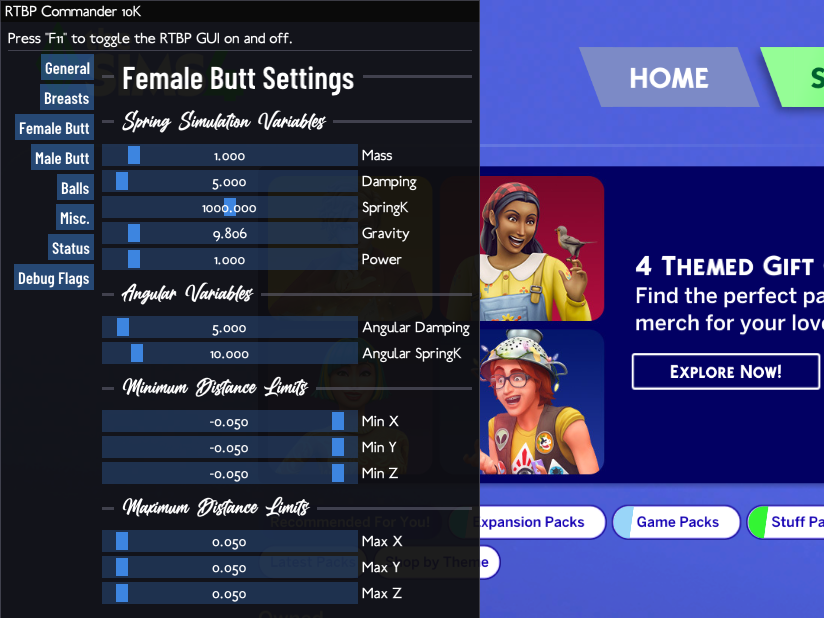
If you haven't used the internal GUI yet, try it out in game by pressing F11. The internal GUI will eventually replace the Commander, but for the time being both can be used to tweak RTBP to your liking.
To avoid confusion, I'm calling this release RTBP v2.0. That way you'll know that and RTBP release with a version number of 2.0 and above is the DirectX 11 version and anything below is DirectX 9.
Known Issues:
* For some meshes, one of the butt cheeks looks deflated and sags downward.
* Some sims glich out and their geometry shoots out in random directions.
* Sims might look a little weird in the portrait images.
* Probably more.
These issues ought to be fixed in time. Let me know if you have any problems. Please enjoy and have a happy new year.
Experimental Builds
Fixing bugs can be difficult, especially when you can't reproduce the error that has befallen so many users. If you're up for it, try out an experimental build in testing and report your findings in the support thread.
v2.3.2~2 2026-09-28:
- Added power variable to angular simulations.
- Added settings to enable/disable linear and angular limits.
-
Switched from using TCP sockets to named pipes for RTBP/Sims 4 IPC. No more confusion over filewall settings or needing to give RTBP permission to listen on ports.
More realistic/accurate angular physics? Vary gravity based on angle between weight and pivot. - Switched to a better rotation matrix to euler angles calculation method for angular physics. This should prevent body parts from deforming oddly during less common body movements, like when the sim is doing a head stand or something.
- Slightly tweaked the Installer.
- Rebuilt Companion and Installer using a newer version of wxWidgets. Let me know if there are any problems with these tools.
(v2.3.2~1 -> v2.3.2~2): No changes, just a quick fix.
RTBP Legacy (DirectX 9, Depreciated):
The DirectX 9 version of RTBP has been superseded by the DirectX 11 version and is no longer being developed. Use the DirectX 9 version only if you have to.
Note for those with an Intel GPU:
You'll need to tweak a Sims 4 configuration file for RTBP to work. Go to your game installation directory + "/Game/Bin/" (the same place you put "d3d9.dll"), and open the file "GraphicsRules.sgr". Find the line that says "setProp $ConfigGroup EnableSoftwareSkinning true" (for me it was on line 117) and replace the part that says "true" to "false".
This will enable hardware skinning for Intel hardware and allow RTBP to work.
Note on DirectX 11:
A recent update added DirectX 11 support to the Sims 4. RTBP was designed around the original version of the game that uses DirectX 9. For RTBP to function, the D3D9 version of the game needs to be used (D3D11 support is coming). To explicitly launch the D3D9 version of the Sims 4, find your installation directory and execute "...\Game\Bin\TS4_DX9_x64.exe". You can also choose to switch to the D3D9 version of the game in the game options.
Bonus: If you'd like, you can try out the super duper, highly experimental, RTBP GUI tool that allows you to Alt+Tab out of the game and change settings on the fly via the RTBP Command Server using a user friendly GUI interface:
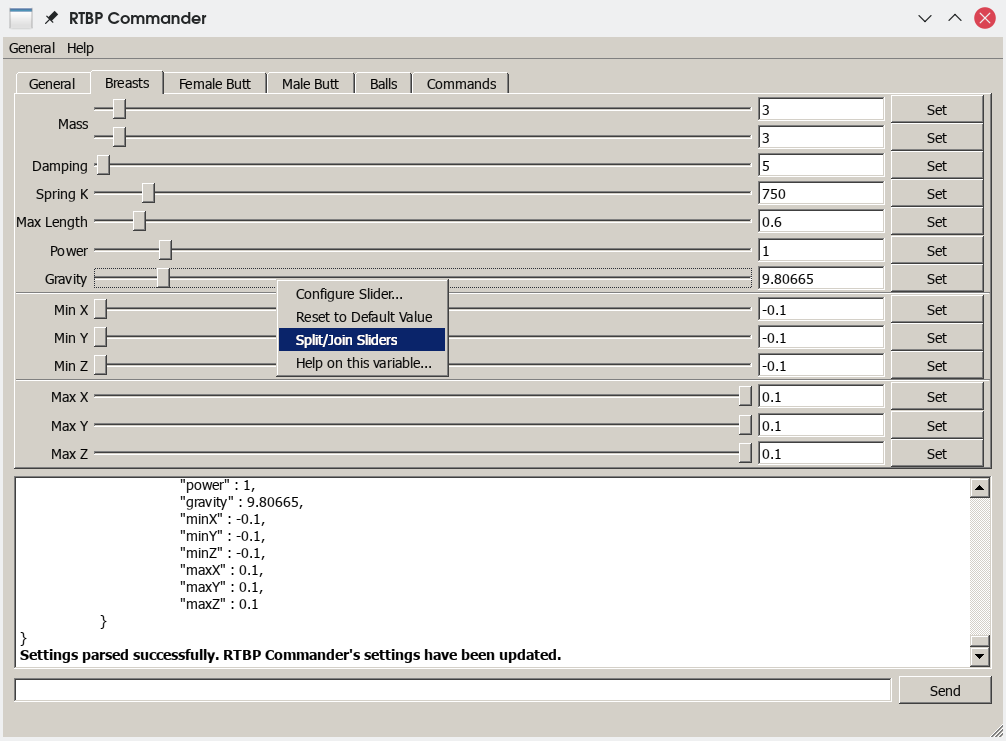
* Screenshot is out of date.
The RTBP GUI Tool is a work in progress and more features will be added soon. Beware that you can send values to RTBP that might break it and cause body parts to disappear.
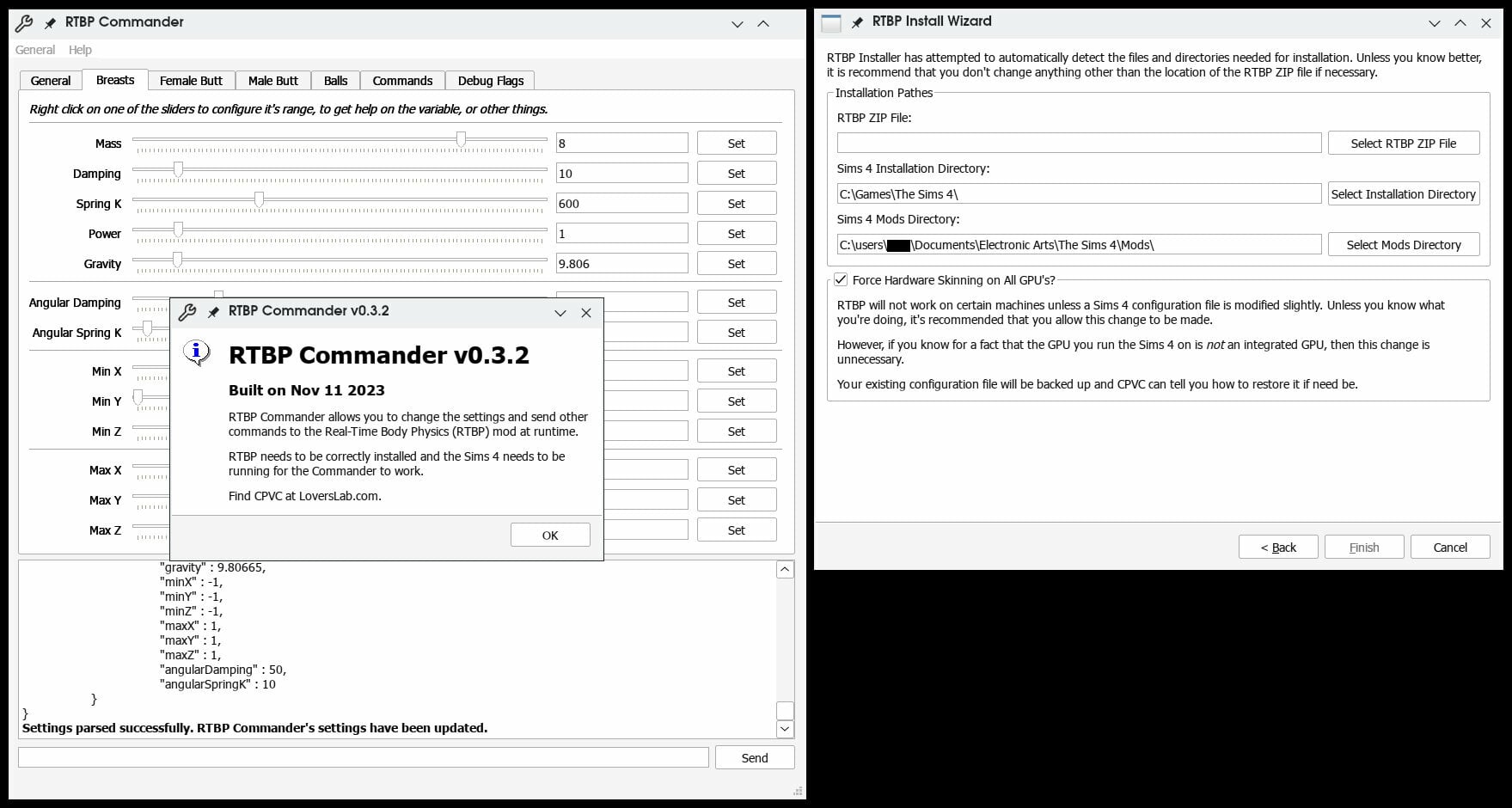
Bonus 2: Having a bit of trouble installing RTBP? Try out the RTBP installer. Just select the RTBP zip file you'd like to install, your Sims 4 installation directory, and your Sims 4 mods directory. The RTBP Installer will attempt to automatically detect these paths, so if you're unsure, I recommend going with the default values.
Update 2023-11-11: The new versions of the RTBP Commander and Installer have been bundled to save space. Note that this version of the installer is incompatible with older versions of RTBP. Download both of them here:
Update 2023-04-01: Origin has been depreciated and replaced with the EA App. The RTBP installer will no longer look for your Sims 4 installation in the Origin game directory.
Update 2023-03-24: Added the EA App game installation directory to the list of potential Sims 4 game installation directories. The requisite libraries required for RTBP to function will be individually tested during installation.
Update 2022-08-13: The RTBP Installer should now detect when GShade is installed and make the changes necessary for RTBP compatibility.
Update 2022-07-26: Improved logging.
Update 2021-11-18: The RTBP Installer now has an uninstallation wizard.
Bonus 3: Looking for a more bleeding edge version of RTBP? Download the latest preview and/or experimental release here. These releases need to be manually installed, so they're for more advanced users. Documentation and script mods aren't typically included with these:
RTBP v0.4-p9-e3 2025-12-11.zip
Edited by CPVC
v2.3.2~2
What's New in Version 2.3.2 See changelog
Released
I think that the big bug I've been dealing with for forever might be taken care of now. Seems like this warrants another minor release. No new changes, just one big bug squashed and some minor changes to the Installer and Companion.
* Better exceptions. Changed the compiler flags to get exceptions working better.
* Minidumps will be created when an uncaught exception occurs. These contain additional debug information that should allow me to figure out what actually happened before the exception was raised. These will be included with submitted error reports.
* Minor improvements to the Installer. If debug symbols are found inside an extracted RTBP ZIP package, the installer will install those as well. These will be included with experimental releases from now on and should provide more verbose debugging information. Also, Installer log saving and log copying to clipboard if you need to share an installation log.
* Probably more I've missed.
Anyway, thanks for your patience, I hope this is finally the end of that godawful bug. Just about every single error report I get nowadays has to do with that issue. I'm hoping that after this release I can go days without an error report. Let me know if there's anything wrong and I'll get it fixed immediately.
Also, thanks to everyone that worked with me testing experimental builds and such. This bug has been a huge problem for me because I have been unable to reproduce it and had to ask for help. Thanks again.
Edit: Made a quick couple changes to the DLL, rebuilt, and reuploaded. Please download again and replace the old one.